







Tutorial: Customize and Extend the Dynamics 365 Event Management Marketing Portal Part 1: Understand, Add, Use, and Display Variable
Views (246)
 Aileen Gusni
 44,524
 Like
Like Share
Share
 Report
Hi everyone,
In my previous posts:
we have learned how to customize, test locally, and deploy to your actual and LIVE environment.
But, that is only simple customization, what if you want to customize more?
For example you want to add new variables/ fields, not only just customize the UI?
Let’s just add the Date field in the Main Page
Add the following code in the viewer:

Is that all?
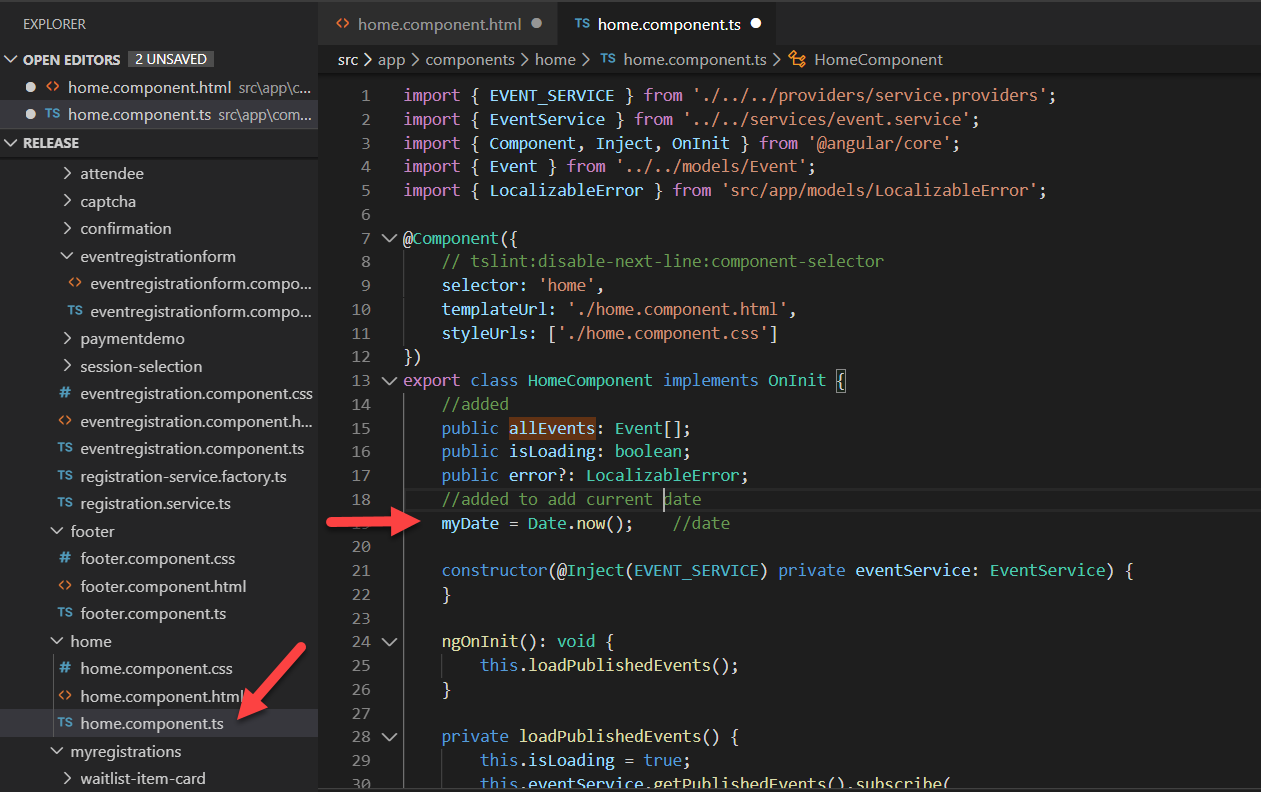
No, you also need to make sure that myDate is a known variable:
As the home.component.htmlis the viewer, then the code behind is the same name ending with .ts extension
Here is the result!

Yesss now you know how to add custom variable, use it, and display it into your Main Page and you know how do do simple code to show date/time, it is just like C# OR JavaScript programming that you are familiar with. You just need to deploy it.
I suggest you start doing development and deployment locally to be more productive.
In the next post, I will share how to deal with real field.
Hope it helps!
Thanks
This was originally posted here.
*This post is locked for comments