




 Like
Like Share
Share
 Report
Introduction
In this blog, we will resolve “Operation has timed out” error in D365 Portals.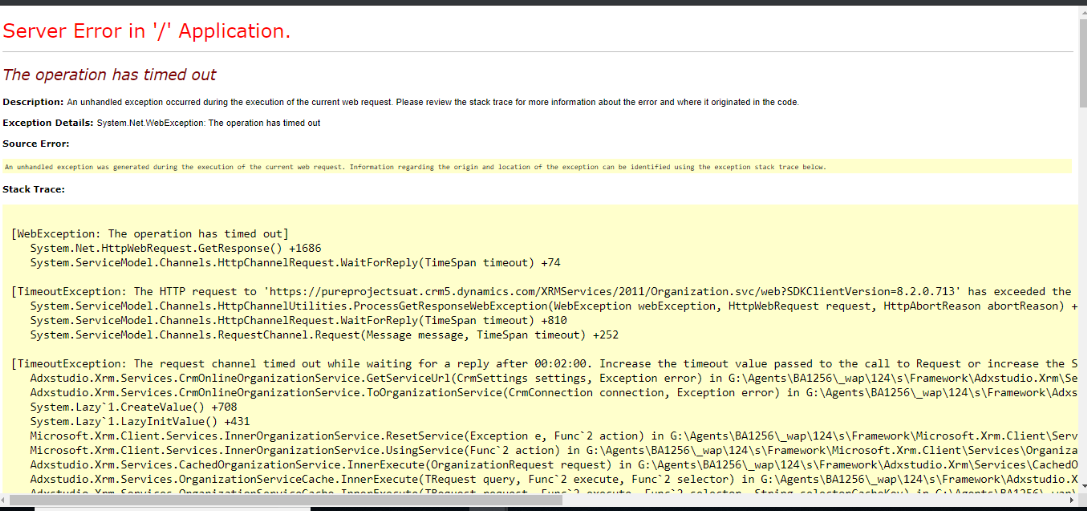
Steps to solve this issue:
Restart your portal by going to the admin center.
Steps to restart the portal:
- Go to the Dynamics 365 Administration Center page and select the Applications tab.
- Select the name of the portal, and then select Manage.
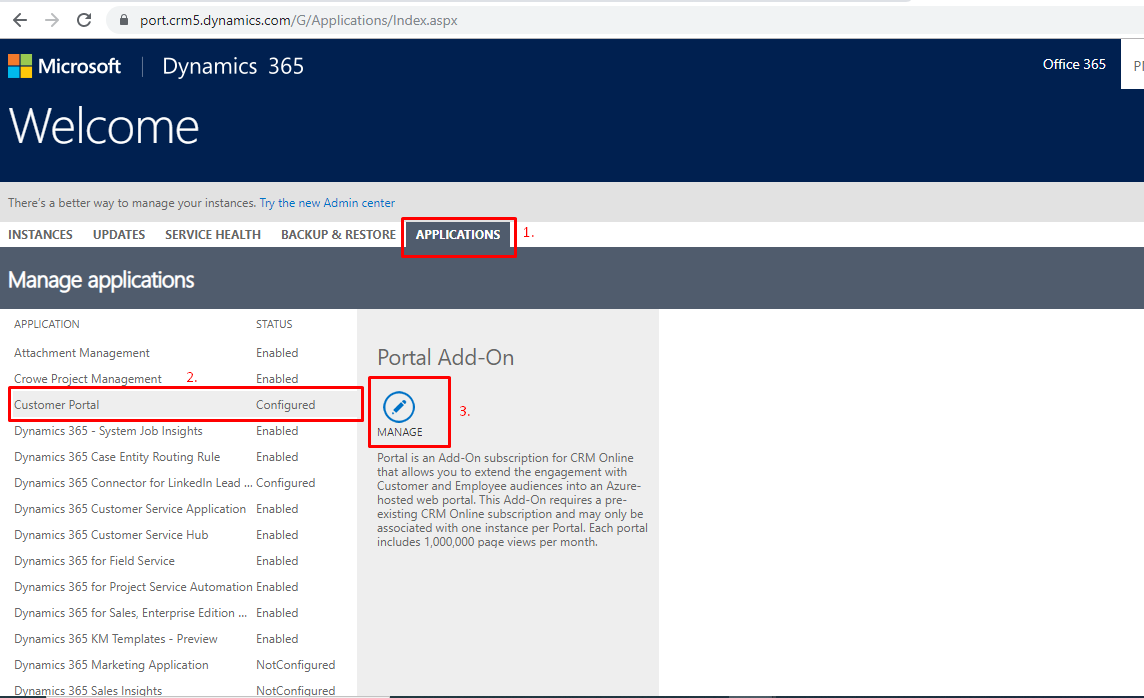
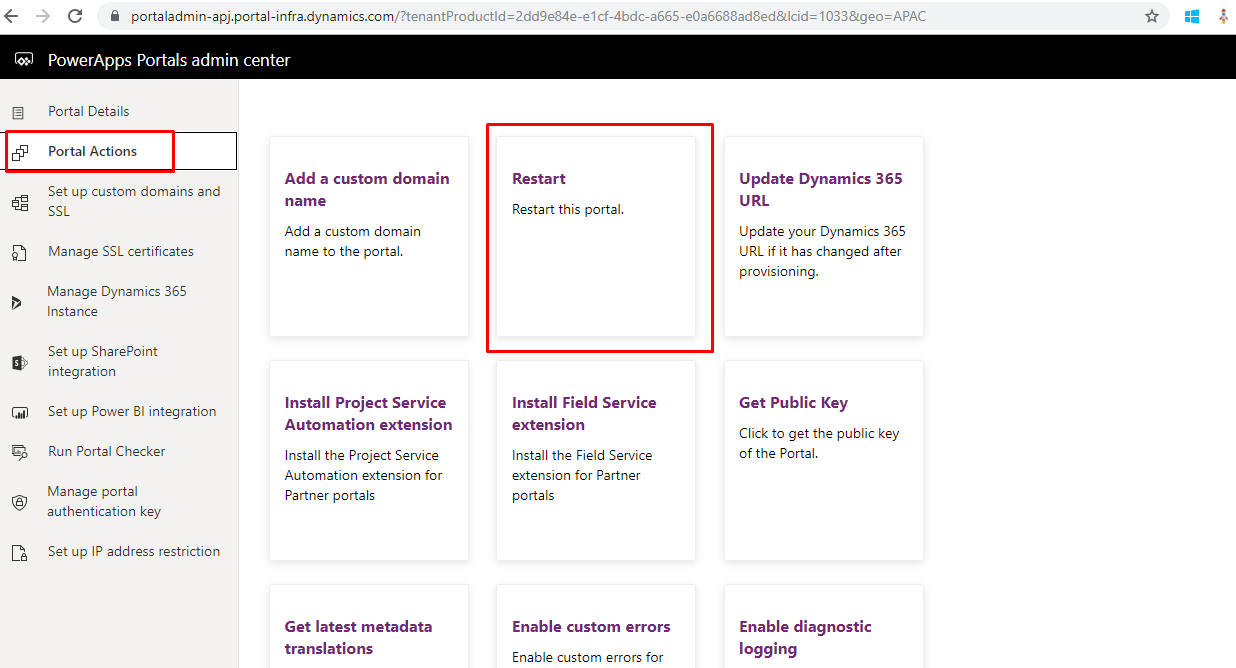
- Click on Portal Actions –>Restart.
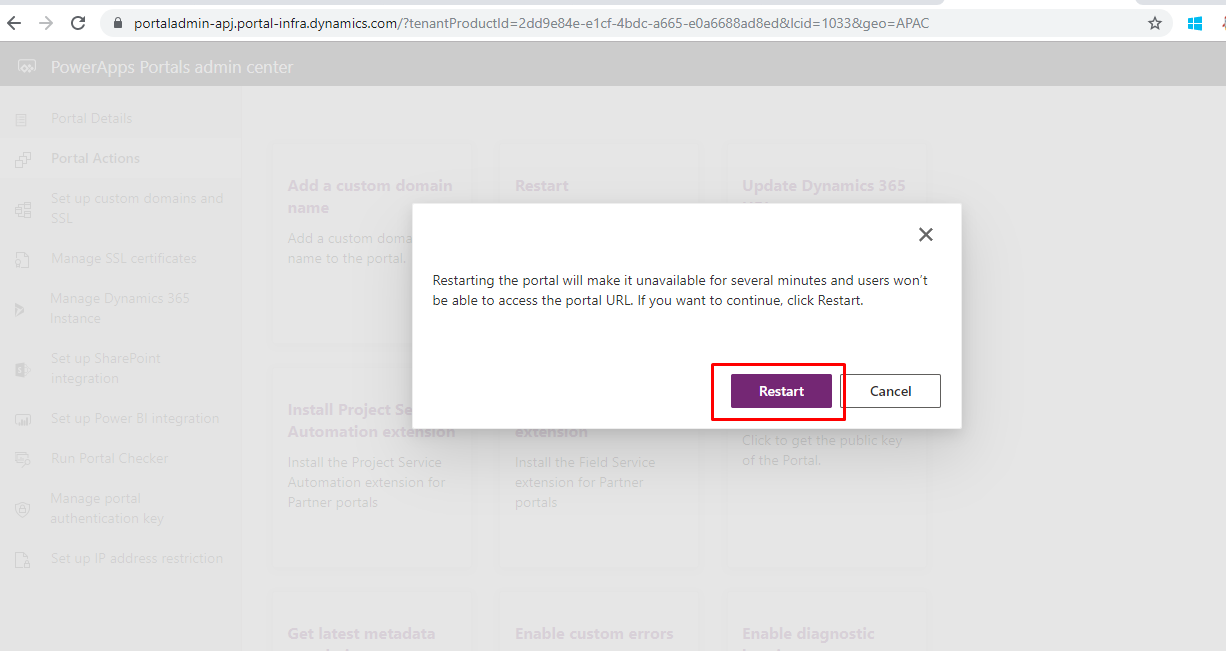
- Click on Restart.
Wait for a few minutes and go back to your portal, it should be working now.
Reference: https://docs.microsoft.com/en-us/dynamics365/portals/portal-faq
*This post is locked for comments