




 Like
Like Share
Share
 Report
Introduction:
This blog explains how to Filter records in PowerApps based on the current user of Dynamics CRM.
Steps to be followed:
Step 1: Add user entity.
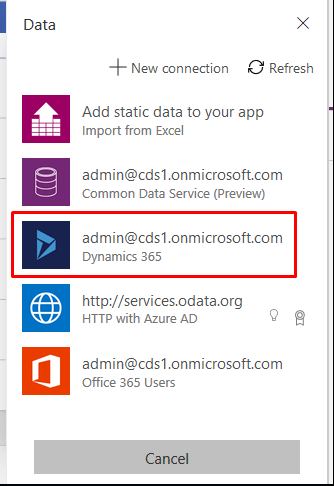
- For that go to View –> Data sources –> Select Dynamics 365 connection.
- Select user entity –> click on connect.

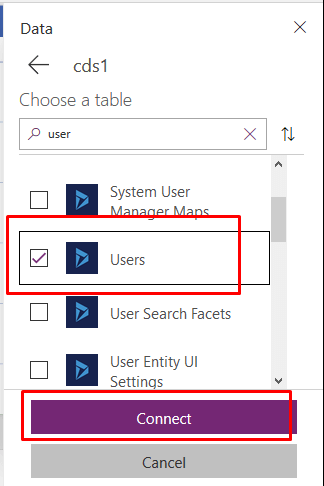
Step 2: Now select Browse Screen and add Label control on Browse screen.
- Set its visible property to false.
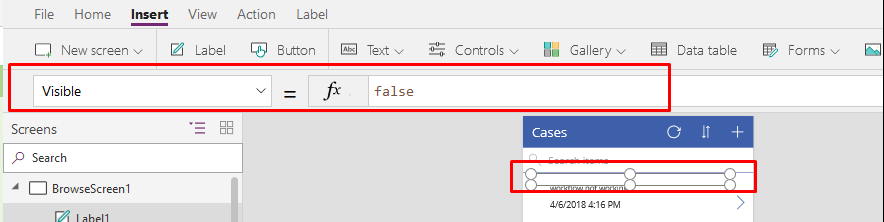
- Set Text property to:
LookUp(Users,internalemailaddress=User().Email,systemuserid)

Step 3: Select Browse Gallery and set its Items Property to :
Search(Filter(Cases,_ownerid_value = Label1.Text), TextSearchBox1.Text, "description")
(Here Label1 is the name of Label which we have added in previous step && _ownerid_value stores the owner of that particular case record)

I have selected _ownerid_values because owner field stores the user value according to which we want to filter the case records.
By following above steps you will be able to filter records based on current user.
The post Filter records in PowerApps based on the current user of Dynamics CRM appeared first on CloudFronts - Microsoft Dynamics 365 | Power BI | Azure.
*This post is locked for comments