




 Like
Like Share
Share
 Report
Introduction
In the blog we are going to see how to add Insights based News related to Companies/People on the Dashboards in Dynamics CRM
Pre Requisites
- Insight, powered by InsideView
- Dynamics 365 Customer Engagement
Implementation
Step 1: First we go the dashboard we want to customize and we add a web resource with the following details
Web Resource: iv_/webpages/insights_dashboard.htm
Name: WebResource_WebResource_insightdashboard
Label: Insights Dashboard
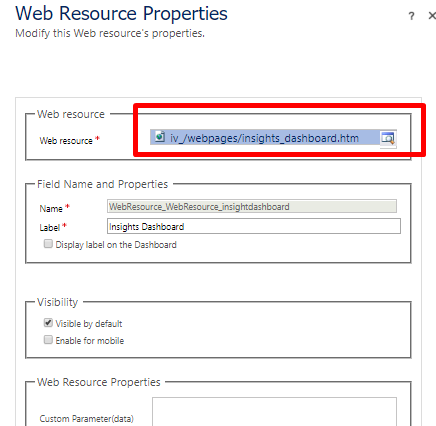
Also don’t forget to keep “Visible by default” as “Checked”
Step 2: Now when we see the dashboards we will be able to see Insights news related to Companies/People
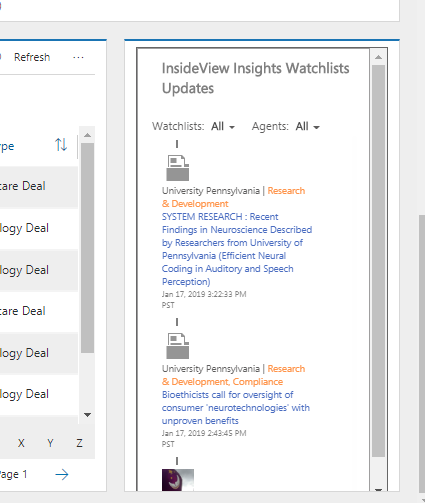
Step 3: Additionally we could also add Companies/People to the watch list and we will be able to see news related to them on the dashboard by switching to the specific Watchlist
Hope this helped!
The post How to add Insights based News on CRM Dashboards appeared first on CloudFronts - Microsoft Dynamics 365 | Power BI | Azure.
*This post is locked for comments