







AX 2012: How to use JumpRef method
Views (15942)
 Faisal Fareed
 10,796
User Group Leader
10,796
User Group Leader
 Like
Like Share
Share
 Report
JumpRef method is mostly used with fields which are not linked with an EDT however, this depends on the design of the code and the requirement.
I got a requirement to show 'View Details' options to the field of type notes (memo). There can be multiple ways to accomplish it but its always better to have your code at a central location (best to have it in Class or at table level) to reuse it.
JumpRef method can be overridden at form level under control itself but we are not going to do [avoid code changes at form level]
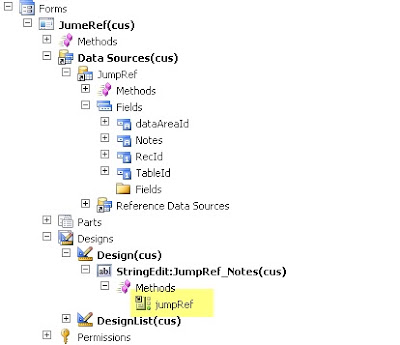
Better to override JumpRef method at datasource field level and call method from table.
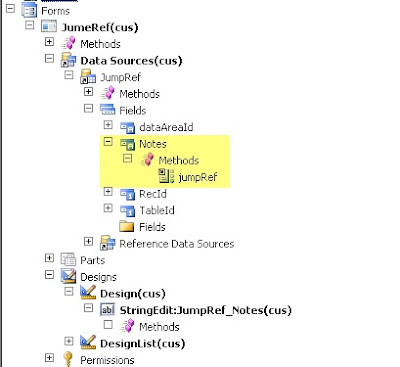
JumpRef Method:
public void jumpRef()
{
JumpRef::peformJumpRef(JumpRef.Notes);
}
PerformJumpRef method at table
I got a requirement to show 'View Details' options to the field of type notes (memo). There can be multiple ways to accomplish it but its always better to have your code at a central location (best to have it in Class or at table level) to reuse it.
JumpRef method can be overridden at form level under control itself but we are not going to do [avoid code changes at form level]
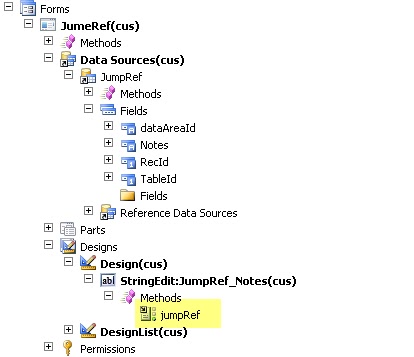
Better to override JumpRef method at datasource field level and call method from table.

JumpRef Method:
public void jumpRef()
{
JumpRef::peformJumpRef(JumpRef.Notes);
}
PerformJumpRef method at table
static void peformJumpRef(Notes _notes)
{
MenuFunction menuFunction;
Args args = new Args();
DocumentNotes documentNotes; // This is the table of the master where view details option will take you. Change table name here, this is just for sample
;
if (_notes)
{
documentNotes = DocumentNotes::find(_notes);
}
args.record(documentNotes);
args.lookupRecord(documentNotes);
menuFunction = new MenuFunction(menuitemDisplayStr(DocumentNotes), MenuItemType::Display);
menuFunction.run(args);
}This was originally posted here.
*This post is locked for comments