






What is the purpose of the Delete negative payments in the Payment Proposal form?

 Like
Like Share
Share
 Report
This blog talks about the purpose of the ‘Delete negative payments’ option in the Customer Payment proposal form.
In Dynamics 365 for Finance and Operations, users can see this option by going to Accounts receivable > Payments > Payment journal. Click Lines, and then click Payment proposal > Create payment proposal.
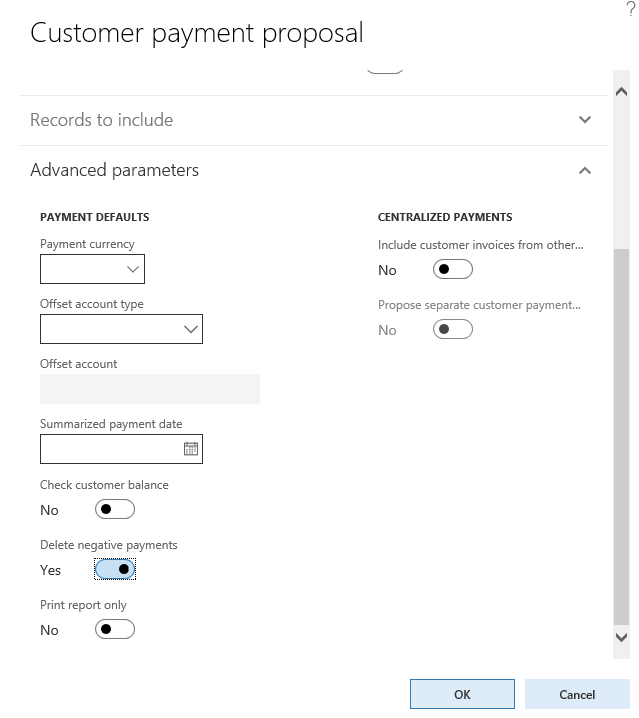
This field has the following definition:
| Delete negative payments | Select this check box to delete payments if the amount to be paid is negative. |
We have had questions from customers asking if this field is used to filter out the Credit notes posted for the customer during the Payment proposal process.
The purpose of ‘Delete negative payments’ in a Customer payment proposalis not to remove credit notes.
The purpose is to remove negative payments during the Payment proposal process.
When the payment proposal process is run, the system checks the Method of payment setup.
ThePeriod field in the Methods of payment – customers form is usedto select whether the invoices are combined in an automatic payment proposal or not.
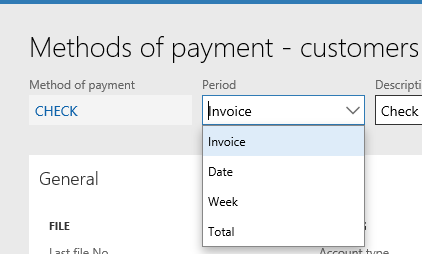
The following options are available:
- Invoice Create one payment for each invoice.
- Date Create one payment for all invoices that have the same due date.
- Week Create one payment for all invoices that have a due date in the same week.
- Total Create one payment for all invoices.
The examples below cover the Method of payments Total and Invoice with the following sample invoice and credit note:
Credit note: -100,000
Invoice: 20,000

When you use Method of payment=Total, the application will createa payment for each customer balance with the same payment date (due date).
If the customer balance is negative, then it will not be included in the Payment proposal process when ‘Delete negative payments’ is marked.
When you use Method of payment Period=Invoice, you will get one payment for each invoice (or credit note). The Credit note payments will be deleted as it will have a negative balance.
Scenario 1‘Delete negative payments’=Yes and Period=Invoice


In this scenario, the system generates one payment for each invoice or credit note.
When the option Delete negative payments is set to Yes, the payment created for the credit note with a negative payment amount is deleted.

If Delete negative payments is set to No, the system creates a payment line for the credit note and the invoice transactions.


Scenario 2 Delete negative payments =Yes and Period=TOTAL

In this scenario, the system creates one payment for all invoices.
When the option Delete negative payments is set to yes, the system totals the balance for the Invoice and the Credit note to determine the payment amount. If the balance is negative, then the payment line is deleted.
In this example, the total for the invoice and the credit note is -80,000. The negative payment line is deleted.
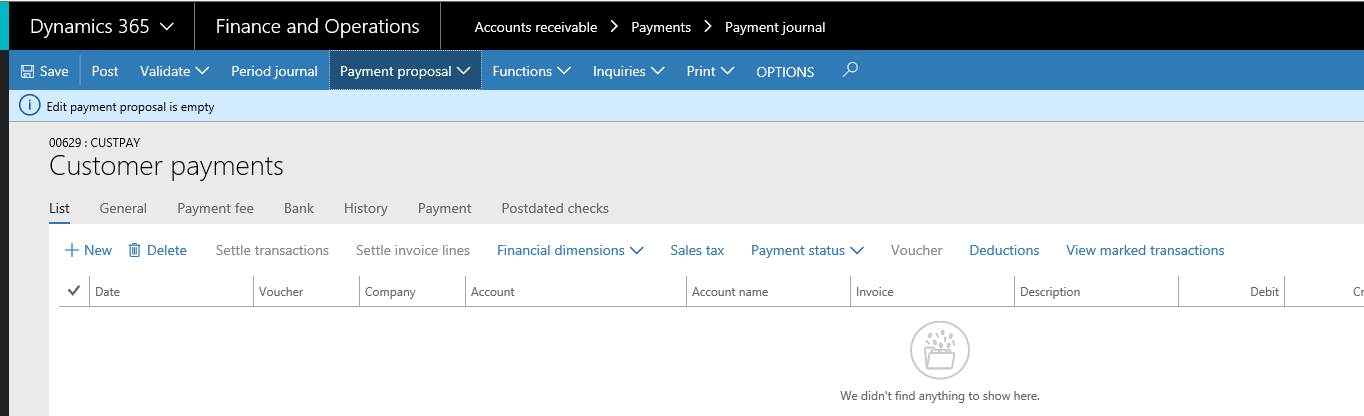
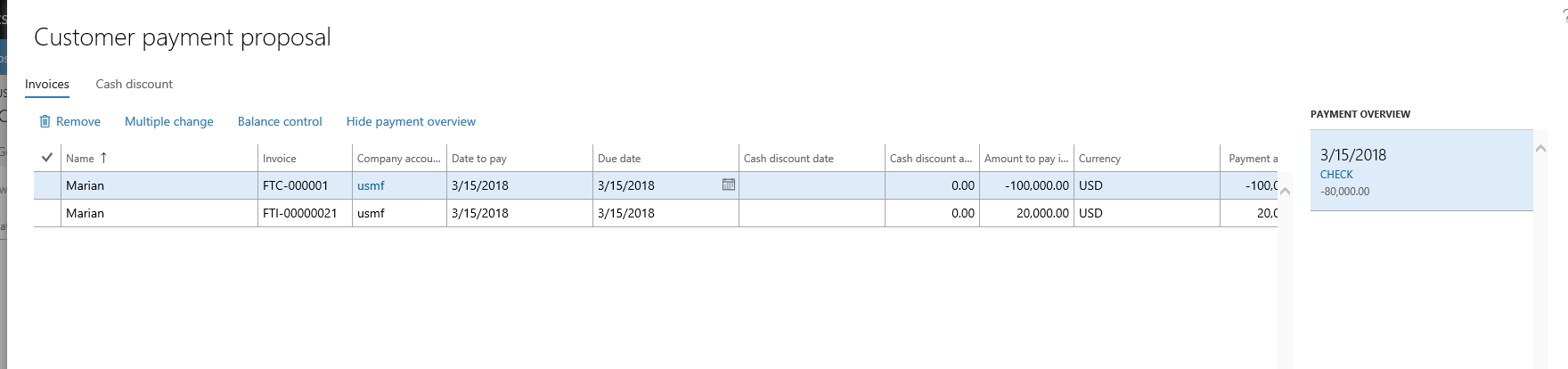
If the option Delete negative payments is set to No, the system totals the balance for the Invoice and the Credit note to determine the payment amount. The system will then create one payment line for the total.

In this example, the total for the invoice and the credit note is -80,000. The system will create one payment line for the total of the invoice.

The post What is the purpose of the Delete negative payments in the Payment Proposal form? appeared first on Dynamics 365 Blog.
This was originally posted here.
*This post is locked for comments