




 3,111
3,111 Like
Like Share
Share
 Report
Error message : You cannot rename the record because the table (InventTable) is a parent distribution table
Version : MSDyn365FO
Module : Product Information Management
Localization : #NA
Critical : Blocking
French message : Vous ne pouvez pas renommer l’enregistrement car la table (InventTable) est une table de distribution parente
Explanation : When you try to rename a released product, you may have this blocking error. In particular, if you are working on USMF or other Contoso demo environment with Retail deployed.
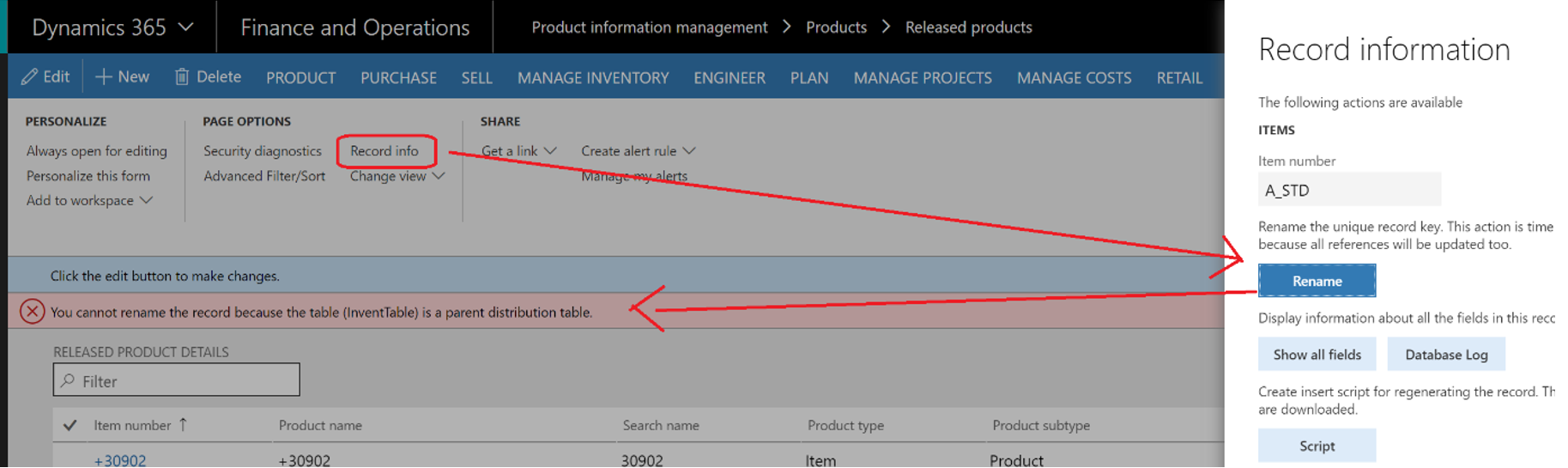
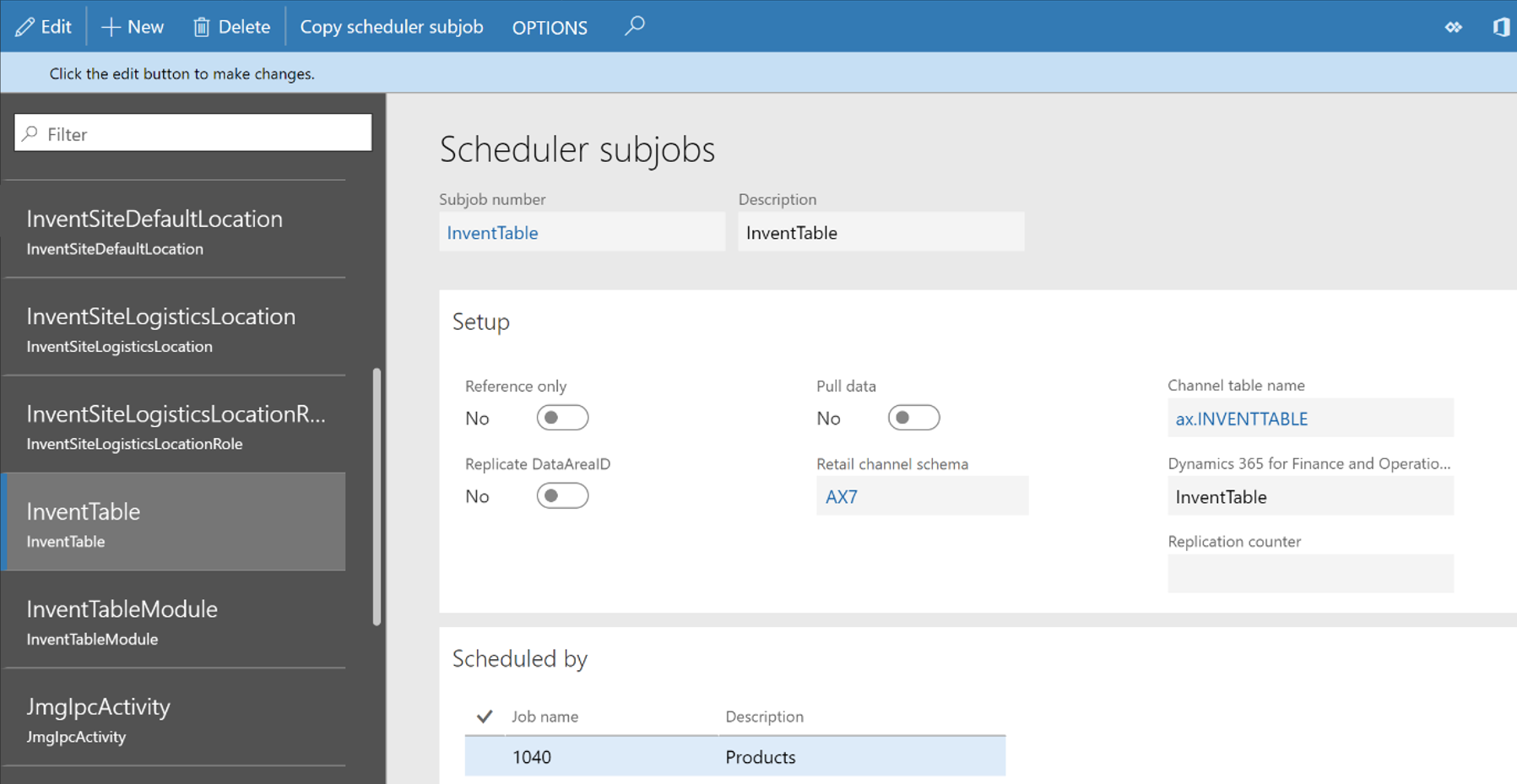
Solution : This is due to a Retail setup. Go under the scheduler subjobs (Retail> Headquarters setup > Retail scheduler > Scheduler subjobs) and simply delete the InventTable subjob. You should be able to rename released products. Then, if you need this, don’t forget to recreate the InventTable subjob as it was.
Trick and tips : You can refer to this post if you have other wrong setup on items like storage or tracking dimensions.
Other comment : This is an update because you’ll find some information on internet about that issue, but mostly on Ax2012. It’s not exactly the same in MSDyn365FO. See here.
Yohann ROLLAND
L’article Issue : You cannot rename the record because the table (InventTable) is a parent distribution table est apparu en premier sur D365Tour.
*This post is locked for comments