






Configure and use currency exchange provider in Microsoft Dynamics 365 finance and operations
 saurabh bharti
 15,059
Moderator
15,059
Moderator
 Like
Like Share
Share
 Report
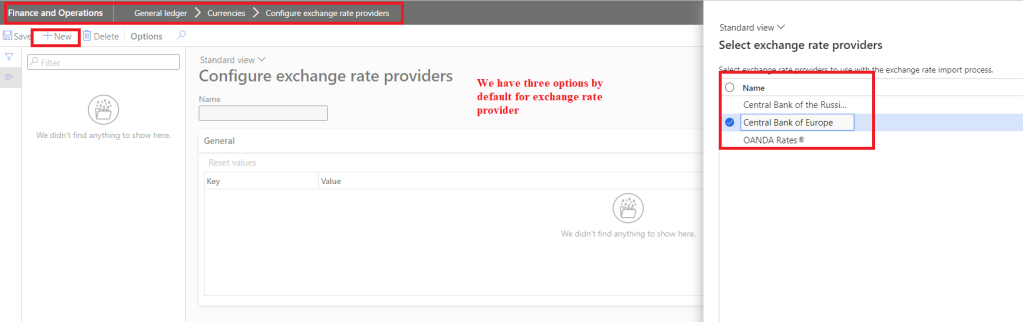
Microsoft dynamics 365 finance and operations supports importing exchange rates directly from external providers so that while making forex transactions users need not to worry about having latest exchange rates. Currently we have following three exchange rates providers:
- Central bank of Europe
- Central Bank of the Russian Federation
- OANDA Rates
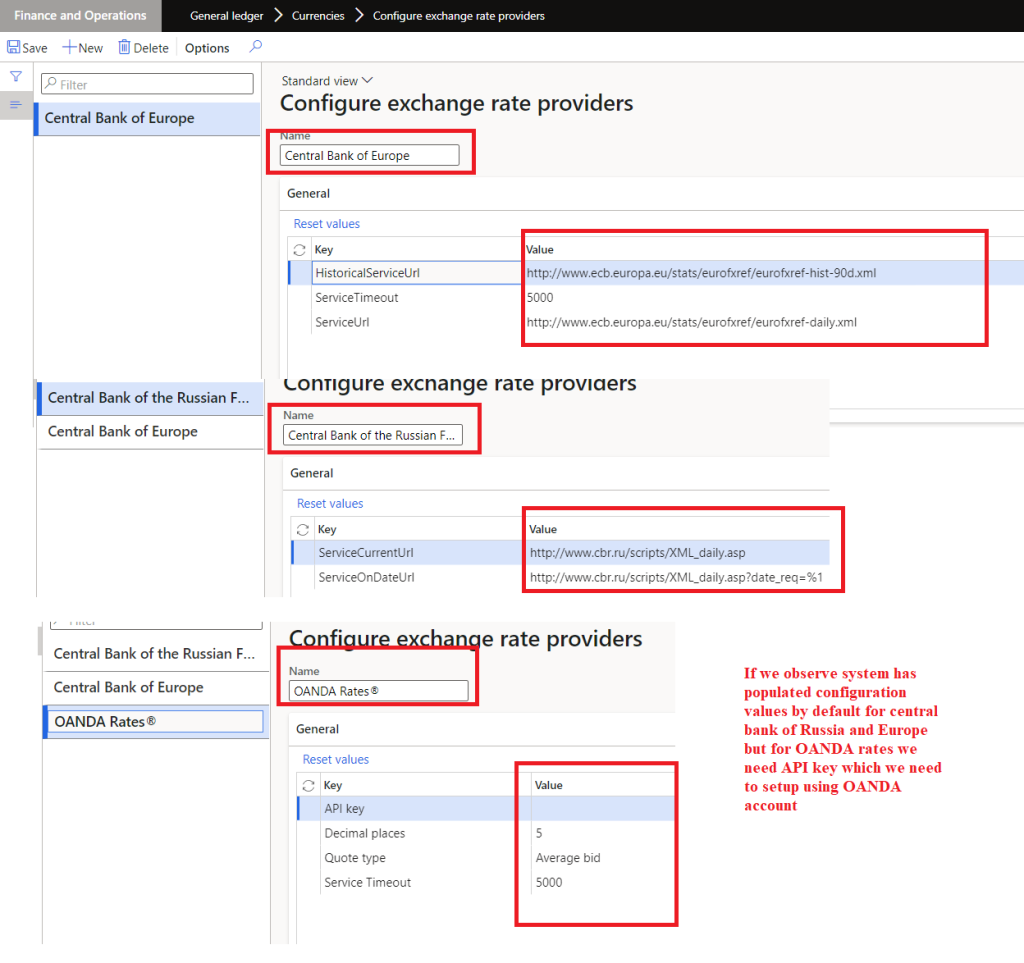
Out of these three providers, two providers can be configurated directly without any additional integration but for OANDA Rates we need to configure API using the defined process. Here is the reference for OANDA Rates.
In this blog, I will take simple example for Central bank of Europe to import exchange rates.
Step-1: Crate exchange rate providers
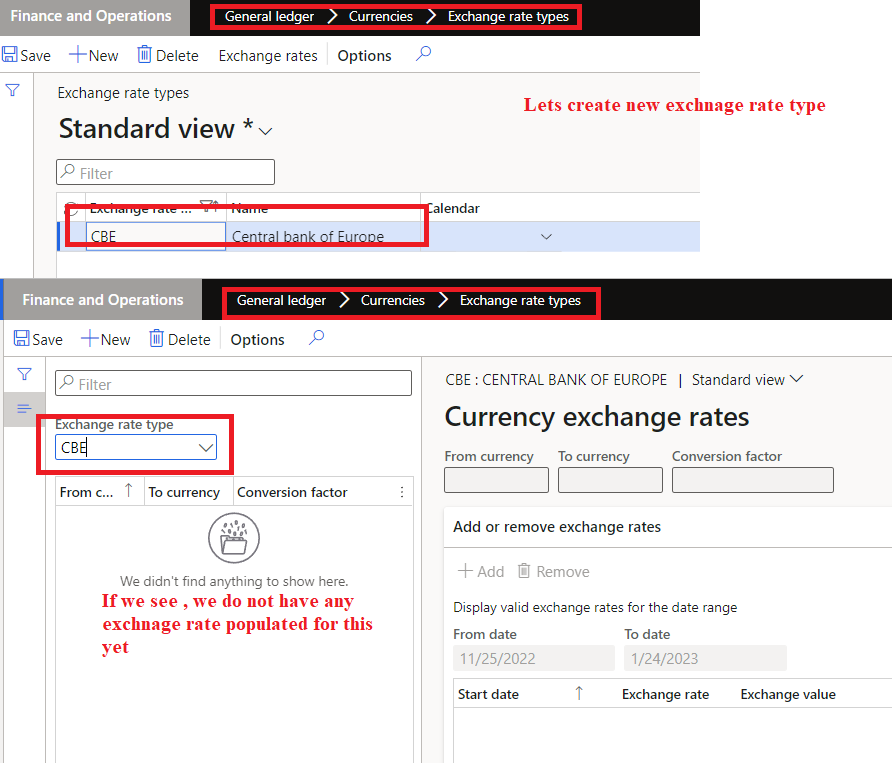
Step-2: Define exchange rate type or use existing one

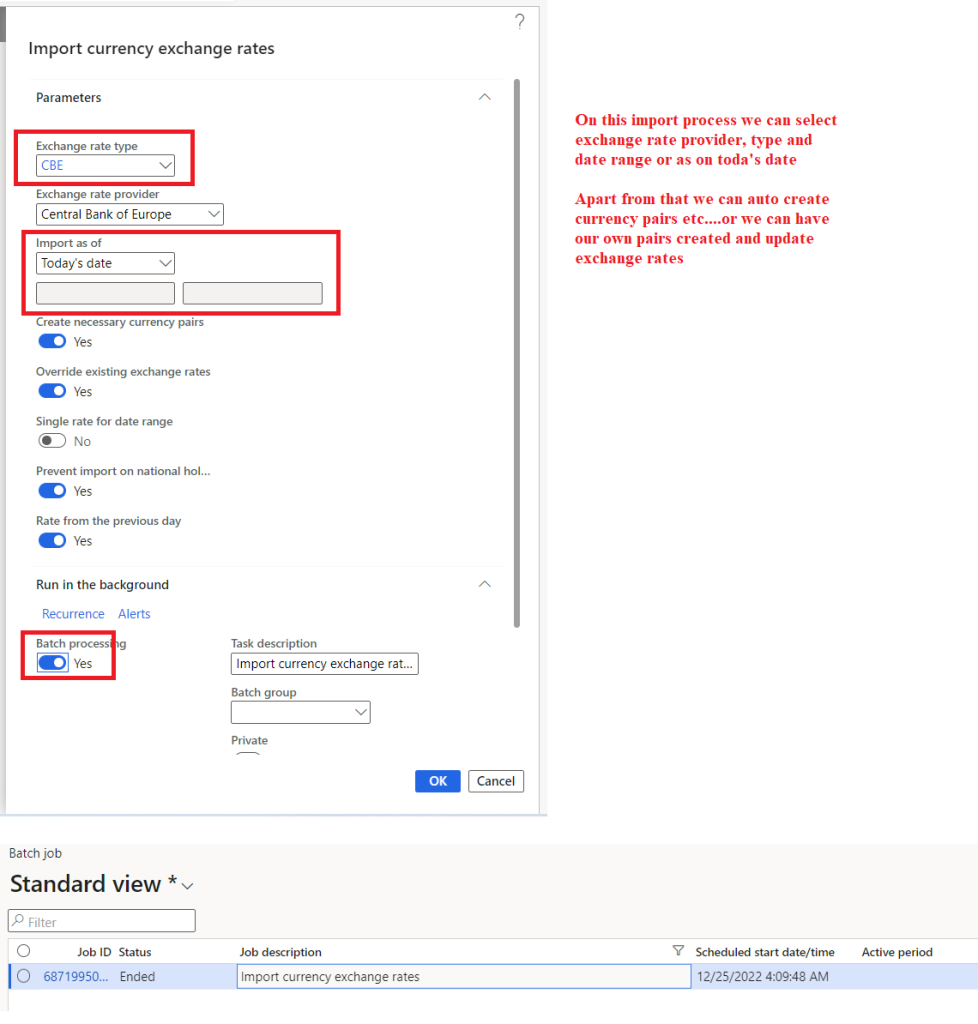
Step-3: Import exchange rate (batch jobs)
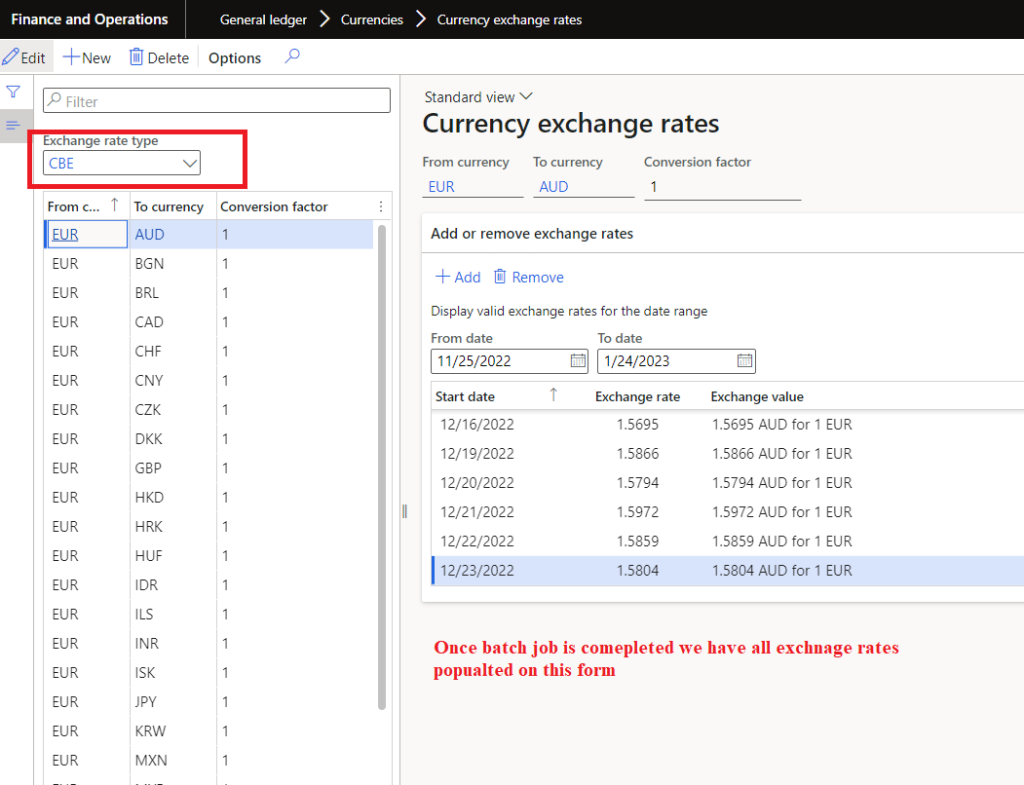
Step-4: View imported exchange rates
That’s it for this blog, hope this will help you.
Thank you !!! keep reading and sharing !!!
This was originally posted here.
*This post is locked for comments