




 24,564
 Like
Like Share
Share
 Report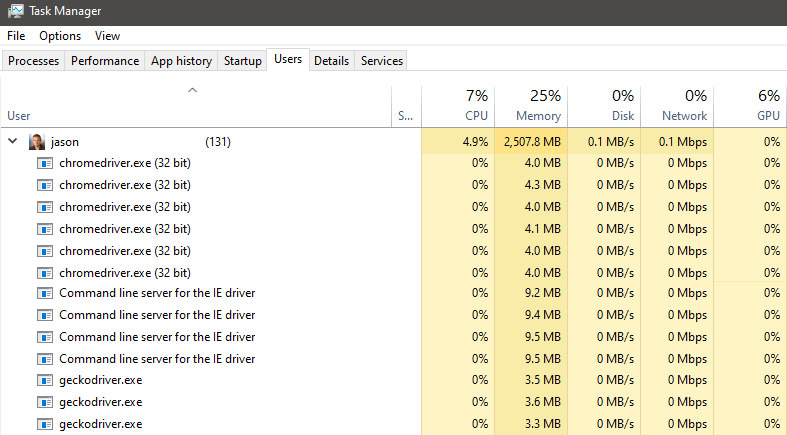
Probably not going to grind your machine to halt but it would be better if those processes got cleaned up without having to remember to manually go through and End task for every single one of them.
Fortunately there an easier (albeit not perfect) way to handle this. With a few lines of code you can check the running processes and stop any offenders. You'll notice that I added the code to the AssemblyInitialize method and not AssemblyCleanup. In a perfect world you'd do the clean up at the end after all tests have run. Unfortunately that won't work here, in the event you cancel a test or abort in some way AssemblyCleanup doesn't run. The next best thing is to run the clean up code before starting a new run of tests. Once this is in place you shouldn't have more than 1 process leftover at any given time.
using System.Diagnostics;

[AssemblyInitialize]
public static void AssemblyInitialize(TestContext testContext)
{
    var chromeProcesses = Process.GetProcessesByName("chromedriver");
    foreach (var process in chromeProcesses)
    {
        process.Kill();
    }
    var geckoProcesses = Process.GetProcessesByName("geckodriver");
    foreach (var process in geckoProcesses)
    {
        process.Kill();
    }
    var ieDriverServiceProcesses = Process.GetProcessesByName("IEDriverServer");
    // (Command line server for the IE driver)
    foreach (var process in ieDriverServiceProcesses)
    {
        process.Kill();
    }
}
*This post is locked for comments