




 Like
Like Share
Share
 Report
In AX 2012, we had an option Personalize to view the form and form control layout; Form, DataSource and field details; Add and manage form design. In this blog article we will see how we can find form and control details Dynamics 365 Operations.
In this blog we will view the Customer Name – form control details.
1. Go to Accounts Receivable -> All customers -> Right click on the Account Name
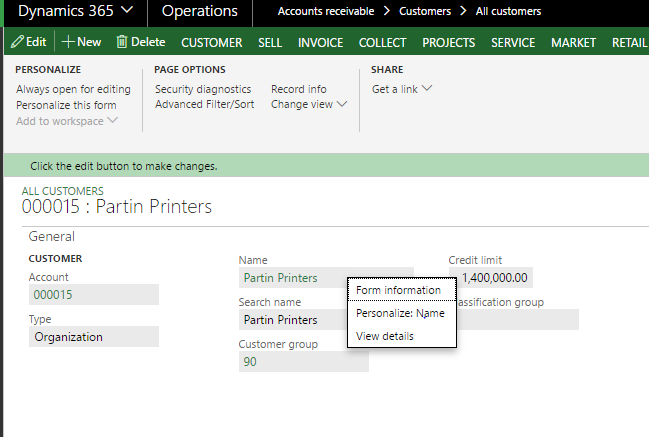
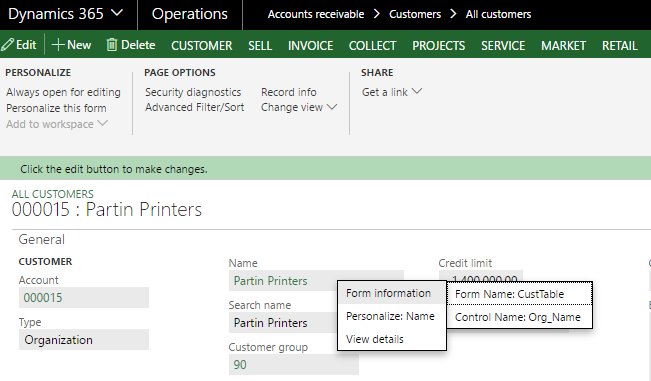
2. Select Form Information -> Form Name
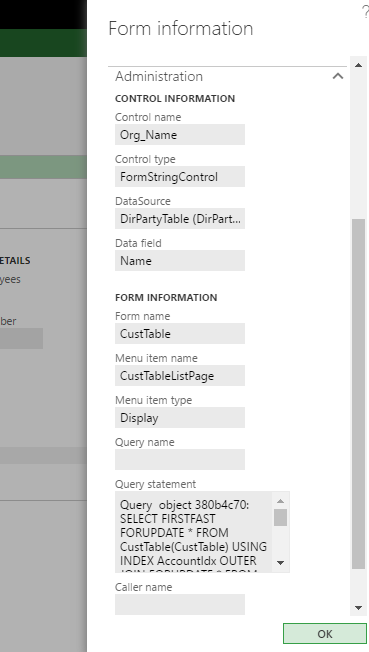
3. In Form Information go to Administration Fast Tab. You can find all details regarding form control – Customer name.
The post Form Personalization in D365 Operations appeared first on CloudFronts - Microsoft Dynamics 365 | Power BI | Azure.
*This post is locked for comments