







Rule of Thumb | Maintain Requisition History
Views (1760)
 Mahmoud Saadi
 32,738
 Like
Like Share
Share
 Report
There is an important piece of setup when using the requisition management that is supposed to be checked after every single deployment of the module, it is simply the "Maintain History" option for requisitions. When upgrading from previous versions, this option might not be checked by default.
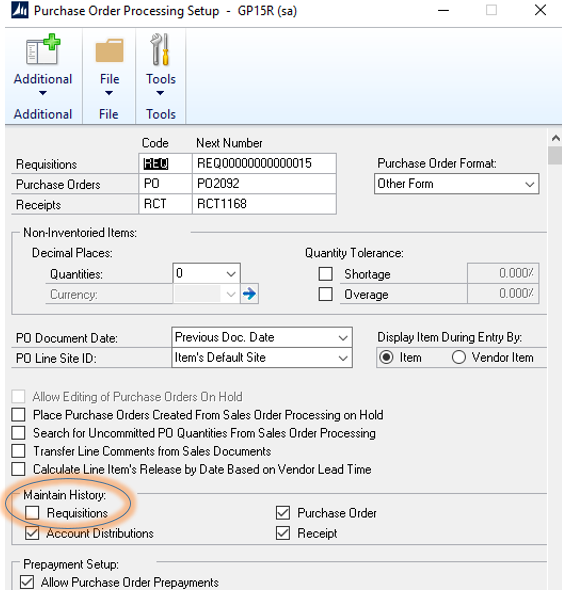
- Go to Microsoft Dynamics GP > Tools > Setup > Purchasing > Purchase Order Processing.
- Under Maintain History section, check the option for "Requisitions" as illustrated below in the screen shot.
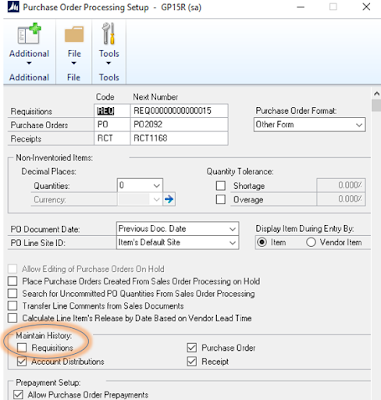
Purchase Order Processing Setup
Requisition Tables Structure
The following are the primary requisition tables:
- POP10200 -- Open Purchase Requisition Header
- POP10210 -- Open Purchase Requisition Details
- POP30200 -- History Purchase Requisition Header
- POP30210 -- History Purchase Requisition Details
- sop60100 -- Requisition and Purchase Order Link
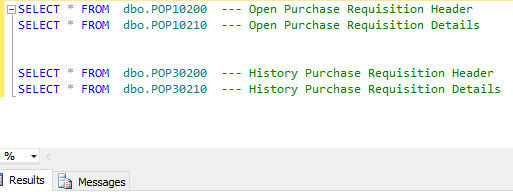 | |||||||||
| Primary Requisition Tables |
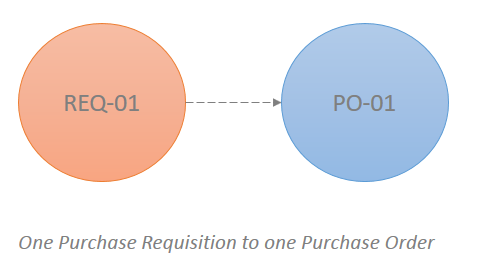
Purchasing requisition/ multiple requisition and Maintain History
In case the "Maintain History" is checked for requisitions, the data is archived in the history tables once a requisition is purchased. Otherwise, the data will be completely removed from the open tables, leaving only a record/records in the SOP60100 table (Requisition and Purchase Order Link)

Important Note !
When "maintain history" is not checked, the system allows you to re-use the same requisition number after being purchased. Although, once you purchase the requisition, the convert to PO window will retrieve no data, since there is an existing record in the SOP60100 indicating that the requisition number has already been purchased.
Best Regards,
Mahmoud M. AlSaadi
Mahmoud M. AlSaadi
This was originally posted here.
*This post is locked for comments