






How to Setup Gamification in Dynamics 365
 MagnetismXRM
 6,230
6,230
 Like
Like Share
Share
 Report
Gamification in Dynamics 365 lets you transform your day to day operation into competition between employees. For example, you may want to introduce some competition based on the number of Cases your customer service team closes over a certain period. In this article, I will show you how easy it is to add Gamification to your Dynamics 365 system.
To get started with Gamification in Dynamics 365, go to Settings > Dynamics Marketplace. Search for “Gamification” and select “Microsoft Dynamics 365 – Gamification”. Accept the license agreement and click on Continue.
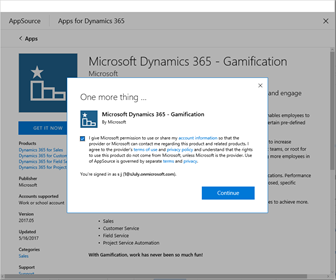
Next, provide the details of the CRM organisation that you want to connect Gamification to.
Wait for Gamification Solution status to be changed to Installed. This may take a few minutes.
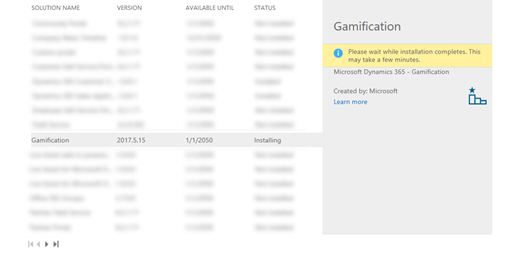
Once installed, go back into Dynamics 365 and view the installed solutions. There will be two new solutions called “GamificationUpdater” and “Gamification”.
You will have to go through an activation process to complete the Gamification setup. To do that, open up the “Gamification” solution, and then click on Configuration.
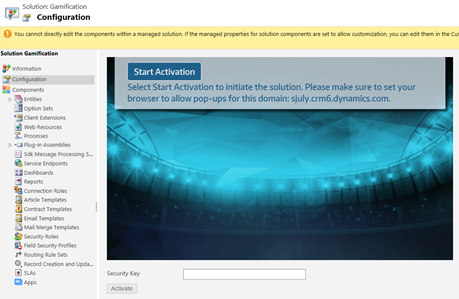
Click on Start Activation and login to your Dynamics 365 account. Once you have given required permissions, a new window will open. Please note, that window may look blank but it does not imply that something has gone wrong. It is safe to close that window.
It might take a few minutes for Security Key to appear in your Gamification Solution. Once the key appears, copy and paste it in Security Key field. Then click on Activate.
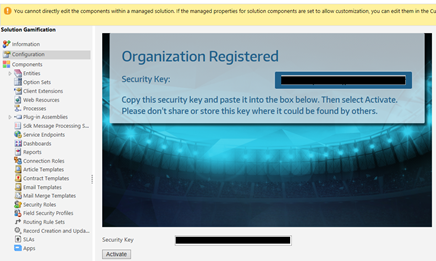
A message will appear if Gamification was successfully activated. You will also notice a new Area has been added to the Sitemap dedicated to Gamification related elements.
*This post is locked for comments