







Sales Transactions Entry - Trade Discount and Markdown
Views (4762)
 Mahmoud Saadi
 32,738
 Like
Like Share
Share
 Report
When thinking of sales invoice discount, there is always a distinction between what's called a discount per item (Markdown) and the discount per invoice (Trade Discount). The difference is primarily represented with the allocation of item discount per item which is in turn deducted from the extended item price.
In Dynamics GP, there is a predefined set of accounts for both; discount per item and discount per invoice. The discount per item is configured on the item card level, while the discount per invoice is configured on the customer card level as illustrated below:
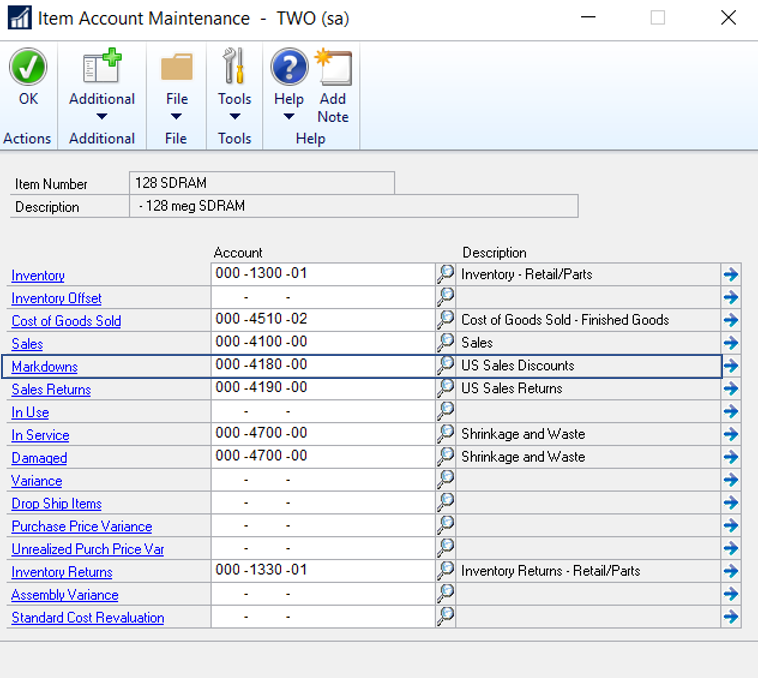 |
| Item Card Accounts - Markdown |
 |
| Customer Card Accounts - Trade Discount |
The markdown amount is the difference between the unit cost of the item in Invoicing and the reduced price. For example, if the unit cost of an item is $100 and you mark it down 10%, $10 will be posted to the Markdown account. This account will be posted to if you've chosen to use posting accounts for the item rather than the customer in the Invoicing or Sales Order Processing modules.
On the other hand, the trade discount amount filled out on the sales transaction entry under the "Trade Discount" is deducted from the overall sales document amount, without being deducted from each item prices. So item prices are not affected but rather the whole invoice.
 |
| Sales Transaction Entry |
Trade Discount into Markdown
In standard Dynamics GP, there is no link between the trade discount and the markdown, which means trade discount can not be distributed into line items. Although, the system keeps track and does distribute the trade discount (which is filled out on the invoice level) into line items without any effect on the application level. Here is a quick technical view on the Sales Transaction Entry tables:
Here is a screen shot for an invoice which doesn't have Trade Discount :
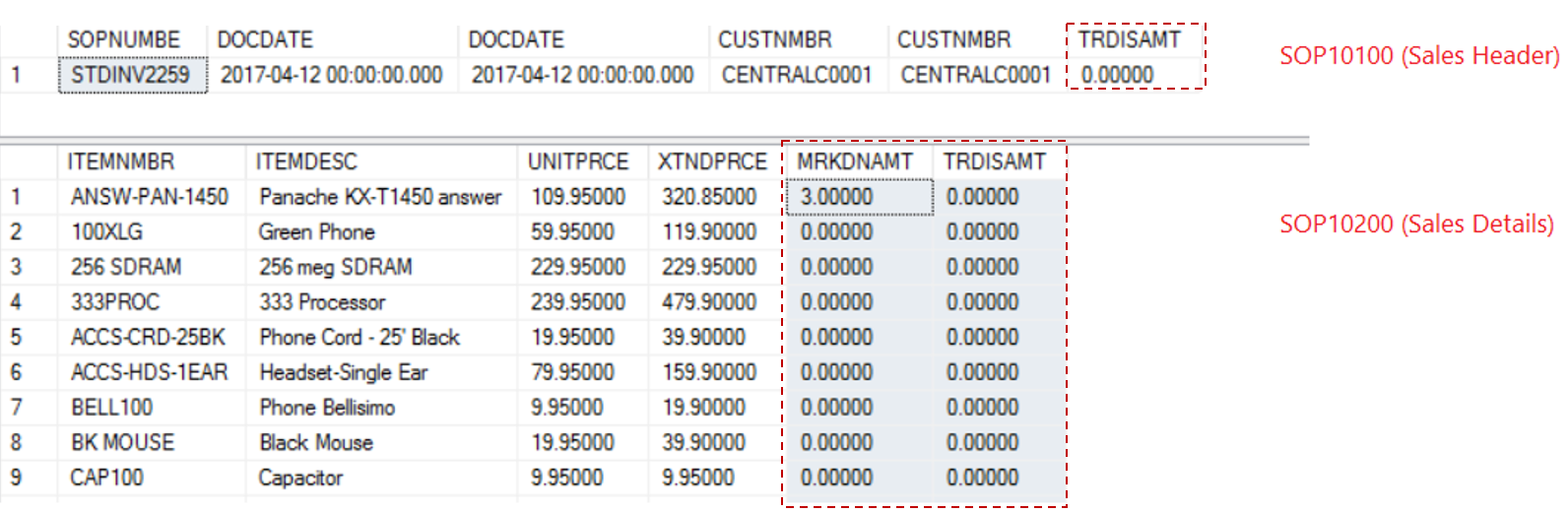 |
| Sales Header versus Details |
Here is a screen shot for an invoice which have Trade Discount :
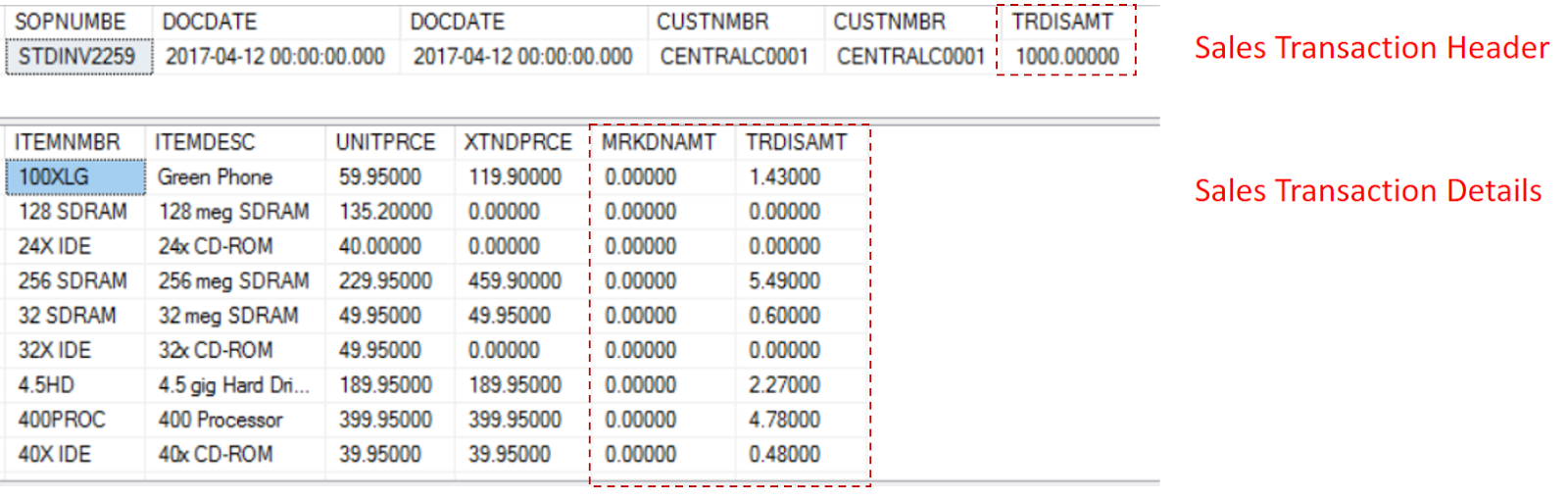
In this essence, this article is meant to provide an important piece of information, which seems to be the bases for creating an additional important feature in Dynamics GP, which distribute the invoice discount and reflect it on an average base on the line items level.
Best Regards,
Mahmoud M. AlSaadi
This was originally posted here.
*This post is locked for comments