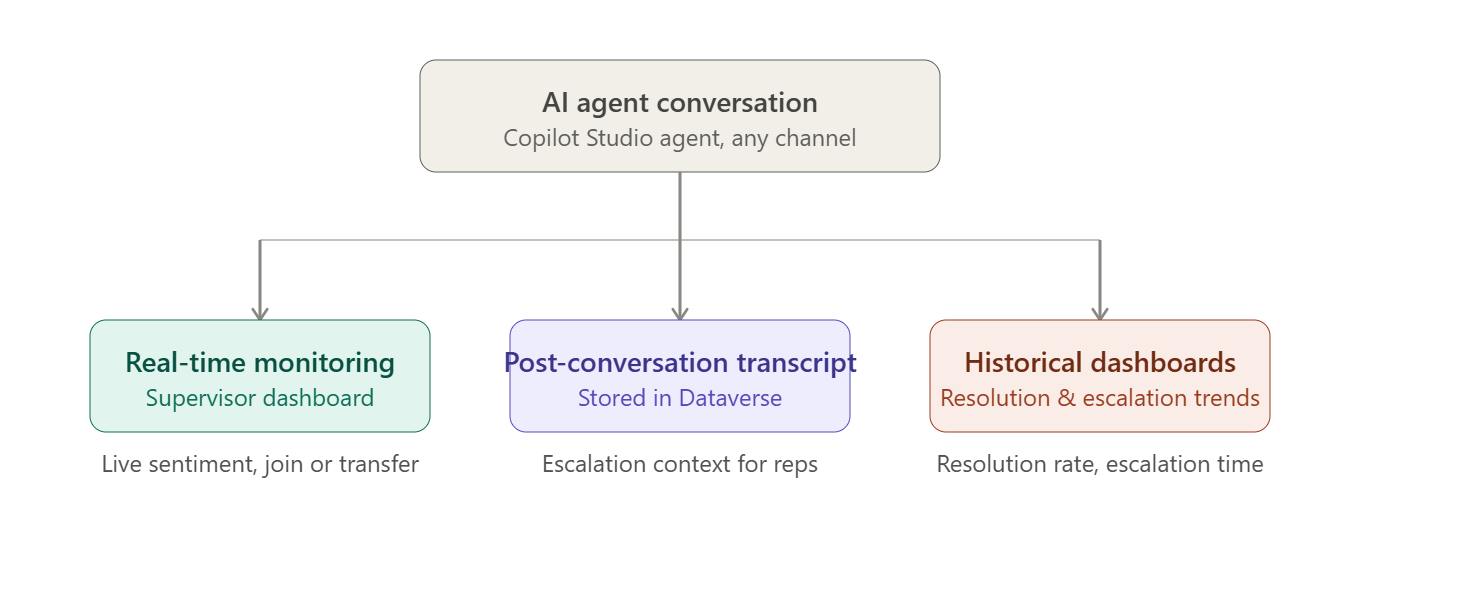
What is the Monitor Feature?
The Monitor feature in Copilot Studio provides visibility into conversations between customers
and AI agents. It allows administrators and developers to review actual conversations and
understand how the agent is responding to customer queries.
Using Monitor, you can:
• Review AI agent conversations
• Analyse generative AI responses
• Check customer questions and bot responses
• Identify failed or unsuccessful interactions
• Investigate topics and actions executed by the agent
• Monitor AI agent performance
• Track Copilot Studio credit consumption and usage
• Identify opportunities for improving the agent
Accessing the Monitor
To access the monitoring functionality:
1. Open Copilot Studio.
2. Select the required environment.
3. Open your AI agent.
4. Navigate to Monitor.
5. Review the available conversation and analytics information.
The exact options available may vary depending on the type of agent and the Copilot Studio
capabilities enabled in your environment.
Reviewing Conversations
One of the most useful capabilities is reviewing actual customer conversations.
For example, suppose a customer asks:
"I want to check the status of my order."
The Monitor experience allows you to see the customer's question and how the AI agent
responded.
This helps identify whether:
• The agent understood the customer's intent.
• The correct topic or generative response was triggered.
• The required knowledge source was used.
• The response provided to the customer was accurate.
• An escalation to a human agent was required.
Analysing Generative AI Responses
Generative AI responses can sometimes produce unexpected results. Monitoring allows the
implementation team to investigate these interactions.
For example:
Customer:
"Can I return my product after 30 days?"
AI Agent:
The agent generates a response based on the configured knowledge sources.
The administrator can review the interaction and determine whether the response correctly
followed the organization's return policy.
If the response is incorrect, the team can investigate:
• Knowledge sources
• Instructions
• Topics
• Generative answers
• Grounding data
• AI agent configuration
Monitoring Bot Usage and Credits
Another important area is usage monitoring.
Organizations using Copilot Studio need to monitor consumption because AI interactions can
consume Copilot Credits.
Monitoring usage helps administrators understand:
• Number of conversations
• AI agent utilization
• Usage trends
• Credit consumption
• High-volume interactions
This information can be useful for capacity planning and understanding the operational cost of
an AI implementation.


