




 160
160 Like
Like Share
Share
 Report

Working a lot with eID data for creation or renewal of contact information and have access to a card reader or the exported eID XML file?
What if we could just drag the exported eID XML file into Dynamics and have it create a new contact with the eID data! Or even search for a matching record first, to update it instead.
It sounded cool to us and would drastically improve the process flow for one of out customers so that’s what we created!
By the way, YES Homer Simpson does have a Belgium password or at least for sake of this demo he does!
So let’s get started by dragging the eID file on to the window.

CRM will visualize the data. If no matching record is found, you can go ahead and create a new contact. A new window will open showing you the created record, allowing you to continue working on it.
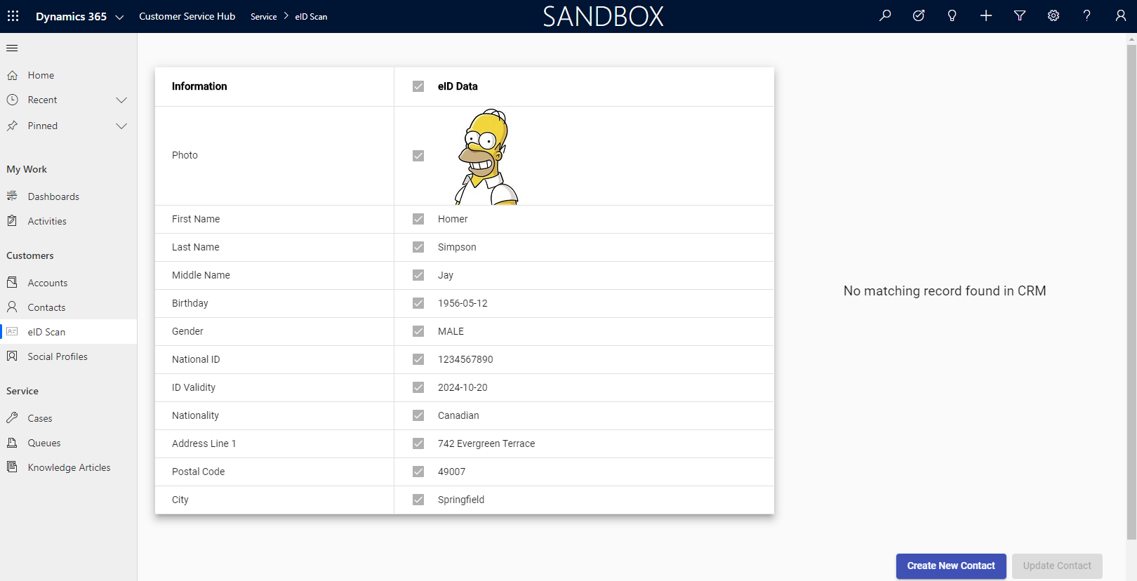
If a match is found, then you can select which data you would like to keep and update the contact.
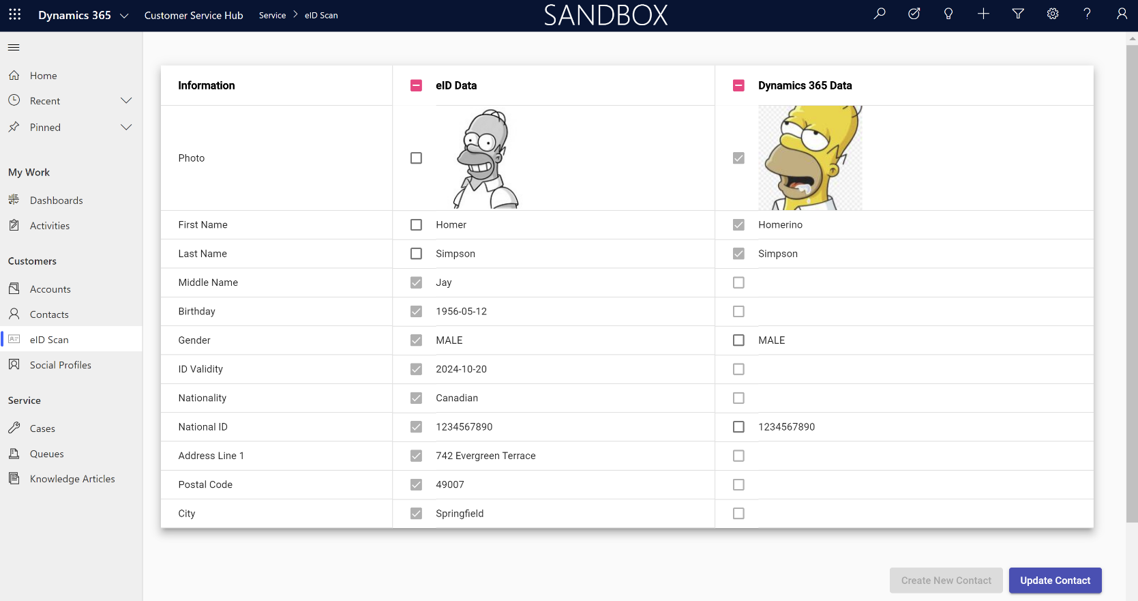
Pretty straight forward isn’t it?
See it in action:
Het bericht Belgium e-ID to Dynamics 365 verscheen eerst op Thrives.
*This post is locked for comments