web
You’re offline. This is a read only version of the page.
close
Skip to main content

Announcements

News and Announcements icon
Community site session details

Community site session details

Session Id :
Small and medium business | Business Central, N...
Suggested Answer

Business Central PTE Deployment from VS Code get stuck in publishing state

(1) ShareShare
ReportReport
Posted on by 666
We recently upgraded a customer from onPrem BC20 to Cloud BC28. 
Their Database is around 600GB and their PTE Extension has over 950 objects. 
This includes Extending objects and new objects. 

When we try to publish (Without debugging) from VS code we can see that VScode tries to Publish/Attach to Business Central, which is what we always see. 
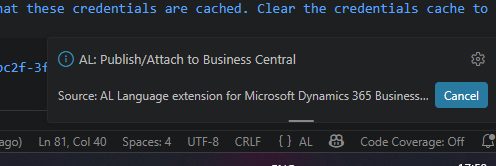
 
Next while the Extension is being deployed to a Sandbox Environment we can see in the Extension Management that die extension is listed as a Dev app, but its not been installed yet. 
This state stays like this for around 15minutes then the extension shows installed on the Sandbox Environment, but the VScode part never reach the success state. It just keeps trying to deploy. 

My question is if there is a PTE object limit or Database limit where Business Central Cloud cant compile DEV extensions anymore? 
I saw the other option "Debug without publishing". Is microsoft rather opting that we publish as PTEs and then "Debug without publishing"?

Thanks in Advance
I have the same question (0)
  • Suggested answer
    Khushbu Rajvi. Profile Picture
    23,005 Super User 2026 Season 1 on at

    Please publish the extension normally. Once it is installed in Extension Management, cancel the stuck publish session, restart VS Code, and check the AL Language Output for a timeout or publish error.

    Use Debug without publishing only after the app is already installed, because it debugs the last published version and does not deploy new changes.

    If the issue continues, test the same app in a clean sandbox and raise a Microsoft support case with the AL Language Output, publish timestamp, and extension version.

  • Suggested answer
    Kamal Khakhkhar Profile Picture
    3,481 on at
    Hii There , as per requirement while deploy extension as PTE , Uninatall Extension Published as DEV.
    Due to Extension Deployed As Dev While Publishing As PTE it will Give Error. so check accordingly.

    For this you can create a module based architecture to keep TableAndTable Extensions in single extension and Other Extensions are based On Modules Like AllCustomizations , FieldAdditions , ExtendedAddon like that.

    as Debug Without Publishing is working on last Deployed Version with DEV or PTE . so if you updated after last deployment  it will Debug on Last Deployed version , not on current version.

    If you found answer mark it verified.

    Thank You.
    Kamal Khakhkhar.

Under review

Thank you for your reply! To ensure a great experience for everyone, your content is awaiting approval by our Community Managers. Please check back later.

Helpful resources

Quick Links

Season of Sharing Community Challenge Launch!

Jump in, show your community spirit, and win prizes!

Women in Power Builds Momentum

Expanding mentorship, skilling, and AI innovation

Congratulations to the May Top 10 Community Leaders

These are the community rock stars!

Leaderboard > Small and medium business | Business Central, NAV, RMS

#1
OussamaSabbouh Profile Picture

OussamaSabbouh 1,687 Super User 2026 Season 1

#2
YUN ZHU Profile Picture

YUN ZHU 1,041 Super User 2026 Season 1

#3
Grigorios Mavrogeorgis Profile Picture

Grigorios Mavrogeorgis 974 Super User 2026 Season 1

Last 30 days Overall leaderboard

Featured topics

Microsoft Training Manuals

Product updates

Dynamics 365 release plans



