




 Share
Share Report
 1,271
1,271Hello,
I'm trying to understand what mechanism is used for importing vendor invoices by means of the XML files. I know for sure that it's standard Microsoft one, not custom and that imported invoices fall to “Pending vendor invoice" form. I don't have access to the prod env right now to check exctly. So I'm doing research in the meantime with what I can. I have found two MS articles on this matter
1) https://learn.microsoft.com/en-us/dynamics365/finance/localizations/europe/emea-peppol-import
2) https://learn.microsoft.com/en-us/dynamics365/finance/localizations/global/e-invoicing-get-started-import-vendor-invoices
Do I undrestand it right that these are two completely different approaches?
I know that imported vendor invoices fall to “Pending vendor invoices” form on prod env that refers to approach 1) However, I'm not sure about 2) maybe it's the same there. Also in the approach 2) it is said about Electronic Invoicing Feature which according to this https://learn.microsoft.com/en-us/dynamics365/finance/localizations/global/gs-e-invoicing-import-feature-global-repository can be checked In the Globalization Studio workspace, select the Electronic invoicing tile. However, again not 100% sure. Never did that before.
The question is when I have access to prod how to check exactly what approach is used 1) or 2). In approach 1) multiple settings are described so if I check them and they are there on the prod can I say that it's approach 1) used? For instance these settings
Go to Accounts payable > Setup > Accounts payable parameters.
On the Electronic documents tab, on the Electronic reporting FastTab, in the Vendor invoice field, select the imported Vendor Invoice Import format.
and these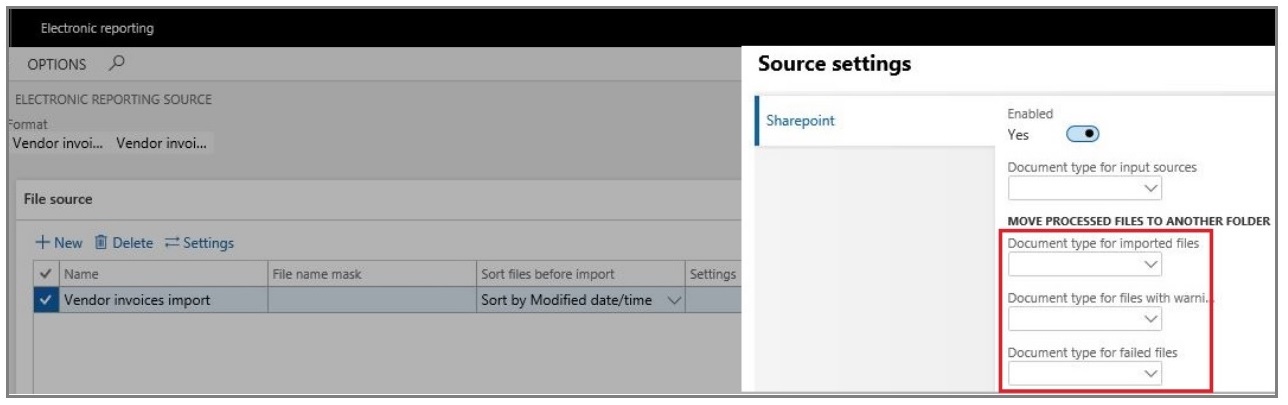
In the meantime in approach 2) the logs can be checked here
View receive logs for electronic invoices
To view the receive logs for electronic invoices, go to Organization administration > Periodic > Electronic documents > Electronic document receipt log. If you don't see successfully processed invoices, remove the table filter.
Does it mean If i see something there it's approach 2) used?
Or maybe any other means to check what approach is used exctly exists?
Thank you.
 All responses (
 Answers (








