web
You’re offline. This is a read only version of the page.
close
Skip to main content

Notifications

Announcements

No record found.

Community site session details

Community site session details

Session Id :
Finance | Project Operations, Human Resources, ...
Answered

Staging tables data delete - "Job history cleanup" Microsoft Dynamics 365 Finance and Supply Chain Management

(0) ShareShare
ReportReport
Posted on by 50

Hello All,

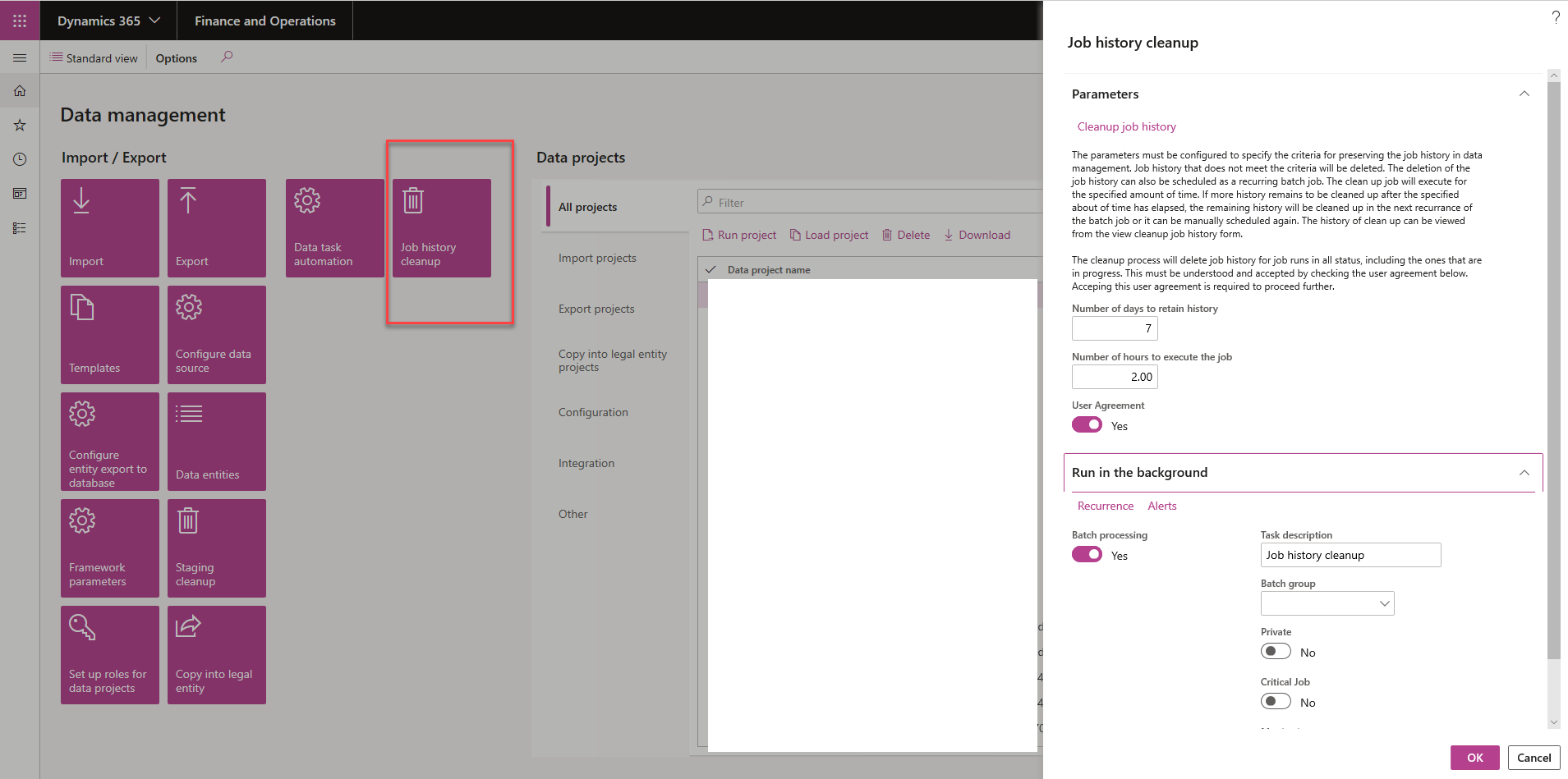
I am trying to use Microsoft new feature "Job history cleanup" to delete data from staging tables but even after running the job several times, system didnt delete all the records from staging tables. Initially I ran the job for 2 hours, then increased it to 4 hours but it didnt work. The "Job history cleanup" batch job completed its processing in 3hours and 25minutes.

I ran it with 7 days for "Number of days to retain history" but system is still showing old data.

Any thoughts?
pastedimage1583201281779v2.png

pastedimage1583201263227v1.png

pastedimage1583201299164v3.png

--Before 2364883 After: 1869991

SELECT COUNT(*)?

FROM DMFSTAGINGVALIDATIONLOG?

?

--Before 3568 After: 3567?

SELECT COUNT(*)?

FROM DMFSTAGINGEXECUTIONERRORS?

?

--Before 1900815 After: 1869991?

SELECT COUNT(*)?

FROM DMFSTAGINGLOG?

?

--Before 8304 After: 2308?

SELECT COUNT(*)?

FROM HCMWORKERSTAGING?

?

--Before 29791 After 16492?

SELECT COUNT(*)?

FROM HCMPOSITIONSTAGING?

As per Microsoft docs, the following tables will be cleaned up by the clean-up process. But its not happening. 

  • All staging tables
  • DMFSTAGINGVALIDATIONLOG
  • DMFSTAGINGEXECUTIONERRORS
  • DMFSTAGINGLOGDETAIL
  • DMFSTAGINGLOG
  • DMFDEFINITIONGROUPEXECUTIONHISTORY
  • DMFEXECUTION
  • DMFDEFINITIONGROUPEXECUTION


docs.microsoft.com/.../data-import-export-job

I have the same question (0)
  • Suggested answer
    Sukrut Parab Profile Picture
    71,710 Moderator on at

    If you specify 2 hours , job is going to delete whatever can be deleted in those two hours. If you want to run it for longer duration specify longer duration, you can scheduled it to run everyday for certain number of hours as well. Take count before running the job and after running the job and see if it makes any difference.

    Also note your history for 7 number of days will be retained as you specified 7 as number of days.

  • Bilal.Bashir Profile Picture
    50 on at

    Hi Sukrut,

    Thank you for your reply.

    As mentioned in earlier post, I did run it for 2 hours and then for 4 hours. Job finished in 3hours and 25minutes.

    I have provided before and after count in original post too.

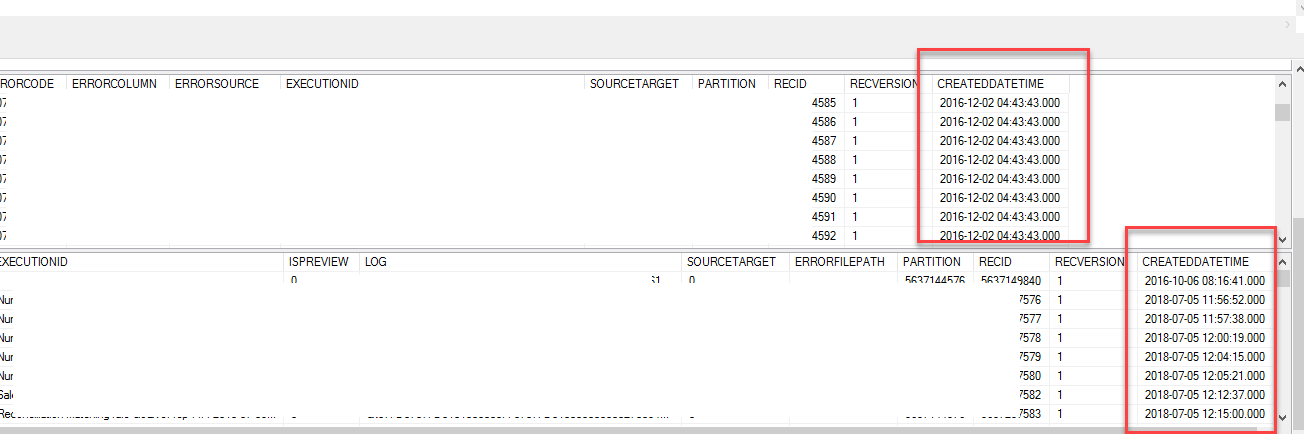
    The screenshot provided above shows 2016 year records so should have deleted as its not in 7 days.

  • zhifeng Profile Picture
    on at

    You should use staging clean up feature instead of job clean up feature, please refer below for details. if you are not able to find it, please go to feature management and enable it, you will see this option in data management. 

    You can clean up staging tables by using the Staging clean up feature in the Data management workspace. You can use the following options to select which records should be deleted from which staging table:

    • Entity â€“ If only an entity is provided, all records from that entity’s staging table are deleted. Select this option to clean up all the data for the entity across all data projects and all jobs.
    • Job ID â€“ If only a job ID is provided, all records for all entities in the selected job are deleted from the appropriate staging tables.
    • Data projects â€“ If only a data project is selected, all records for all entities and across all jobs for the selected data project are deleted.
  • Bilal.Bashir Profile Picture
    50 on at

    Thank you for your feedback.

    As per Microsoft docs, the staging table cleanup has been deprecated starting in PU29.

    Clean up the staging tables

    Starting in Platform update 29, this functionality has been deprecated. This is replaced by a new version of job history clean-up functionality explained below.

    pastedimage1583214882599v1.png

  • Bilal.Bashir Profile Picture
    50 on at

    Hey Kevin,

    In addition to my above feedback, I would like to delete all staging table's data and not one by one via data projects or job ids or a specific entity.

  • Verified answer
    Sergei Minozhenko Profile Picture
    23,093 on at

    Hi Bilal,

    I'm also facing the same kind of issues, but in my case, the amount of produced history data is bigger than the job is capable to clean in 24 hours. There is knows performance issue and it should be solved in PU33. But in your case, it could be orphaned data, there was special script from MS to clean it.

  • Sukrut Parab Profile Picture
    71,710 Moderator on at

    Did you try running it on recurring basis say for 5 hours every day and see what happens ?

  • Bilal.Bashir Profile Picture
    50 on at

    I did that but that didnt help either.

    Microsoft had to perform cleanup from backend. There were orphaned transactions which were not linked with any batch run

  • zhifeng Profile Picture
    on at

    Please raise a ticket for MS if it doesn't work. 

Under review

Thank you for your reply! To ensure a great experience for everyone, your content is awaiting approval by our Community Managers. Please check back later.

Helpful resources

Quick Links

Responsible AI policies

As AI tools become more common, we’re introducing a Responsible AI Use…

Neeraj Kumar – Community Spotlight

We are honored to recognize Neeraj Kumar as our Community Spotlight honoree for…

Leaderboard > Finance | Project Operations, Human Resources, AX, GP, SL

#1
Martin Dráb Profile Picture

Martin Dráb 664 Most Valuable Professional

#2
André Arnaud de Calavon Profile Picture

André Arnaud de Cal... 522 Super User 2025 Season 2

#3
Sohaib Cheema Profile Picture

Sohaib Cheema 303 User Group Leader

Last 30 days Overall leaderboard

Product updates

Dynamics 365 release plans