web
You’re offline. This is a read only version of the page.
close
Skip to main content

Notifications

Announcements

No record found.

Community site session details

Community site session details

Session Id :
Customer experience | Sales, Customer Insights,...
Answered

Power BI Iframe into personnal Dahsboard

(0) ShareShare
ReportReport
Posted on by

Hello,

Is there an issue for sharing a power BI reports to a Dynamics CRM user (wich as no power bi licence) ? 

It works fine by sharing iframe on a system dashboard, the problem is that all users can access to this report. 

Does anyone knows how to uncheck this box please ? (it can resolved my problem..)
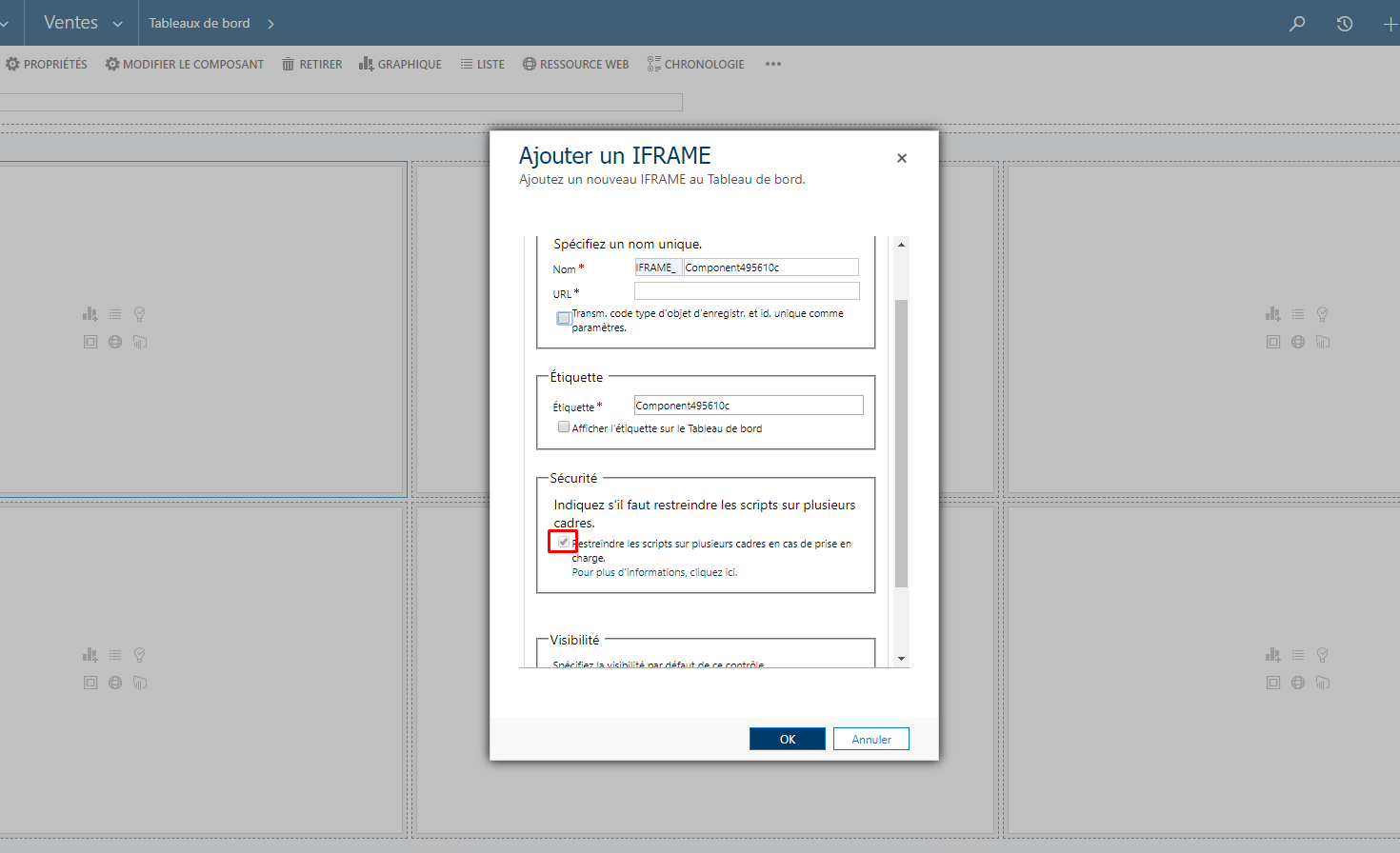
2703.Screenshot_5F00_1.png

Thank you,

I have the same question (0)
  • Verified answer
    LuHao Profile Picture
    40,892 on at

    Hi partner,

    You need a Power BI Pro license to share your content, and the people you share it with do too, or the content needs to be in a workspace in a Premium capacity.

    Please refer to https://docs.microsoft.com/en-us/power-bi/service-how-to-collaborate-distribute-dashboards-reports#share-dashboards-and-reports

    https://community.powerbi.com/t5/Service/sharing-Power-BI-reports-in-Dynamics-365-for-sales-without-a-pro/td-p/569505

    The system dashboard is visible to all users by default.

    So there are two ways to set the visibility of security roles for the dashboard: 1) Enable Dashboard Security Role in the default solution. 2) Add the iframe in a personal dashboard and share it.

    1. Dashboard Security Role

    Go to SettingsCustomizations > Customize the System, enter Dashboard, select the dashboard and click Enable Security Roles. Click Display only to these selected security roles and select security roles. Save and publish.

    pastedimage1577083595021v1.png    pastedimage1577083687290v2.png    pastedimage1577083794242v3.png

    2. Personal dashboard

    Go to Dashboards, click New > Dynamics 365 Dashboard, you will create a personal dashboard and it is only visible to you. Then you share it to others so that you could decide who can access this dashboard.

    pastedimage1577084266041v4.png    pastedimage1577084284380v5.png    pastedimage1577084311408v6.png

  • Community Member Profile Picture
    on at

    Hi Hao,

    Thank you for the reply.

    The best way to publish is to get Power BI Pro Licence i guess. Otherwise, if i want to share a personnal Power BI dashboard without a pro licence, i have to create one security role per user. I got 60 users..

    Have a nice day,

  • LuHao Profile Picture
    40,892 on at

    Hi partner,

    If my answer is helpful, please click Yes under the title to mark the Verified Answer.

    This will help other users quickly navigate to this theme.

    Thanks.  :)

Under review

Thank you for your reply! To ensure a great experience for everyone, your content is awaiting approval by our Community Managers. Please check back later.

Helpful resources

Quick Links

Responsible AI policies

As AI tools become more common, we’re introducing a Responsible AI Use…

Neeraj Kumar – Community Spotlight

We are honored to recognize Neeraj Kumar as our Community Spotlight honoree for…

Leaderboard > Customer experience | Sales, Customer Insights, CRM

#1
Tom_Gioielli Profile Picture

Tom_Gioielli 146 Super User 2025 Season 2

#2
#ManoVerse Profile Picture

#ManoVerse 59

#3
Gerardo Rentería García Profile Picture

Gerardo Rentería Ga... 52 Most Valuable Professional

Last 30 days Overall leaderboard

Product updates

Dynamics 365 release plans



