web
You’re offline. This is a read only version of the page.
close
Skip to main content

Notifications

Announcements

No record found.

Community site session details

Community site session details

Session Id :
Customer experience | Sales, Customer Insights,...
Answered

DateTime value is null, but I'm not updating a DateTime field.

(0) ShareShare
ReportReport
Posted on by 10

I'm attempting to update a Boolean field through a Dataverse Plugin. I'm currently getting an error.

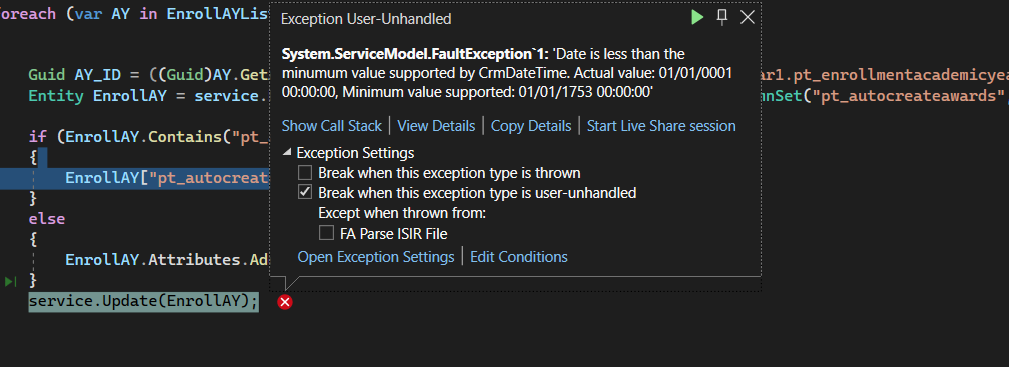
Error Message:  Exception Message: Date is less than the minumum value supported by CrmDateTime. Actual value: 01/01/0001 00:00:00, Minimum value supported: 01/01/1753 00:00:00

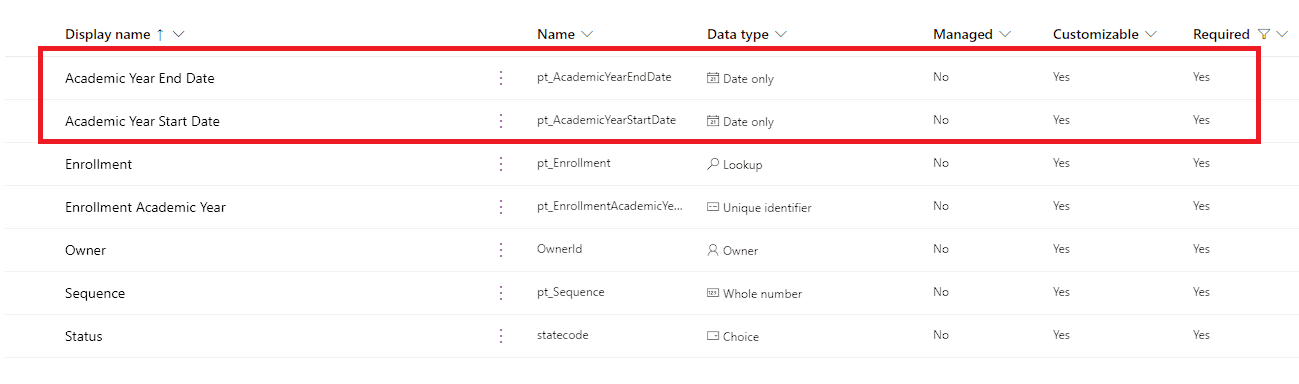
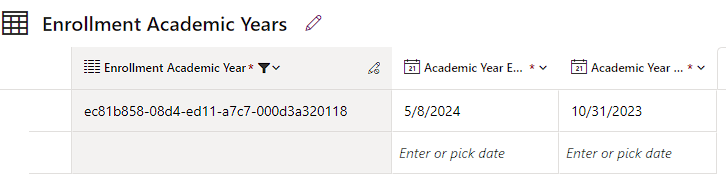
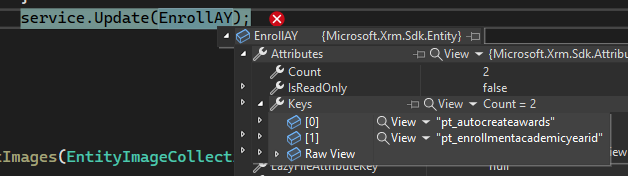
I know what you're thinking...  Your datetime field is null, you need to check for null first and not use it if it's null..  Yep, that's what all the forums say as well as all of the help info I can find. The problem is that I'm not updating a DateTime field. I'm pulling an Entity with a custom ColumnSet of a single field, which is a Boolean. I'm updating the Boolean then updating the Entity.  No dates involved. Maybe 1 out of every 5 runs of the code below results in this error.  I did check to see if there are any required fields in the table that are DateTime fields. There are two, and they're always filled in.  Anyone have an idea as to what is going on here?

if (FoundStudent && !Rejected)
                {
                    EntityCollection EnrollAYList = service.RetrieveMultiple(new FetchExpression(string.Format(fetchEnrollAY, Student.Id, AwardYear.Id, AwardYear.Id)));

                    if (EnrollAYList.Entities.Count > 0)
                    {
                        foreach (var AY in EnrollAYList.Entities)
                        {

                            Guid AY_ID = ((Guid)AY.GetAttributeValue("pt_enrollmentacademicyear1.pt_enrollmentacademicyearid").Value);
                            Entity EnrollAY = service.Retrieve("pt_enrollmentacademicyear", AY_ID, new ColumnSet("pt_autocreateawards"));

                            if (EnrollAY.Contains("pt_autocreateawards"))
                            {
                                EnrollAY["pt_autocreateawards"] = true;
                            }
                            else
                            {
                                EnrollAY.Attributes.Add("pt_autocreateawards", true);
                            }
                            service.Update(EnrollAY);
                        }
                    }
                }
pastedimage1681409604396v1.png

pastedimage1681409996785v2.png

pastedimage1681410056615v3.png

pastedimage1681410233225v5.png

pastedimage1681410172487v4.png

I have the same question (0)
  • Verified answer
    a33ik Profile Picture
    84,331 Most Valuable Professional on at

    Hello,

    You're a little over-engineering. There is no need to retrieve the record to update it. Also, there is no need to check if the value exists in the field. You can use the code similar to the following:

    if (FoundStudent && !Rejected) {
      EntityCollection EnrollAYList = service.RetrieveMultiple(new FetchExpression(string.Format(fetchEnrollAY, Student.Id, AwardYear.Id, AwardYear.Id)));
    
      foreach(var AY in EnrollAYList.Entities) {
    
        Guid AY_ID = ((Guid) AY.GetAttributeValue < AliasedValue > ("pt_enrollmentacademicyear1.pt_enrollmentacademicyearid").Value);
    
        Entity EnrollAY = new Entity("pt_enrollmentacademicyear", AY_ID) {
          ["pt_autocreateawards"] = true
        };
        service.Update(EnrollAY);
      }
    }
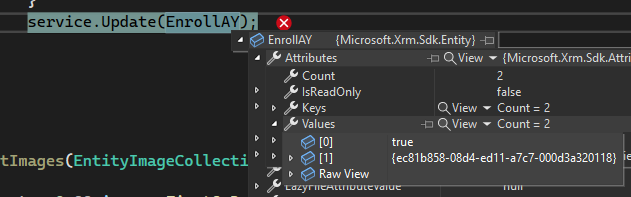
    Your code doesn't look like it causes the issue. It seems that your code triggers some other plugin/real-time workflow/business-rule that causes the issue you describe. I would recommend checking it.

  • Gene_B Profile Picture
    10 on at

    @Andrew, thanks for the suggestion. I looked around and found a plugin written by an ex-employee that was causing the issue. Removed the plugin (wasn't needed any longer) and it seems to have resolved the issue.

Under review

Thank you for your reply! To ensure a great experience for everyone, your content is awaiting approval by our Community Managers. Please check back later.

Helpful resources

Quick Links

Responsible AI policies

As AI tools become more common, we’re introducing a Responsible AI Use…

Neeraj Kumar – Community Spotlight

We are honored to recognize Neeraj Kumar as our Community Spotlight honoree for…

Leaderboard > Customer experience | Sales, Customer Insights, CRM

#1
Tom_Gioielli Profile Picture

Tom_Gioielli 137 Super User 2025 Season 2

#2
#ManoVerse Profile Picture

#ManoVerse 57

#3
Jimmy Passeti Profile Picture

Jimmy Passeti 50 Most Valuable Professional

Last 30 days Overall leaderboard

Product updates

Dynamics 365 release plans