web
You’re offline. This is a read only version of the page.
close
Skip to main content

Notifications

Announcements

No record found.

Community site session details

Community site session details

Session Id :
Customer experience | Sales, Customer Insights,...
Answered

I need export the KPI data to Excel

(0) ShareShare
ReportReport
Posted on by

Hello,

I need export to Excel all the information by a customer journey:

- Overview

- Delivery

- Links

etc.

Is It posible?

I need export to any platform (Excel, Word, , etc.)

Thanks in advance

I have the same question (0)
  • Suggested answer
    d_radulova Profile Picture
    2 User Group Leader on at

    Hi @Jone,

    sorry, at the moment you can't export this data from the Marketing app.

    I believe an idea with this functionality already exists, so what you can do is, find it and up-vote it here

    experience.dynamics.com/.../

    The more votes it has, the more likely it is to go on the road map and be incorporated in the product.

    Thanks,

    -DD

  • Suggested answer
    ashish12 Profile Picture
    3,079 on at

    experience.dynamics.com/.../

  • Verified answer
    cloflyMao Profile Picture
    25,210 on at

    Hi Jone,

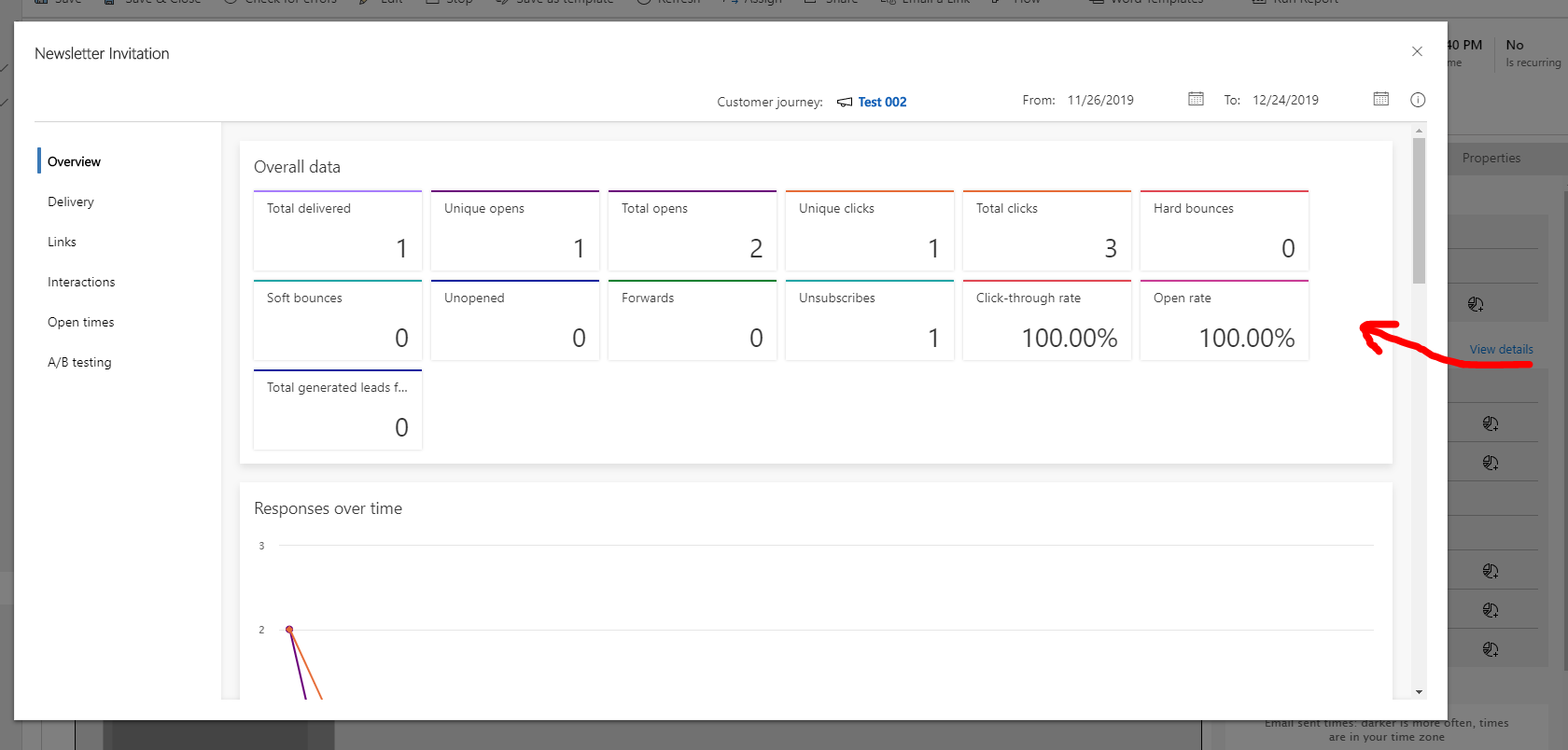
    Do your KPI data means Insights data for a delivered marketing email in a custom journey like screenshot below?
    pastedimage1574749326872v1.png

    If so, as many people asked, those data could be only accessed with PowerBi.

    But there is an unsupported way to get these data and export as a csv.

    Disclaimer: APIs provided in the anwser are not officially supported so that they might be changed without prior notice. Please use them on your own risk.

    From this original article: https://pkoval.com/2019/08/25/programmatically-accessing-data-from-dynamics-marketing-insights/,

    even though we couldn't access them directly, but these data are rendered inside widget grid,

    so we could call msdyncrm_ListWidgetData organizational request to fetch them.

    Please create a html web resource for customer journey form and copy code below:


        Page Title


    Overall data
    Delivery data
    Link data

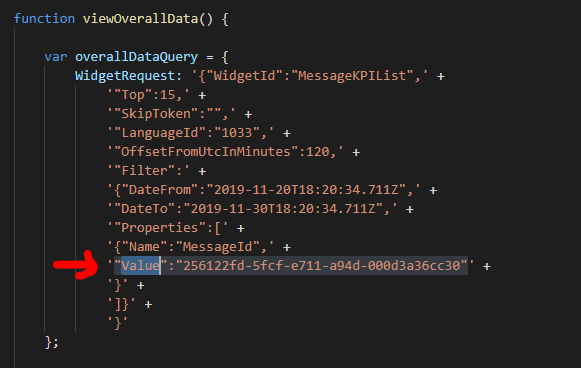
    This web resource will query a marketing email overall, delivery and link insights data from 11/20 to 11/30,

    and will create a csv file from retrieved overall data table.

    Remember to change value property to your own marketing email id to test,

    and click table header to see result.
    pastedimage1574749965180v2.png

    Some test result:

    Original overview data:
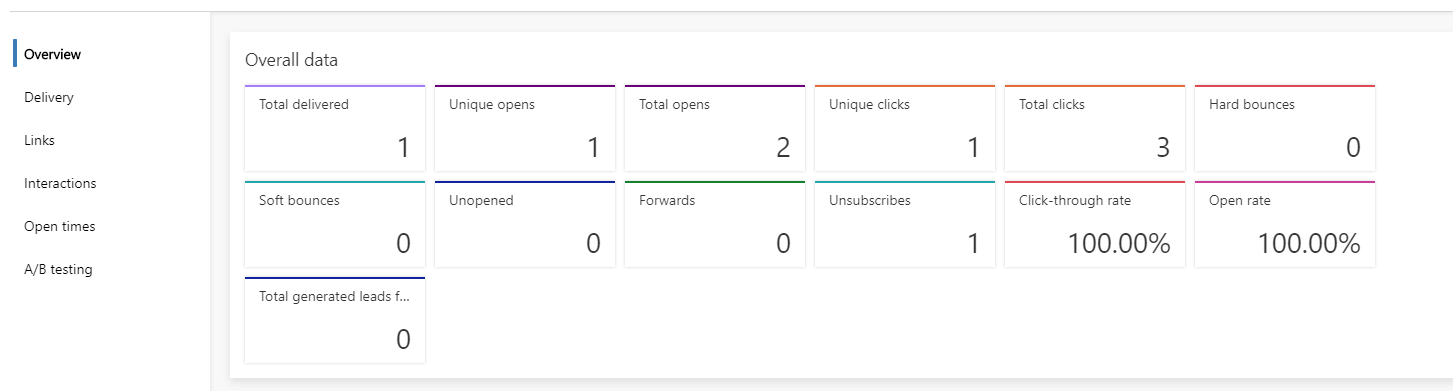
    pastedimage1574750032367v3.png

    result in web resource:

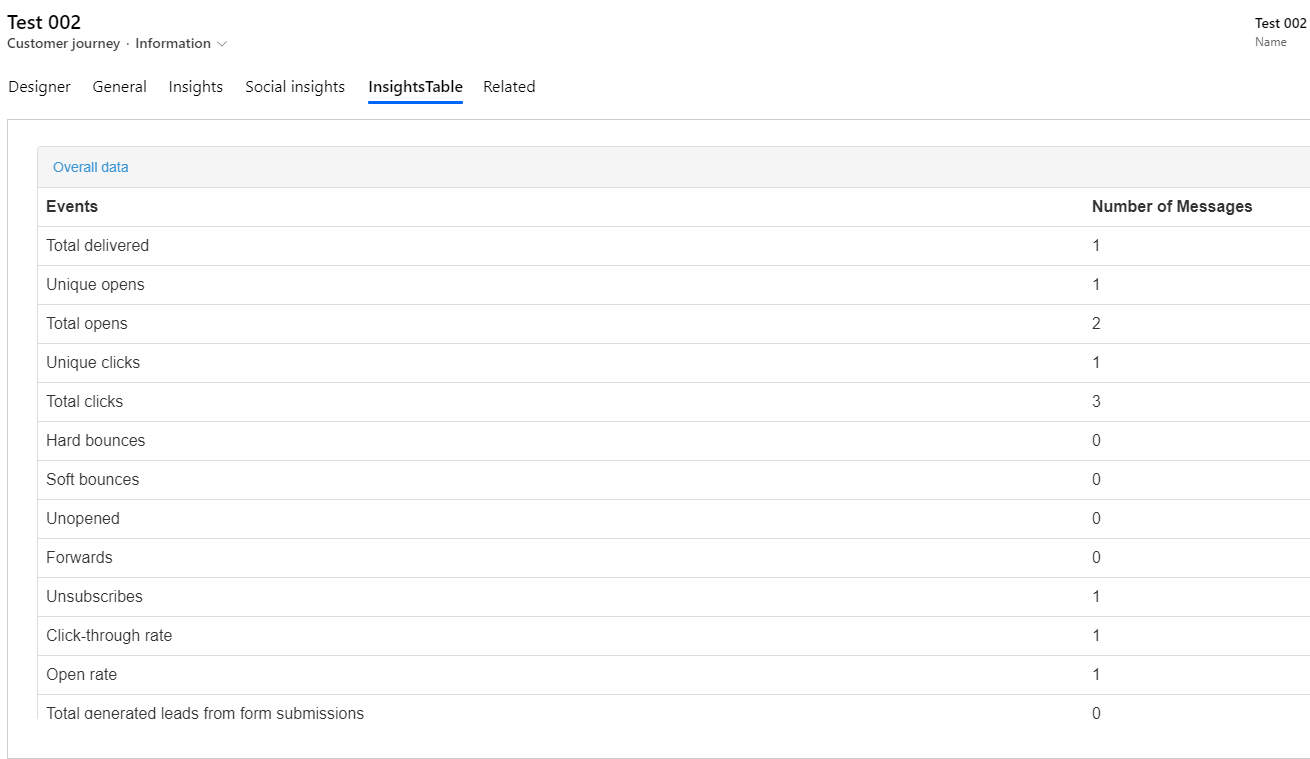
    pastedimage1574750311115v1.png

    Generated csv file after click Test Download button:
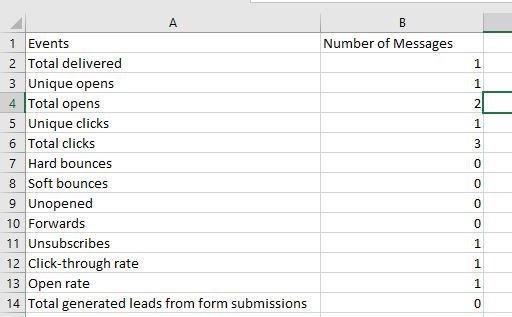
    pastedimage1574750106325v5.png

    Extend your logic with existing code.

    However, as I said at beginning, powerBi is still the recommended and supported way to export them:

    https://docs.microsoft.com/en-us/dynamics365/marketing/custom-analytics

    Regards,

    Clofly

Under review

Thank you for your reply! To ensure a great experience for everyone, your content is awaiting approval by our Community Managers. Please check back later.

Helpful resources

Quick Links

Responsible AI policies

As AI tools become more common, we’re introducing a Responsible AI Use…

Neeraj Kumar – Community Spotlight

We are honored to recognize Neeraj Kumar as our Community Spotlight honoree for…

Leaderboard > Customer experience | Sales, Customer Insights, CRM

#1
Tom_Gioielli Profile Picture

Tom_Gioielli 73 Super User 2025 Season 2

#2
Gerardo Rentería García Profile Picture

Gerardo Rentería Ga... 43 Most Valuable Professional

#3
Daniyal Khaleel Profile Picture

Daniyal Khaleel 32 Most Valuable Professional

Last 30 days Overall leaderboard

Product updates

Dynamics 365 release plans