web
You’re offline. This is a read only version of the page.
close
Skip to main content

Notifications

Announcements

No record found.

Community site session details

Community site session details

Session Id :
Customer experience | Sales, Customer Insights,...
Answered

Cannot activate email convert rule (blank pop up window)

(0) ShareShare
ReportReport
Posted on by 10

We are testing the new Record Creation and Update rules for email-to-case creation, which use the Power Automate engine.

I have built my rule, but when I try to activate, the modal dialog that pops up with the activation button is blank. I have tried other browsers, incognito/in-private and all that kind of stuff. But still it is not possible to activate the rule. Also from the old interface it is not possible because it's a 'modern' rule.

See the screenshot:
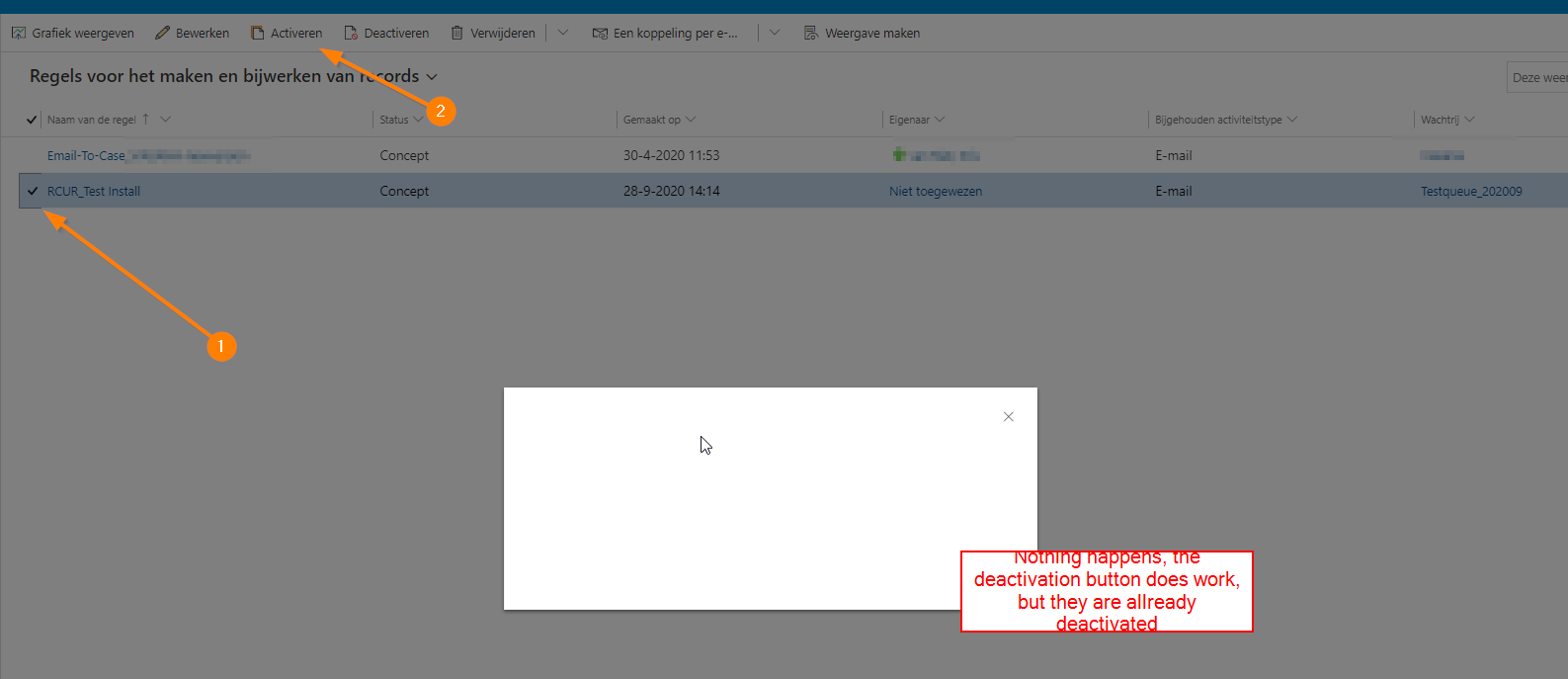
2020_2D00_09_2D00_28-14_5F00_44_5F00_22_2D00_Regels-voor-het-maken-en-bijwerken-van-records-Regels-voor-het-maken-en-bijwerke.png

Your help will be much appreciated. Regards Kris

I have the same question (0)
  • Modesto Iacopino Profile Picture
    on at

    Hello,

    can you check if the console ( F12 ) of the browser is raising some exception?

    You can also check the network traces to understand if some requests is done and the status of them.

    Also have a look in this guide, maybe can help you:

    https://support.microsoft.com/en-gb/help/4552163/ribbon-troubleshooting-guide

    Regards

  • KvRoploo Profile Picture
    10 on at

    Hello Modesto,

    I have followed some of your steps, also followed the steps in the provided link. When looking into the debug functionality, everything looks like it is working fine, also there are no differences in de code between my custom and standard solution.

    pastedimage1601894799495v1.png

    pastedimage1601894817113v2.png

    When I am performing a console trace in chrome, it does give some warnings. Can I provide those traces?

  • Philipp Focust Profile Picture
    147 on at

    Hello,

    I do have the exact same behaviour for my create/update rule.

    Did you manage to get this running or is it a bug from the system?

    Thank you and BR,

    Philipp

  • KvRoploo Profile Picture
    10 on at

    Hello Philipp,

    I have managed to get this running by deploying the Wave 2 2020 update. After the update was finished, everything worked as it supposed to work. So its a little weird, but i got it running again at the moment.

    I suggest to try the same

    Regards KvR

  • Verified answer
    Karina Geldstein Profile Picture
    30 on at

    Hello KvRoploo,

    I was experincing the same on my environment. I tried what was mentioned here, I applied last updates for all my apps in my environment. After all my apps were updated to last wave, pop up windows appears normal and I could activate my rule.

    So it seems to be a bug on the versions. I strongly suggest to update your apps.

    Hope this helped. Regards,

  • KvRoploo Profile Picture
    10 on at

    Hello Karina, I allready solved my issue, see my message above yours.

    But thank you for the contribution :)

    Regards.

  • DnX Profile Picture
    5 on at

    Hi!,

    Can you share your solution please?

    Regards,

    Francisco.

  • KvRoploo Profile Picture
    10 on at

    Hello Francisco,

    The solution is already provided in the topic. See the reaction of Karina on the 18th of may 2021.

    This is the only solution I know of.

    Regards.

  • Suggested answer
    MrHospers Profile Picture
    4 on at
    Although this is an old post, this behaviour is still present.
     
    Not sure if this will help in most cases but the problem arises when you have set the personal language of D365 to non-english. The resolution is: set this to EN en try again... Guess MS forgot to translate the popup properly :)
     
    This isnt the result of not having the latest updates or use incoginto browser.

Under review

Thank you for your reply! To ensure a great experience for everyone, your content is awaiting approval by our Community Managers. Please check back later.

Helpful resources

Quick Links

Responsible AI policies

As AI tools become more common, we’re introducing a Responsible AI Use…

Neeraj Kumar – Community Spotlight

We are honored to recognize Neeraj Kumar as our Community Spotlight honoree for…

Leaderboard > Customer experience | Sales, Customer Insights, CRM

#1
Tom_Gioielli Profile Picture

Tom_Gioielli 83 Super User 2025 Season 2

#2
Gerardo Rentería García Profile Picture

Gerardo Rentería Ga... 49 Most Valuable Professional

#3
#ManoVerse Profile Picture

#ManoVerse 40

Last 30 days Overall leaderboard

Product updates

Dynamics 365 release plans



