web
You’re offline. This is a read only version of the page.
close
Skip to main content

Notifications

Announcements

No record found.

Community site session details

Community site session details

Session Id :
Customer experience | Sales, Customer Insights,...
Answered

Import Excel File and Create a quote automatically

(0) ShareShare
ReportReport
Posted on by 10

Hello,
Thank you in advance for your help.
I have a specific need. The sales assistants want to import an excel file in the file tab of the quote or the customer, from the excel file, I want to map all the information automatically in order to update the quote for this customer.

Do you have any idea how to achieve this please?

I have the same question (0)
  • Verified answer
    Mohamed GRAIB Profile Picture
    2,504 Moderator on at

    Hi Fabrice,

    When you add an Excel File in the File Tab of the entity, it will be stored in SharePoint. 

    I think that you have configured the connection between SharePoint and Dynamics 365. 

    In this case, I propose this solution that can resolve your problem. 

    You create a Cloud flow Power automate : 

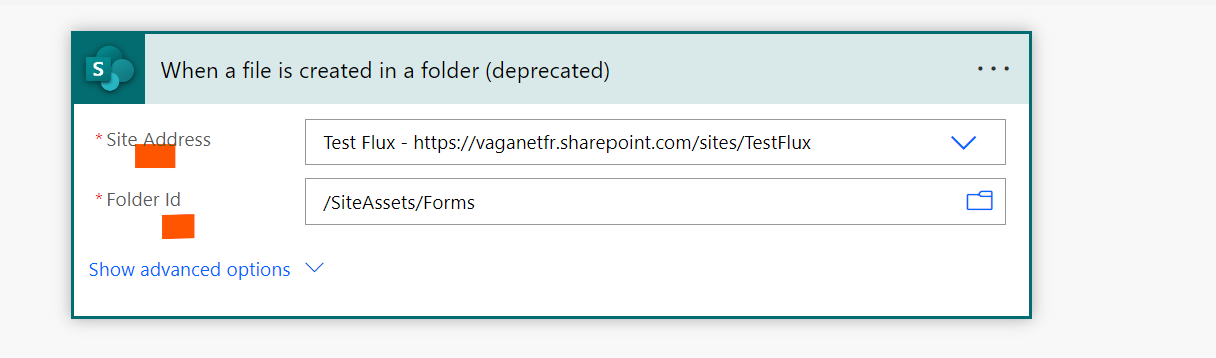
    Your trigger will be : When a file is added or modified in share Point. 
    pastedimage1670771113187v1.png

    You must indicate the site Adress where your file will be added and the Folder. 

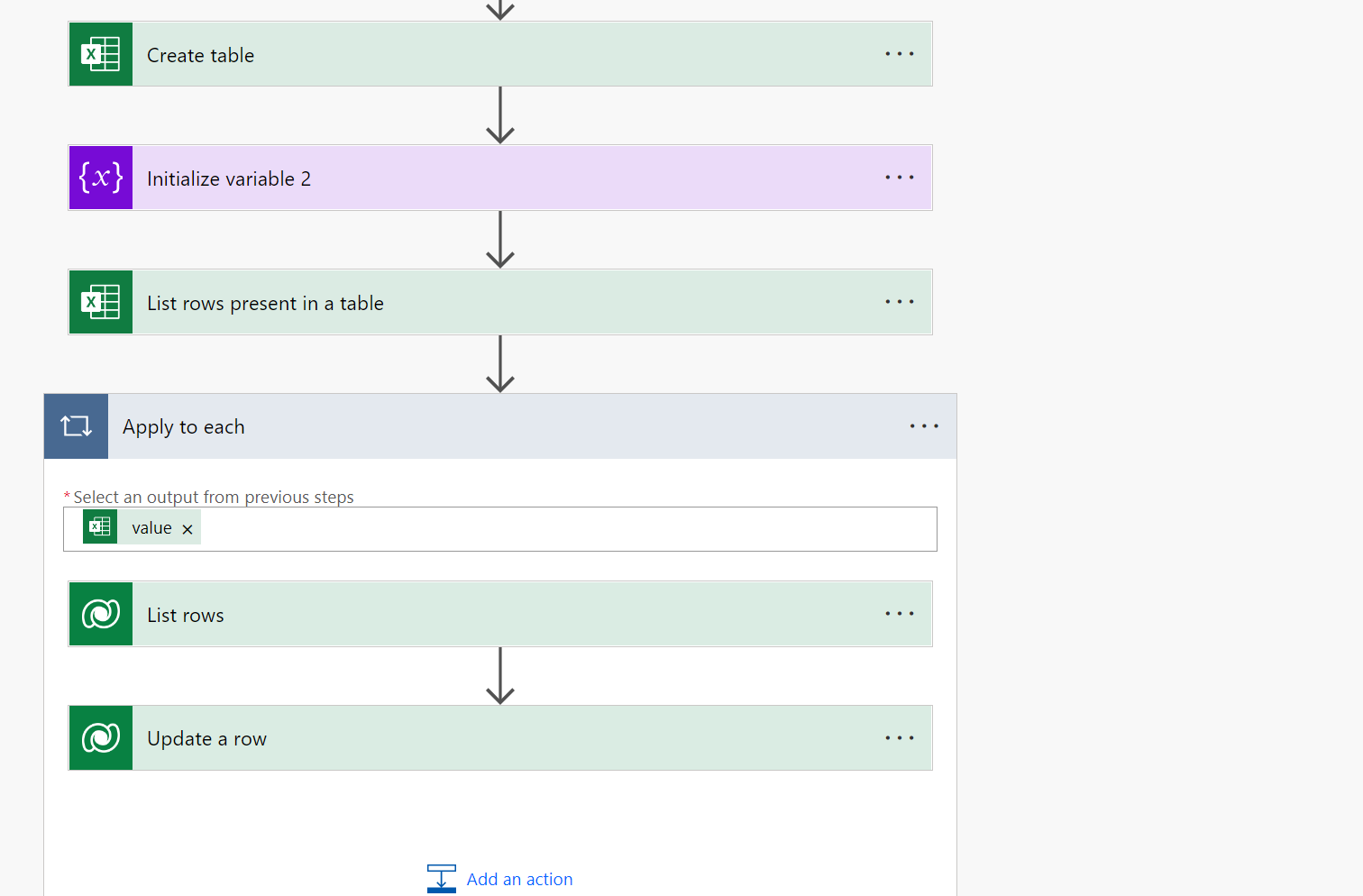
    Then, you inialise a variable that contains your file Name and get the metada of your file 

    pastedimage1670771290384v2.png

    pastedimage1670771826714v3.png

    Try to implement this flow and tell me if that resolve your problem 

  • Fabrice Monluis Profile Picture
    10 on at

    Great idea, but can you please tell me how to map fields in the update a row action ? I cannot see the columns of my Excel file in the Dynamic content.

  • Verified answer
    Mohamed GRAIB Profile Picture
    2,504 Moderator on at

    You can use this expression

    @{items('Apply_to_each')?['Excel_Columnname']}

  • Fabrice Monluis Profile Picture
    10 on at

    Thank you so much

Under review

Thank you for your reply! To ensure a great experience for everyone, your content is awaiting approval by our Community Managers. Please check back later.

Helpful resources

Quick Links

Responsible AI policies

As AI tools become more common, we’re introducing a Responsible AI Use…

Neeraj Kumar – Community Spotlight

We are honored to recognize Neeraj Kumar as our Community Spotlight honoree for…

Leaderboard > Customer experience | Sales, Customer Insights, CRM

#1
Tom_Gioielli Profile Picture

Tom_Gioielli 170 Super User 2025 Season 2

#2
#ManoVerse Profile Picture

#ManoVerse 61

#3
Gerardo Rentería García Profile Picture

Gerardo Rentería Ga... 52 Most Valuable Professional

Last 30 days Overall leaderboard

Product updates

Dynamics 365 release plans