web
You’re offline. This is a read only version of the page.
close
Skip to main content

Notifications

Announcements

No record found.

Community site session details

Community site session details

Session Id :
Finance | Project Operations, Human Resources, ...
Answered

No check number assigned to the payment line after finish generate payment in vendor payment journal

(2) ShareShare
ReportReport
Posted on by 88 User Group Leader

No check number assigned to payment line after click generate payment in the vendor payment journal
Hi All,

I'm testing the check payment in D365, because in China we are seldom to use checks as payment method. Appreciate to take your time, could you help me to check if I have missed any setting that makes my payment journal couldn't have a check number.

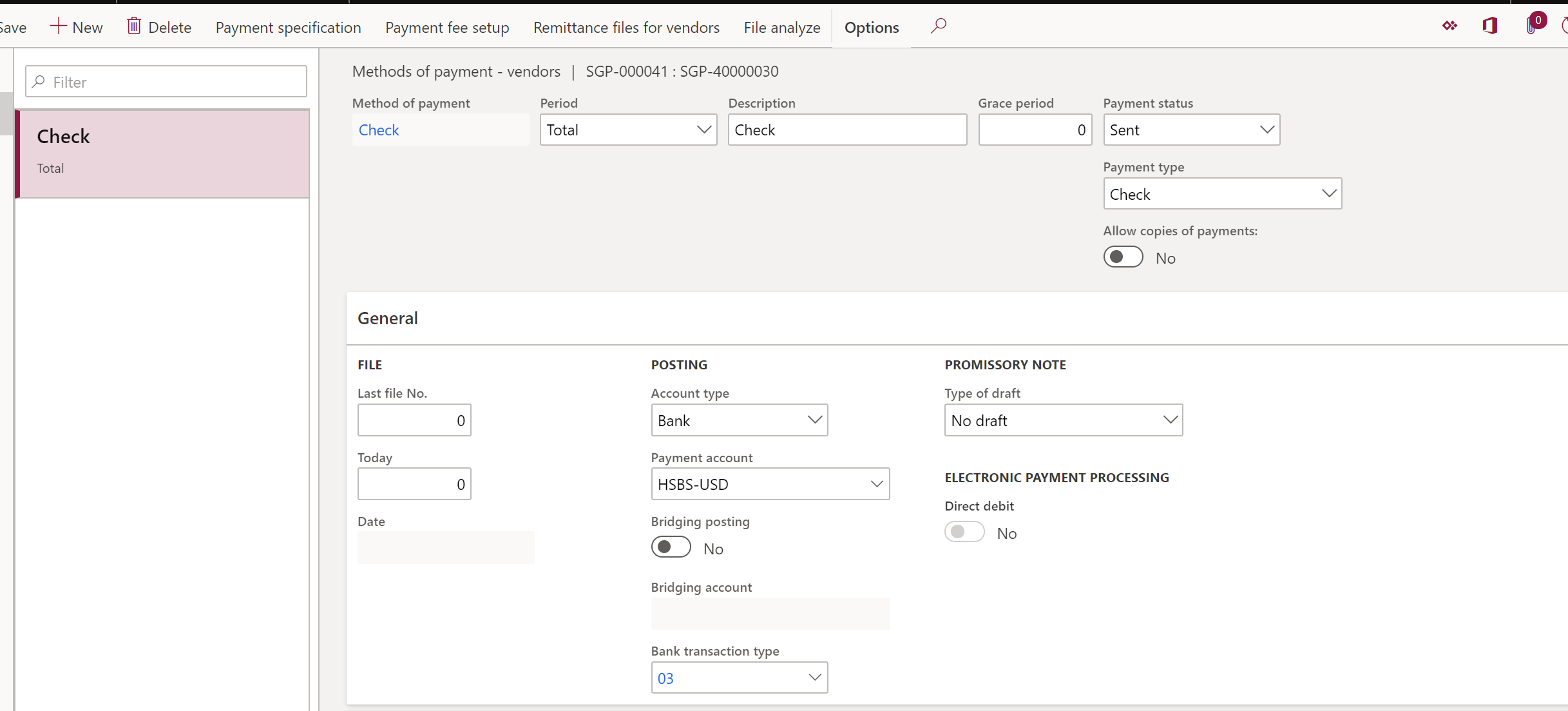
1. Related Setting.I have set up the check layout and create blank checks on the bank account. Also, enable the check parameter and set a checks payment method.
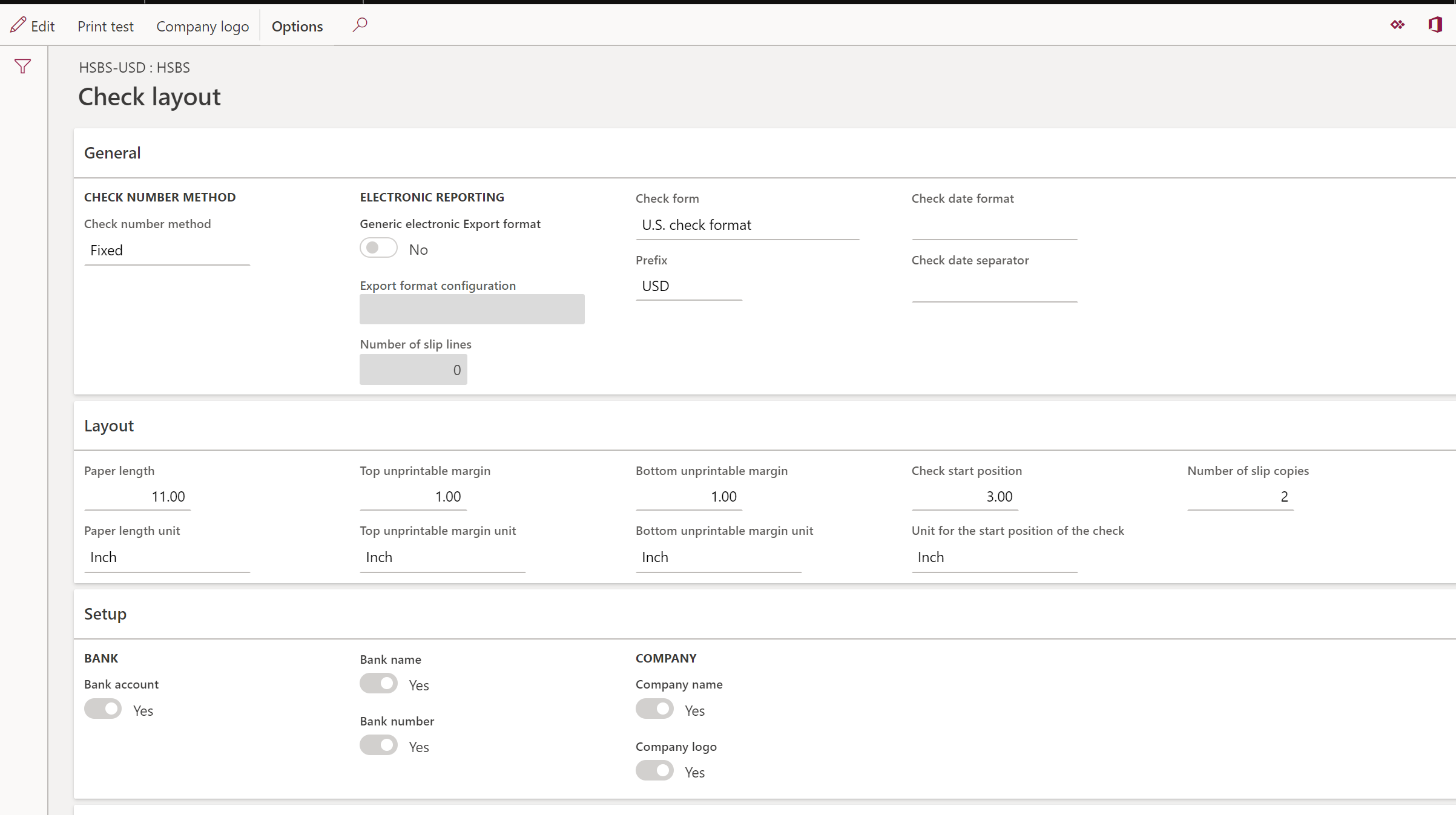
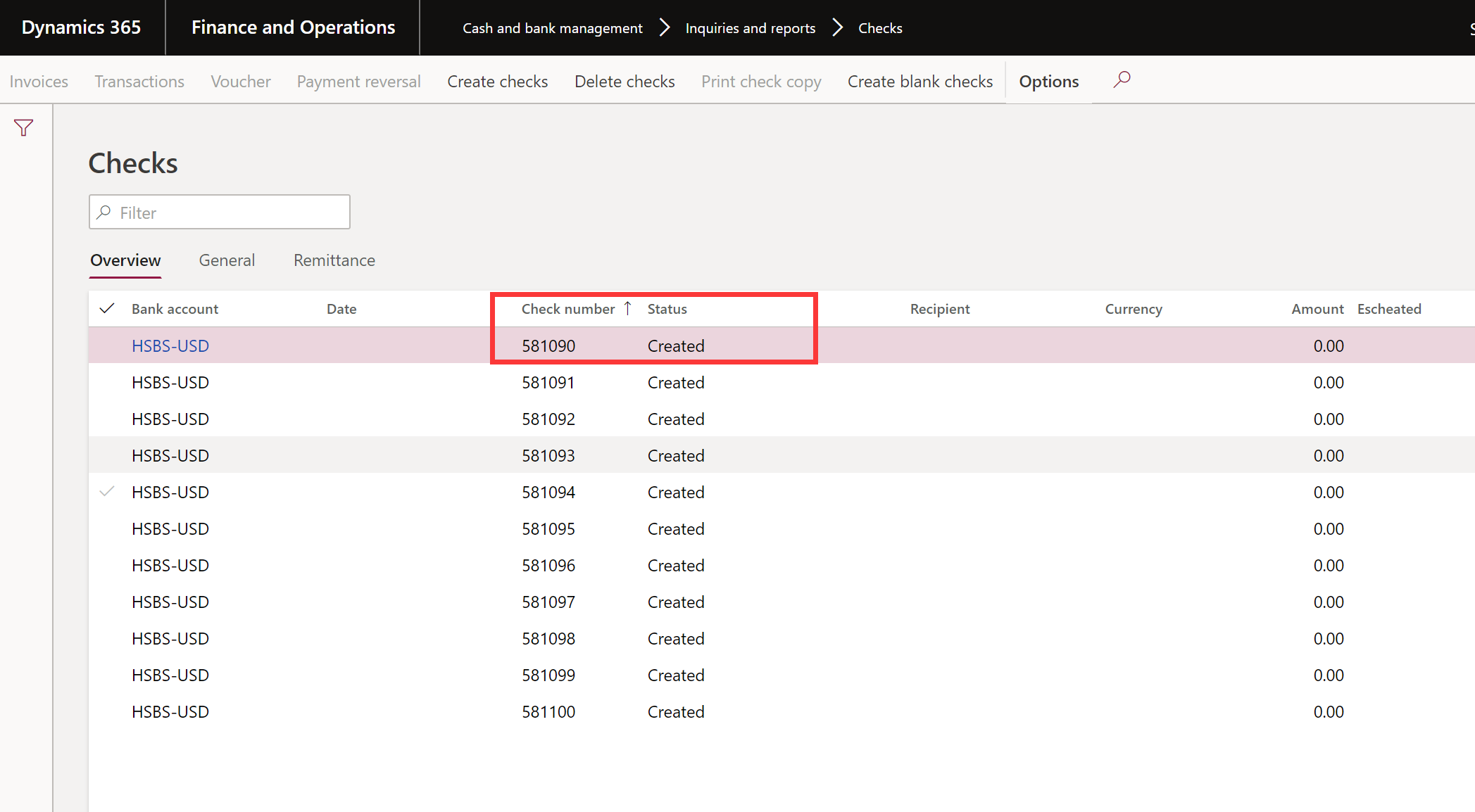
8284.check-layout.png8358.blank-check.png8524.payment-method.png

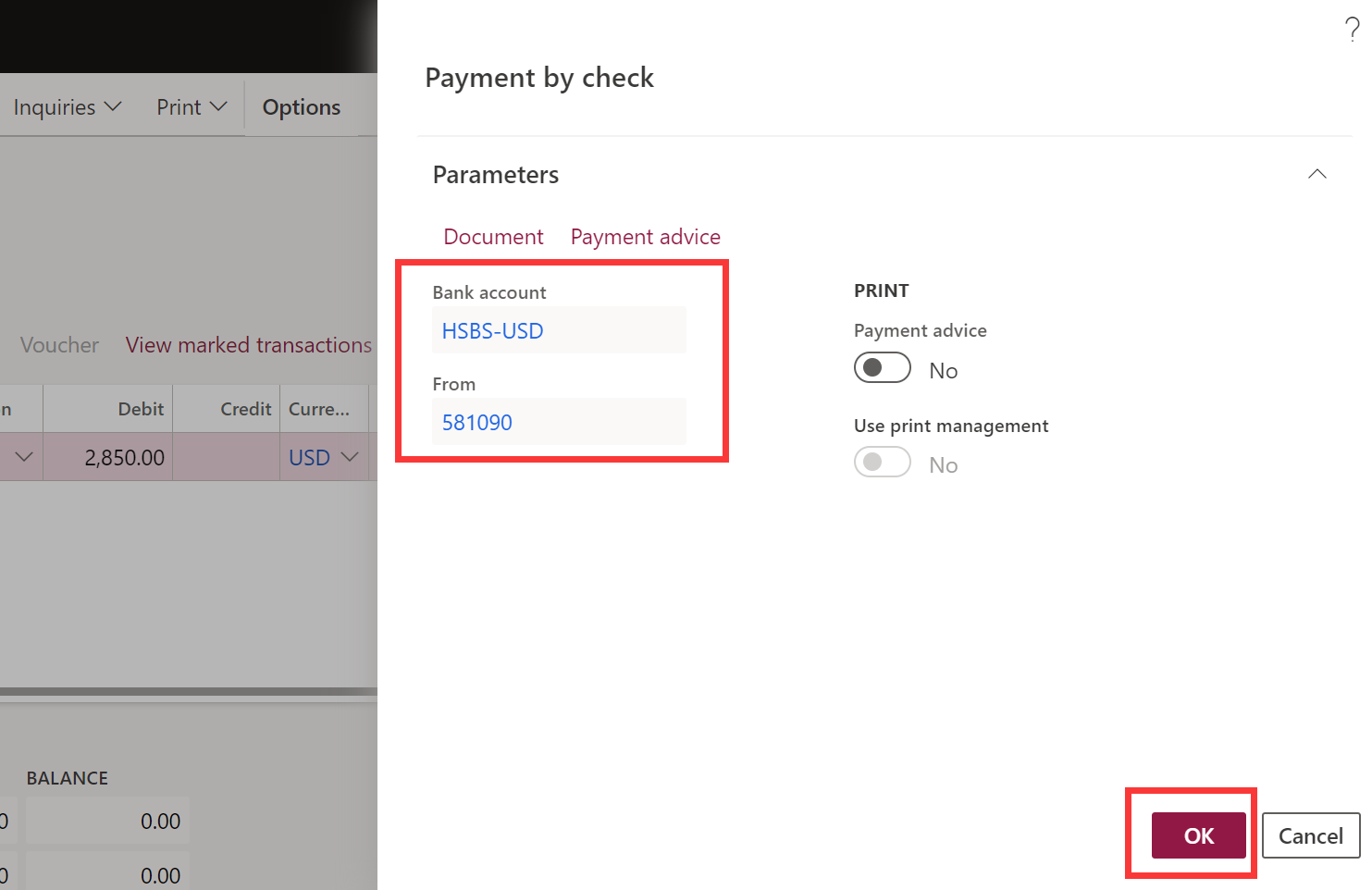
2. Operations. I create a payment journal and move the payment proposal record to the journal. Then I generate payment for the journal line, specify the payment parameter and check parameter.
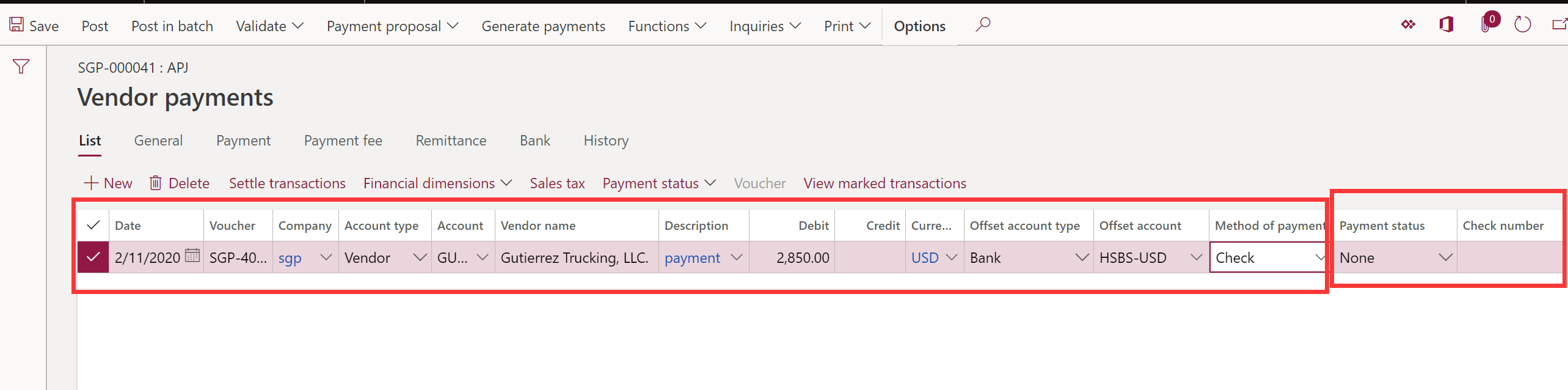
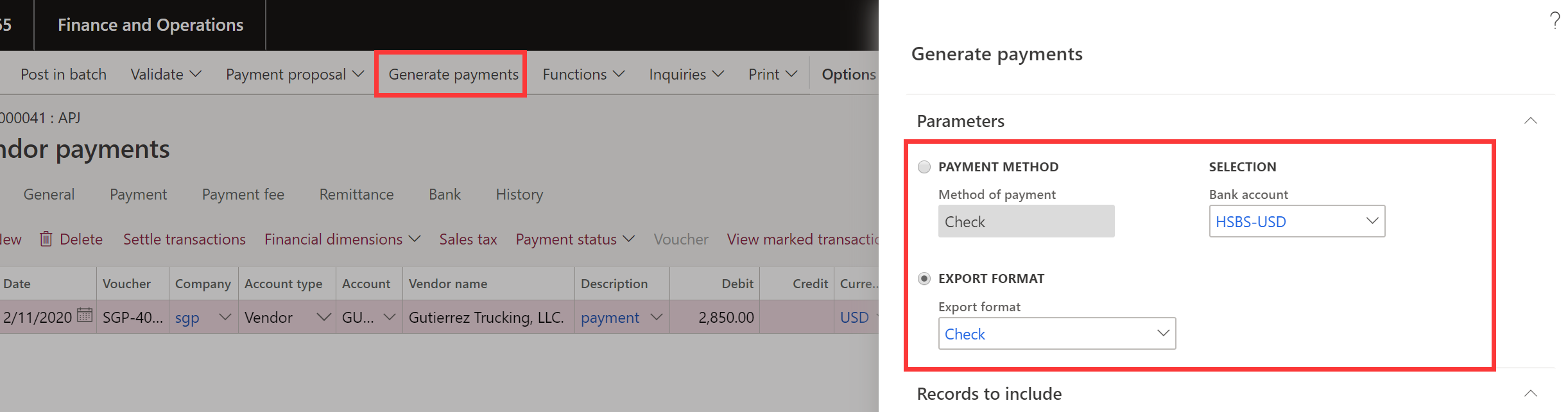
2772.payment-journal-line_2D00_before.pnggenerate-payment.png0211.payment-by-check.png
3. Issue. Nothing update for the check number and payment status.
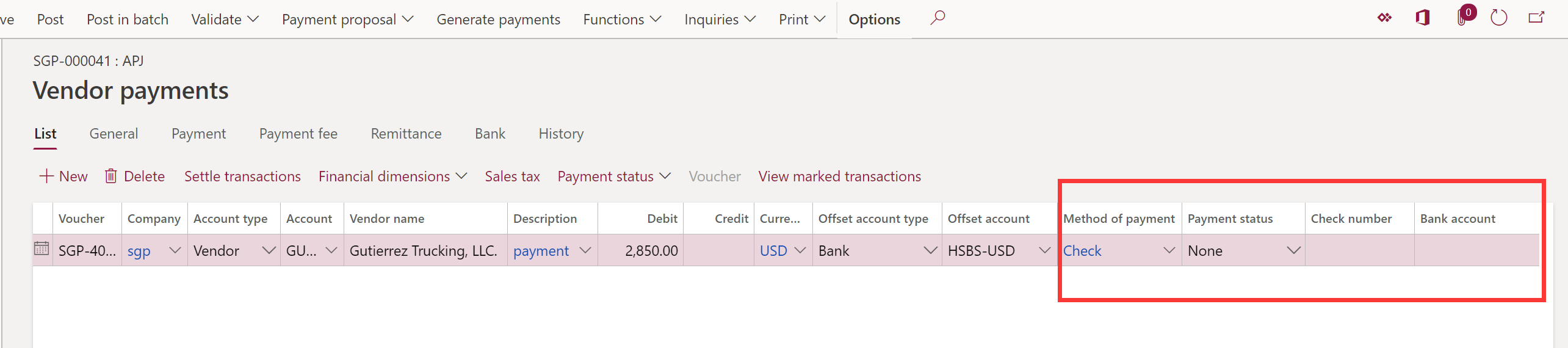
7563.payment-journal-line_2D00_after.png

plz help me to point out my problem, I've struggled in this problem.

Lillian

I have the same question (0)
  • Verified answer
    lillianli Profile Picture
    88 User Group Leader on at

    Found the key point...

    It's caused by Export format. I haven't settup the Export format at the beginning while I define the format in the Generate payments table via View details button in the payment journal.  Those two should be the identical setting. 

    WeChat-Photo-Editor_5F00_20200212153404.jpg

    WeChat-Photo-Editor_5F00_20200212153749.jpg

    Hope it can solve your problem.

    lillian 

  • tonylee1023 Profile Picture
    10 on at

    Hi Li,

    I am wondering about how did you reverse it out the posted payment journal? We tried to reverse transaction but system will allow it because its part of the subledger of bank and the only solution we can think of is to create another purchase order and invert the amount to reverse it out.

  • Suggested answer
    Junaid Idrees Profile Picture
    on at

    Hi tonylee1023,

    Can you please create a new thread to let community help you, you replied on a old post and that is already verified.

    But just to answer your question, we cannot reverse check payment from AP module but from cash and bank management > Payment reversal > Check > Select the check and click on Payment reversal button.

    Good Luck.

  • Suggested answer
    JASEEM BBC Profile Picture
    92 on at

    Thank you so much. same issue faced and solved

Under review

Thank you for your reply! To ensure a great experience for everyone, your content is awaiting approval by our Community Managers. Please check back later.

Helpful resources

Quick Links

Responsible AI policies

As AI tools become more common, we’re introducing a Responsible AI Use…

Neeraj Kumar – Community Spotlight

We are honored to recognize Neeraj Kumar as our Community Spotlight honoree for…

Leaderboard > Finance | Project Operations, Human Resources, AX, GP, SL

#1
Martin Dráb Profile Picture

Martin Dráb 664 Most Valuable Professional

#2
André Arnaud de Calavon Profile Picture

André Arnaud de Cal... 522 Super User 2025 Season 2

#3
Sohaib Cheema Profile Picture

Sohaib Cheema 303 User Group Leader

Last 30 days Overall leaderboard

Product updates

Dynamics 365 release plans