web
You’re offline. This is a read only version of the page.
close
Skip to main content

Notifications

Announcements

No record found.

Community site session details

Community site session details

Session Id :
Finance | Project Operations, Human Resources, ...
Answered

Upgrade from Ax2012 to D365 - Data Upgarde Step

(0) ShareShare
ReportReport
Posted on by 758

Hi Everyone,

I am following below standard MSDN document for doing data Upgrade,

https://docs.microsoft.com/en-us/dynamics365/fin-ops-core/dev-itpro/migration-upgrade/data-upgrade-2012#troubleshooting-data-upgrade-script-errors

But it has been recommended that before doing steps mentioned in above link we must complete pre-upgrade checklist for data upgrade and for which I am referring below link,

https://docs.microsoft.com/en-us/dynamics365/fin-ops-core/dev-itpro/migration-upgrade/prepare-data-upgrade

which involves below major steps,

1. If upgrading from AX 2012 R3, install KB 4035163
2. Prepare model metadata
3. Prepare security role metadata
4. Set up user mapping
5. Archive retail salt data

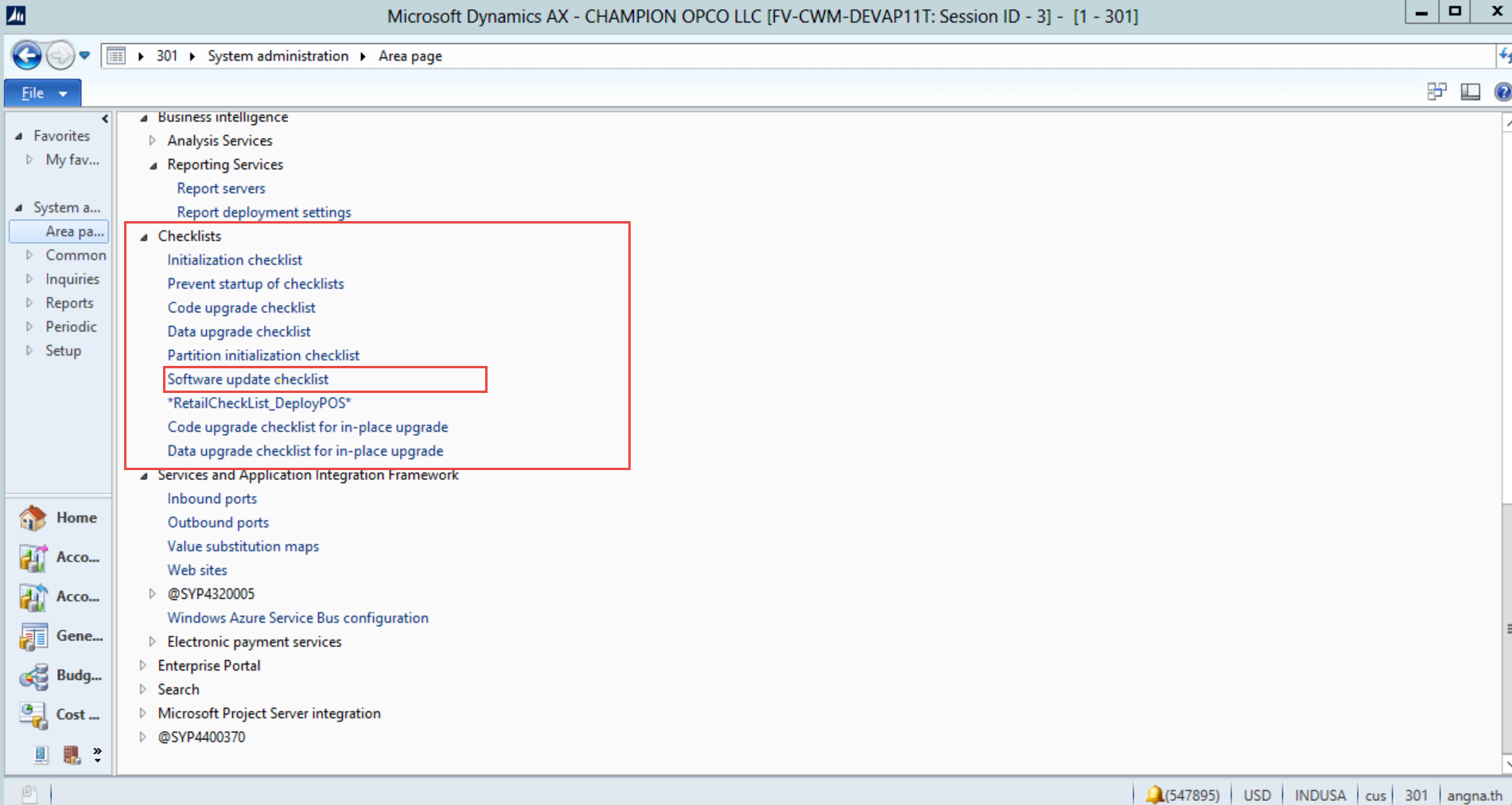
Out of above steps, I have installed the KB 4035163 and completed the software update checklist. But I could not complete remaining 4 steps as those are the part of D365 data upgrade checklist.

I don't see an separate option of D365 data upgrade checklist in System Administration of Ax2012.

What could be the reason behind this. Please suggest how remaining 4 steps should be completed.

AXModel.png

AxDashboard.png

I have the same question (0)
  • Verified answer
    nmaenpaa Profile Picture
    101,160 Moderator on at

    I don't have experience of this checklist, but I have one potential explanation for your problem.

    Do you happen to have some customization in System administration menu? If you do, then this customization (on ISV, VAR, CUS or USR layer) would hide any new menu items that were added by the hotfix on SYP layer.

    In this case you would need to compare SYP layer with your highest customized layer and merge the menu item from SYP to your customization layer. Then restart AX client and the menu should be updated.

  • Rhushikesh R Profile Picture
    758 on at

    Yes Nikolaos, you are right. We do have some customization on CUS layer, that's why menu item was hidden. But its there in AOT with the name SysCheckList_UpgradeToNextV. Thanks again :)

Under review

Thank you for your reply! To ensure a great experience for everyone, your content is awaiting approval by our Community Managers. Please check back later.

Helpful resources

Quick Links

Responsible AI policies

As AI tools become more common, we’re introducing a Responsible AI Use…

Neeraj Kumar – Community Spotlight

We are honored to recognize Neeraj Kumar as our Community Spotlight honoree for…

Leaderboard > Finance | Project Operations, Human Resources, AX, GP, SL

#1
Martin Dráb Profile Picture

Martin Dráb 687 Most Valuable Professional

#2
André Arnaud de Calavon Profile Picture

André Arnaud de Cal... 535 Super User 2025 Season 2

#3
BillurSamdancioglu Profile Picture

BillurSamdancioglu 403 Most Valuable Professional

Last 30 days Overall leaderboard

Product updates

Dynamics 365 release plans