web
You’re offline. This is a read only version of the page.
close
Skip to main content

Notifications

Announcements

No record found.

Community site session details

Community site session details

Session Id :
Finance | Project Operations, Human Resources, ...
Answered

EFT "File Transfer Method" Setting

(0) ShareShare
ReportReport
Posted on by

Hi:

Is it true that, whether for customers or vendors, if you do not have a selection made for "File Transfer Method" EFT payments will not be generated?

Thanks!

John

Categories:
I have the same question (0)
  • Verified answer
    Lucas Boewood Profile Picture
    on at

    Hi John!


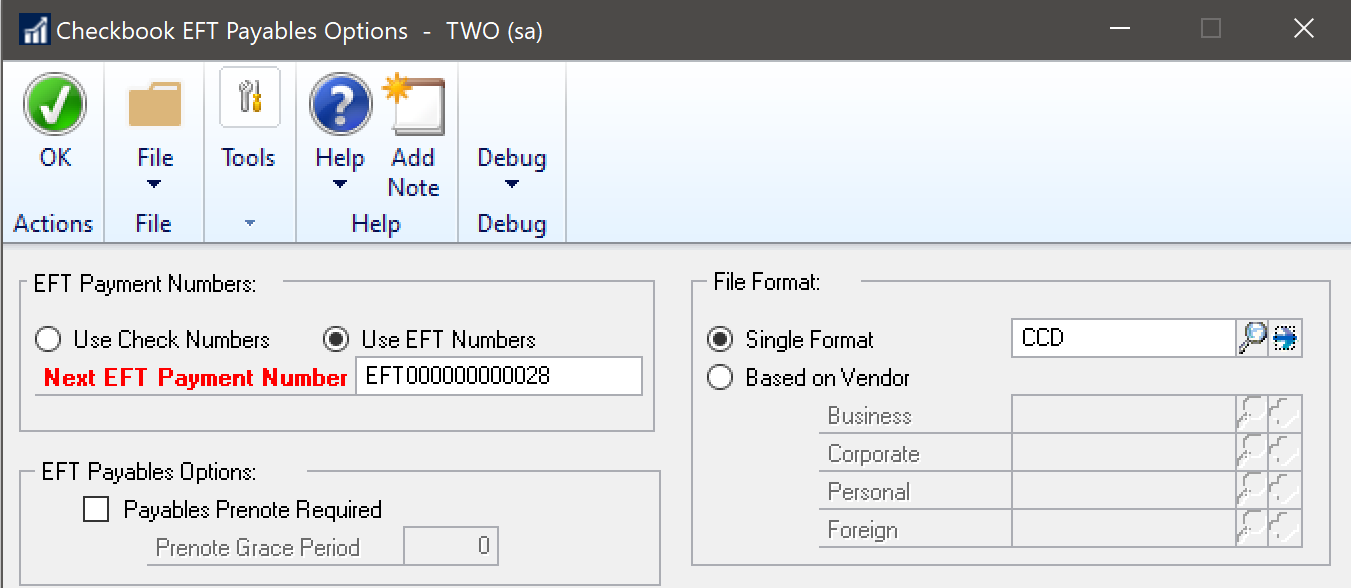
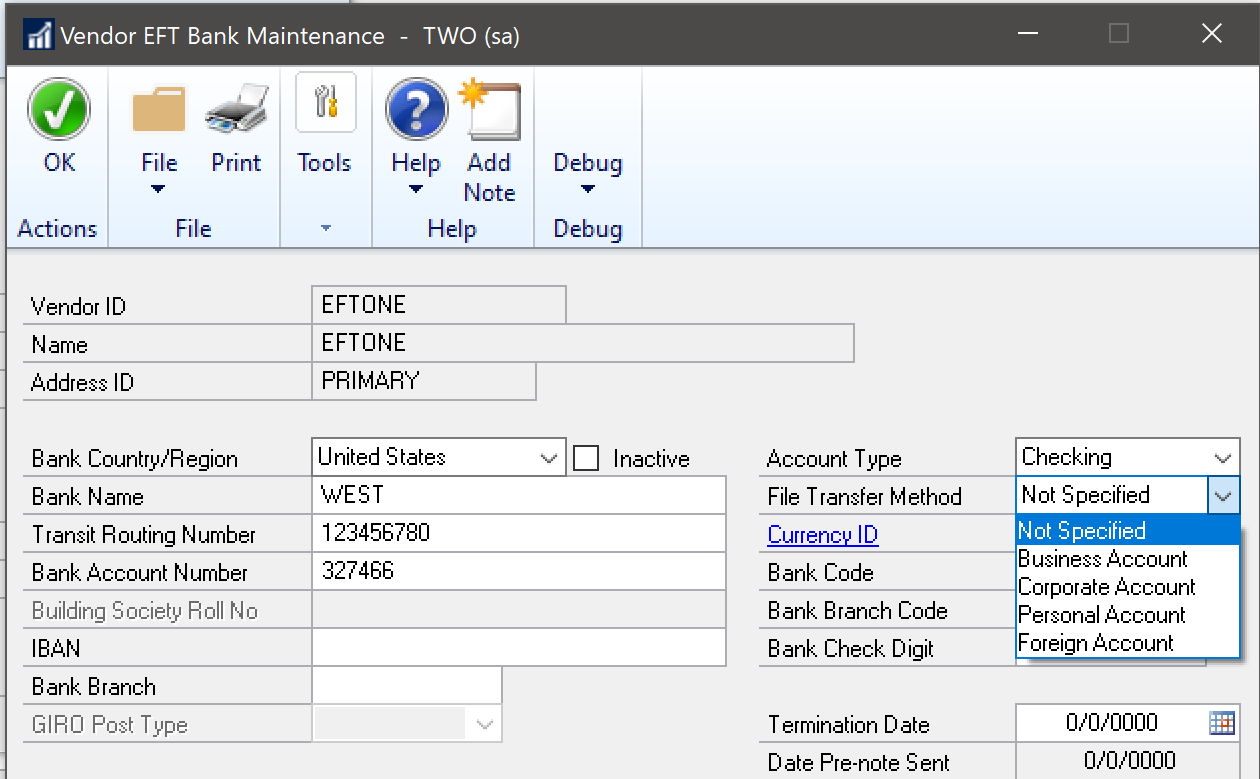
    That really depends on the setup for the Checkbook in the Checkbook EFT Payables/Receivables Options window. If the Checkbook is set to use a Single Format for the EFT File Format, the File Transfer Method set on the Vendor/Customer EFT Bank Maintenance window won't affect generation of EFT payments for the Vendor/Customer when using that Checkbook.


    In the example below, all EFT Vendors will use the CCD EFT File Format for this Checkbook, regardless of the File Transfer Method chosen. It can be left as Not Specified and the EFT File will successfully generate.
    pastedimage1584497310750v1.png

    pastedimage1584497391391v2.png


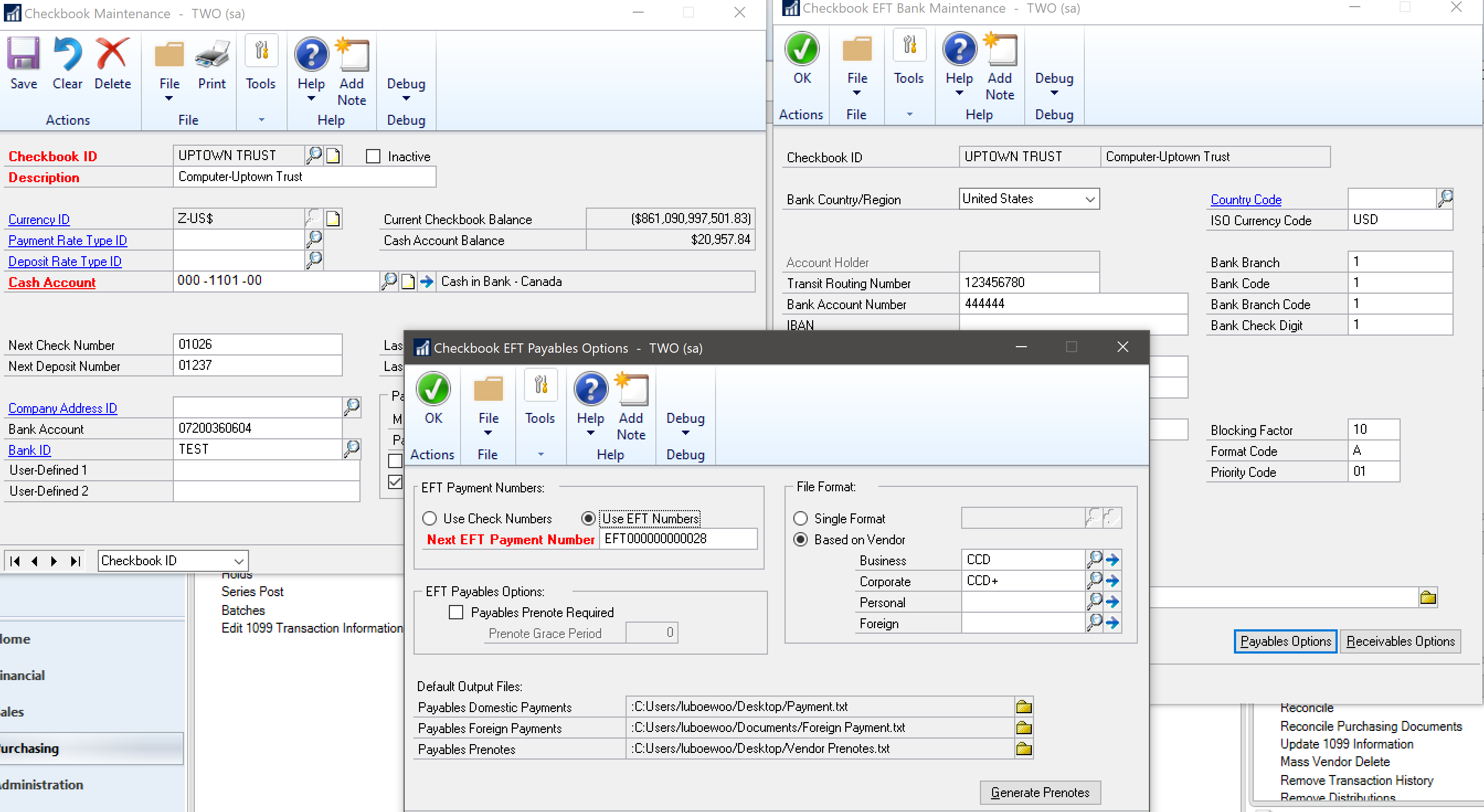
    If the Checkbook is set to use the EFT File Format based on the Vendor/Customer File Transfer Method, leaving the selection as Not Specified does not allow generation of EFT payments.


    In the example below, Vendors will use the EFT File Format for this Checkbook based on the File Transfer Method selected.
    pastedimage1584498552371v6.png


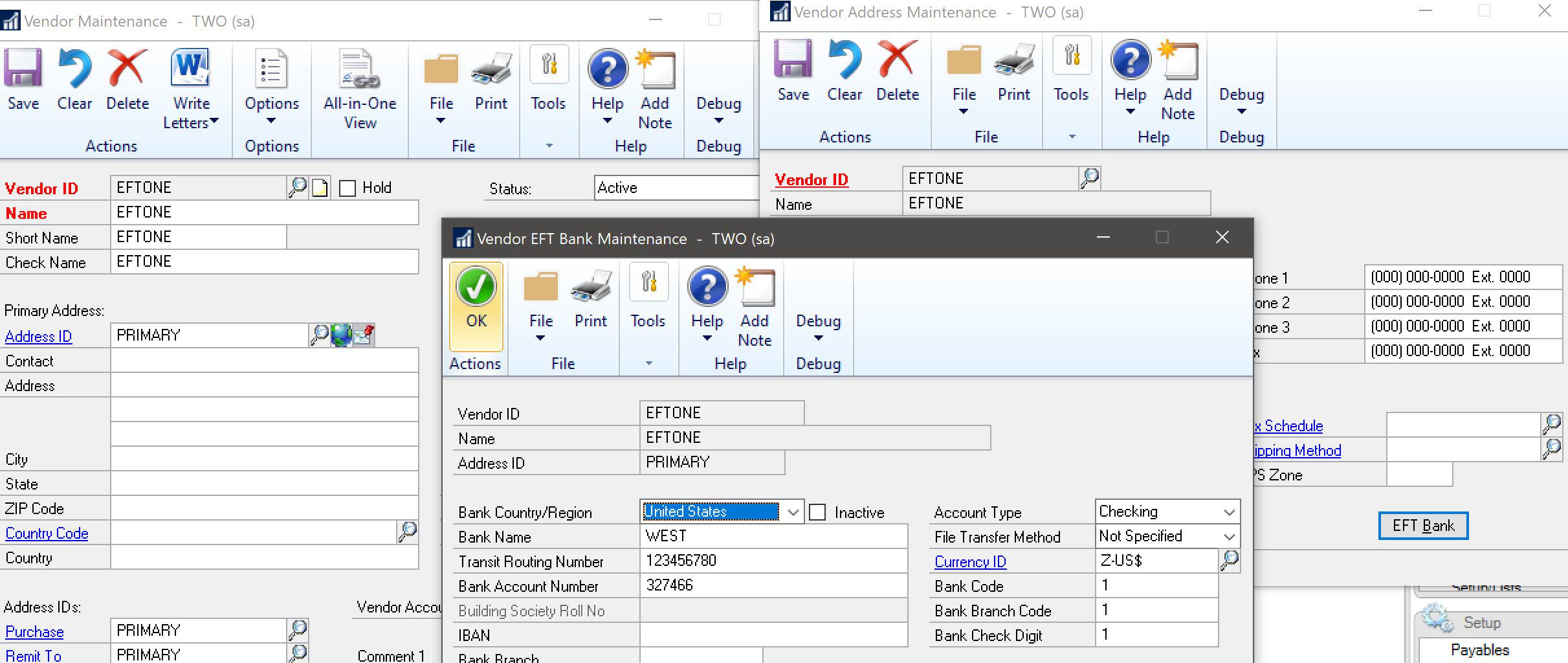
    If we leave the File Transfer Method as Not Specified, the EFT file will not be generated.

    Set Vendor File Transfer Method as Not Specified
    pastedimage1584498825609v11.png

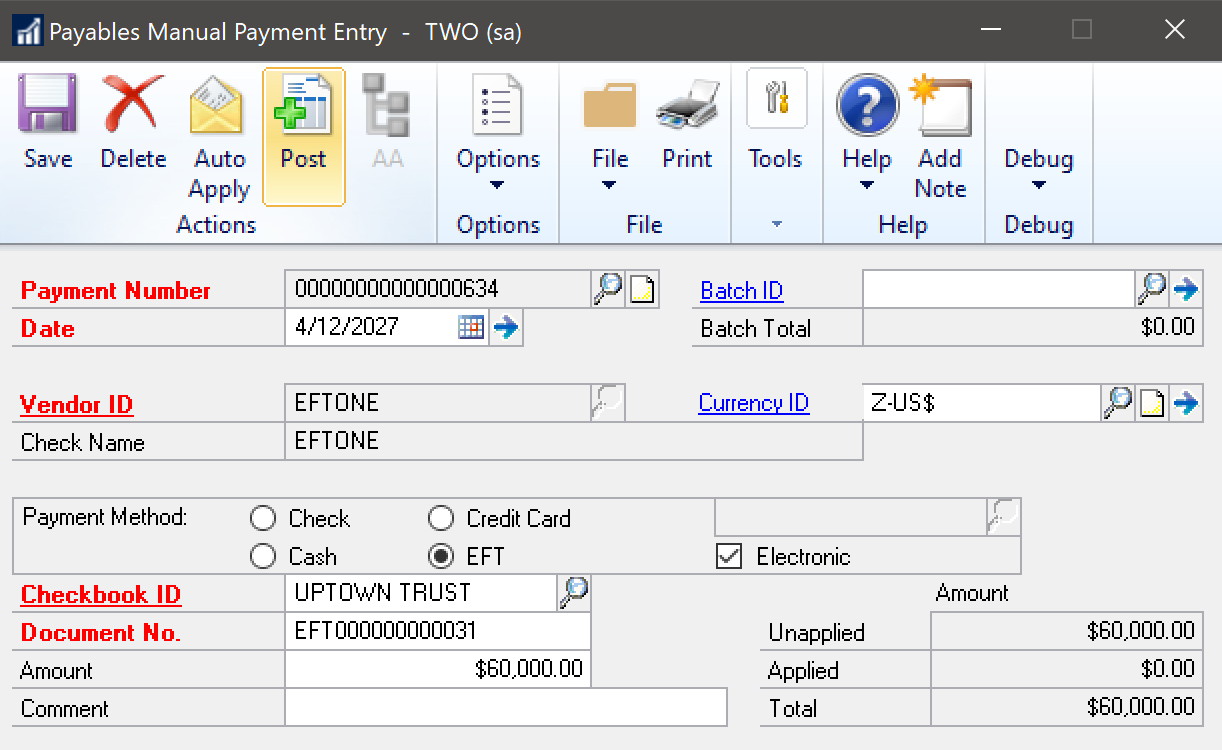
    Post EFT Payment

    pastedimage1584499071877v12.png

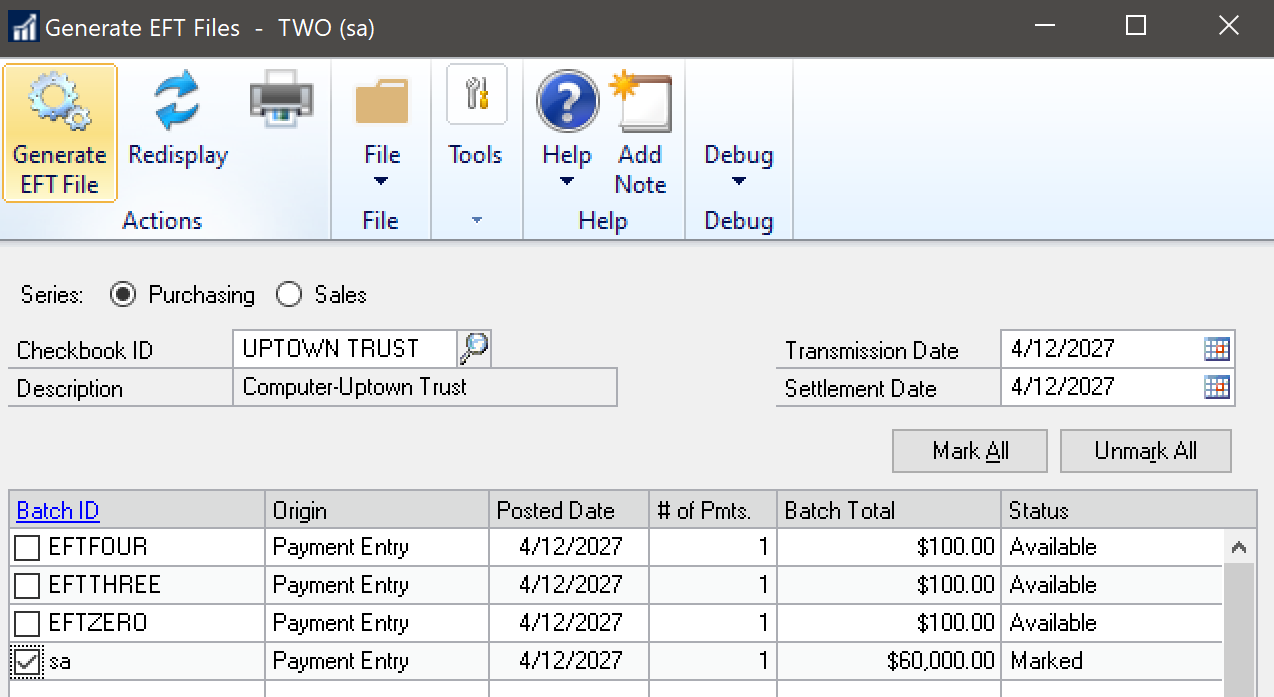
    Generate EFT File

    pastedimage1584499115114v13.png

    The EFT File does not generate. There is no error either.


    If the File Transfer Method is set to one that does not have a File Format selected on the Checkbook, an error will occur noting the File Format is not setup on the Checkbook and that the file cannot be generated.

    Set File Transfer Method to one that does not have a File Format selected on the Checkbook
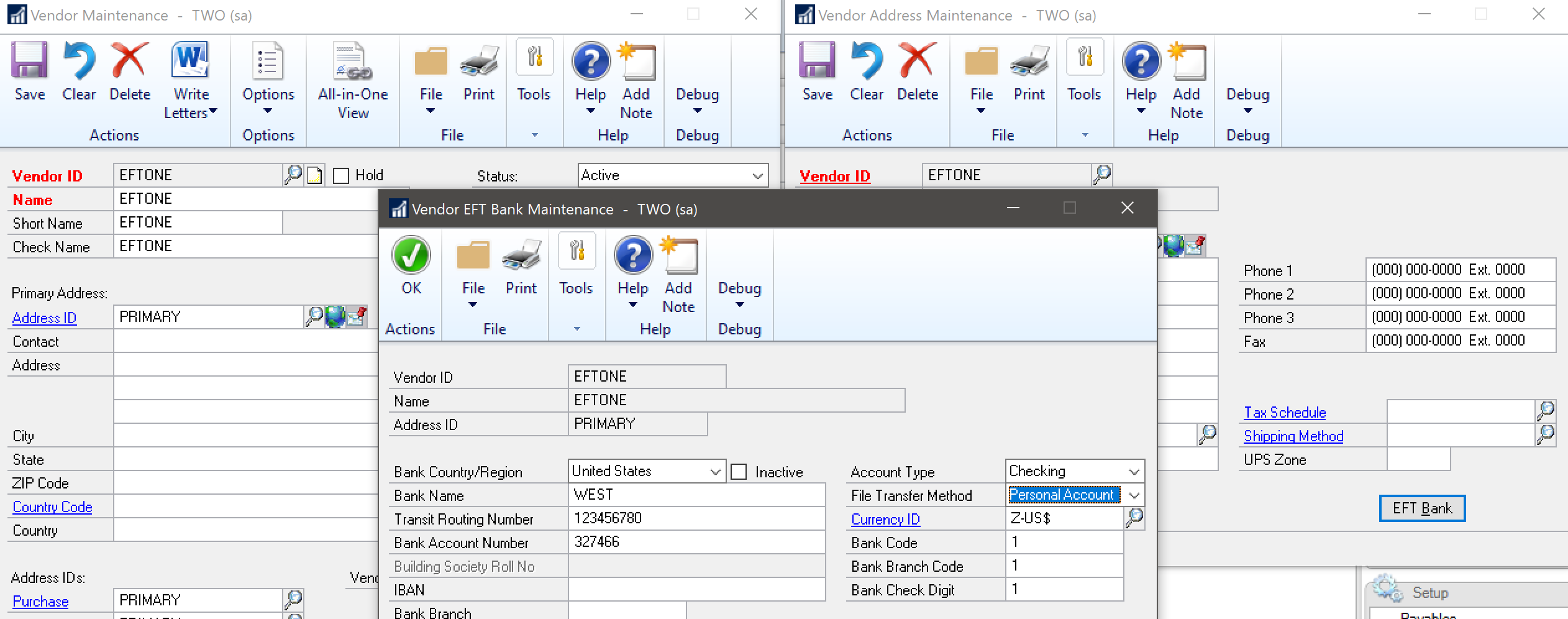
    pastedimage1584499366558v14.png

    Generate EFT File

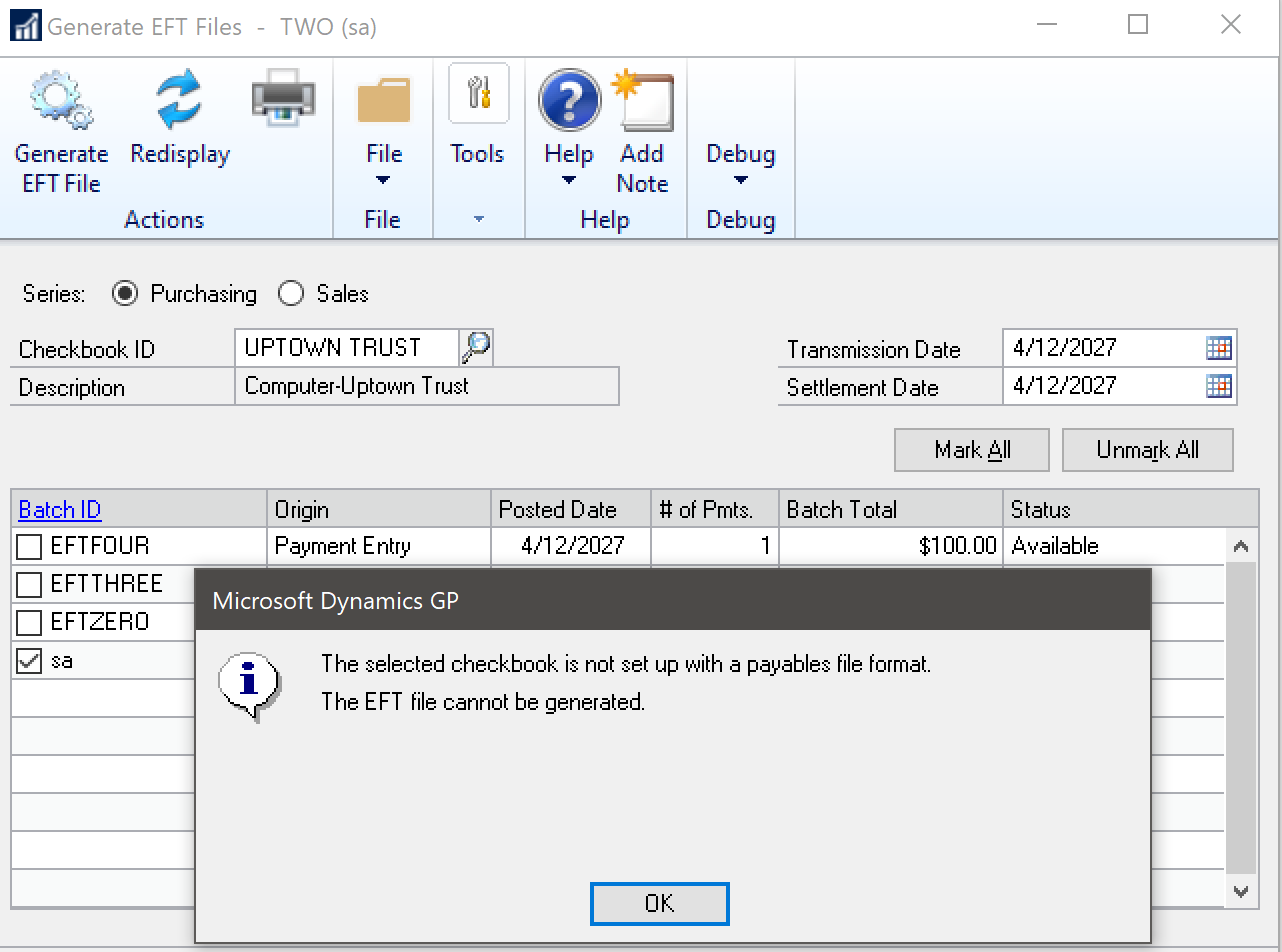
    pastedimage1584499391330v15.png

    The error "The selected checkbook is not set up with a payables file format" occurs, and the file is not generated.


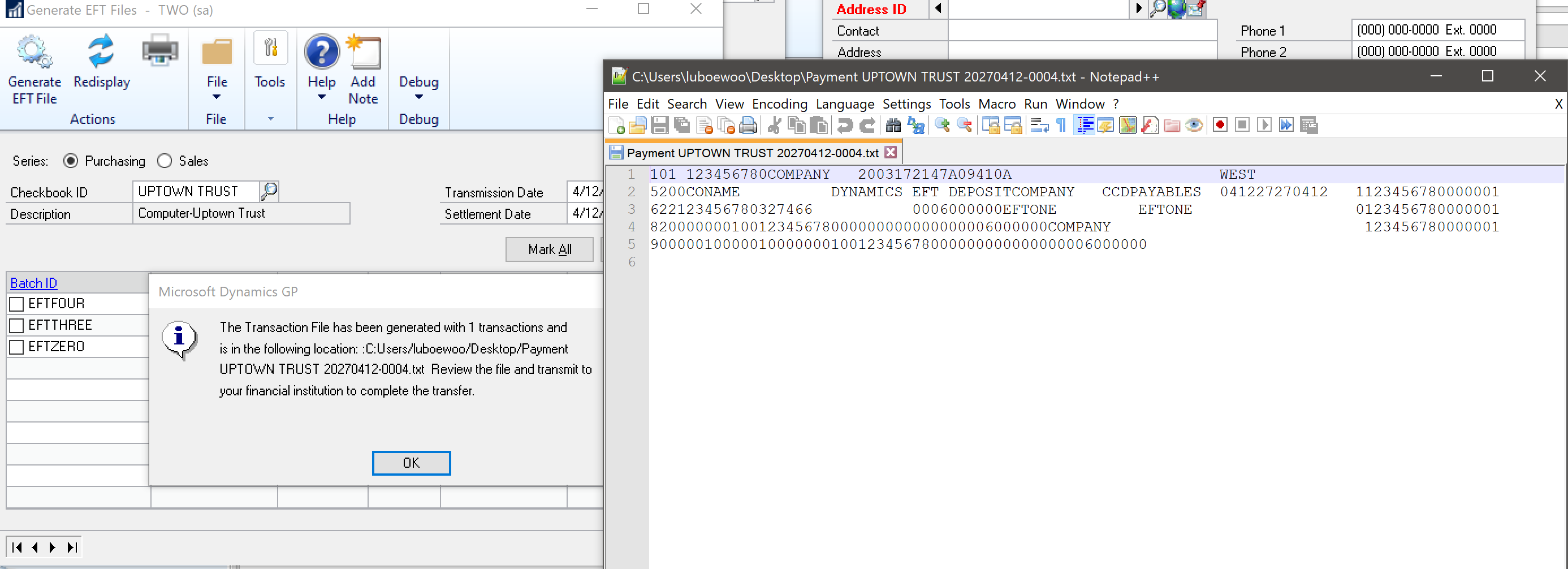
    If the File Transfer Method is set to one that does have a File Format selected on the Checkbook (or the Checkbook is set to use a Single File Format), then the EFT File generates as expected.

    Set Vendor File Transfer Method to one that does have a File Format selected on the Checkbook
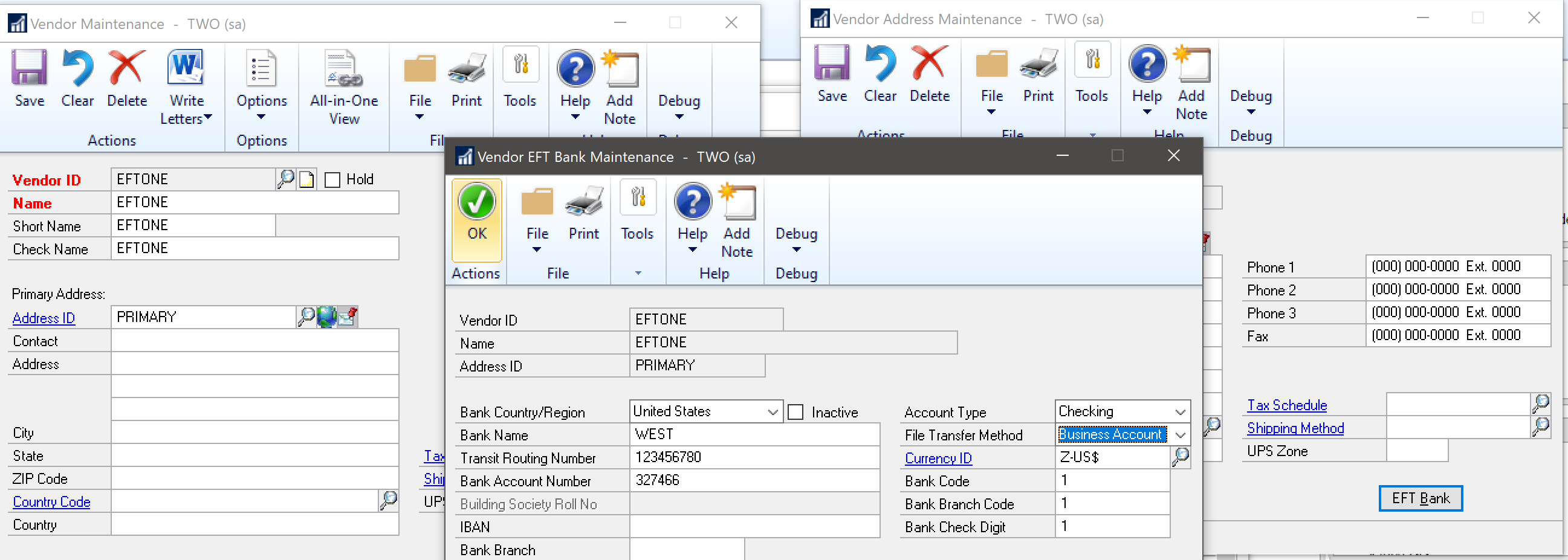
    pastedimage1584499691670v16.png

    Generate EFT File

    pastedimage1584499723647v17.png


    Here is a support article that discusses much of this setup and some frequently asked questions:

    Guidelines to follow when you generate EFT files or EFT prenote files in Electronic Funds Transfer for Payables Management or Receivables Management in Microsoft Dynamics GP
    https://support.microsoft.com/en-us/help/945955/guidelines-to-follow-when-you-generate-eft-files-or-eft-prenote-files


    I hope that helps explain the various setup possibilities and results for each regarding Checkbook File Format and Vendor/Customer File Transfer Method! Please let us know if you have any further questions.

  • Suggested answer
    Terry R Heley Profile Picture
    Microsoft Employee on at

    Here is a suggestion to vote on to change this in the product

    https://experience.dynamics.com/ideas/idea/?ideaid=8660c001-50d6-ea11-bf22-0003ff68aed0#

    I also created a View you can use to identify these Vendors and if the SmartList is empty, you are golden!


    CREATE VIEW [dbo].[EFT]

    AS


    select

    1. a. vendorid,
    2. a. VENDNAME,
    3. b. adrscode,

    CASE b. efttransfermethod

    WHEN 5 THEN 'Foreign Account'

    when 4 then 'Personal Account'

    when 3 then 'Corporate Account'

    when 2 then 'Business Account'

    when 1 then 'Not Specified'

    END AS efttransfermethod

    FROM SY06000 b JOIN PM00200 a

    on a. vendorid= b. vendorid

    where efttransfermethod = '5' or efttransfermethod='4' or efttransfermethod='1'

    go

    grant select on [EFT] TO DYNGRP

Under review

Thank you for your reply! To ensure a great experience for everyone, your content is awaiting approval by our Community Managers. Please check back later.

Helpful resources

Quick Links

Responsible AI policies

As AI tools become more common, we’re introducing a Responsible AI Use…

Neeraj Kumar – Community Spotlight

We are honored to recognize Neeraj Kumar as our Community Spotlight honoree for…

Leaderboard > Finance | Project Operations, Human Resources, AX, GP, SL

#1
Martin Dráb Profile Picture

Martin Dráb 660 Most Valuable Professional

#2
André Arnaud de Calavon Profile Picture

André Arnaud de Cal... 549 Super User 2025 Season 2

#3
Sohaib Cheema Profile Picture

Sohaib Cheema 307 User Group Leader

Last 30 days Overall leaderboard

Product updates

Dynamics 365 release plans