web
You’re offline. This is a read only version of the page.
close
Skip to main content

Notifications

Announcements

No record found.

Community site session details

Community site session details

Session Id :
Customer experience | Sales, Customer Insights,...
Answered

What does [Activity Status] "yt" mean?

(0) ShareShare
ReportReport
Posted on by 30

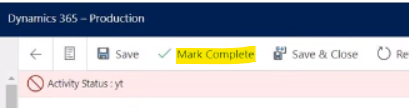
My D365 users are seeing "Activity Status: yt" when updating/handling D365 tasks. This occurs when the user clicks Mark Complete at the top of the form. When the user closes a task from the task Timeline, "Activity Status: yt" does not appear in the Timeline display, but if the user opens up the task record, "Status: yt" appears on the detailed task page.

When I look at the task records, they appear to have reasonable State Code and Status Reasons. This issue was not reported until after our classic-to-UI transition; I'm wondering if this may be related, but I have no direct evidence to think so.

I don't think the "Activity Status: yt" issue is causing any functional issues, but it does look alarming with the red band and the red icon. Should I be worried about this? How do I fix this?
pastedimage1607356200252v3.png

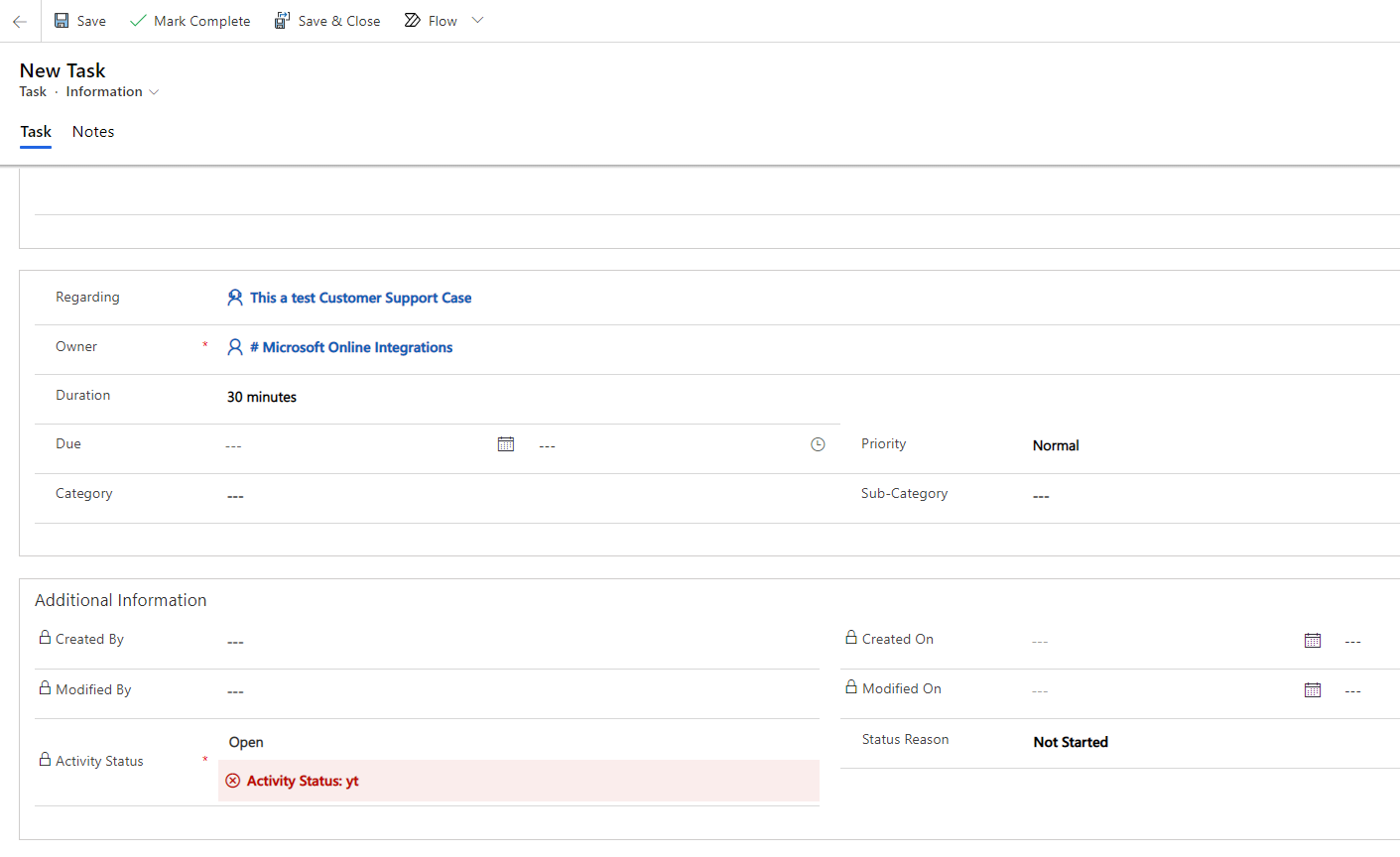
Update (12/7/2020): It looks like the "Activity Status: yt" definition appears automatically even on new task records (that have not been appended yet). But the "Activity Status: yt" definition appears slightly below the actual Activity Status. In the case of a new (not appended-yet) task, the Activity Status is "Open". As you can see, my Activity Status field on my form has two definitions (see screenshot).

Also, I'm unable to actually create and save a new Task. When I try to click Save or Save and Close, it does nothing. But it looks like my users were able to create tasks through a roundabout, automated process (maybe classic workflows). I don't recall the Task entity being deprecated, but it is behaving like it is deprecated.
pastedimage1607363853649v1.png

I have the same question (0)
  • Verified answer
    semosby Profile Picture
    230 on at

    Hi Tommy.  I found this in the forum.

    community.dynamics.com/.../cannot-create-a-task-with-dynamics-365-app-for-outlook  Looks like a business rule is running against the Task: Information form.   If this isn't the case, try changing the form to see if you receive the same results.

  • Suggested answer
    tly Profile Picture
    30 on at

    Thank S E Mosby. That thread actually helped me resolve my problem. The solution for me was to deactivate the Task.Information form, which appears to be no longer supported. After doing that and republishing my forms, I no longer got the "Activity Statys: yt" definition in any shape or form.

Under review

Thank you for your reply! To ensure a great experience for everyone, your content is awaiting approval by our Community Managers. Please check back later.

Helpful resources

Quick Links

Responsible AI policies

As AI tools become more common, we’re introducing a Responsible AI Use…

Neeraj Kumar – Community Spotlight

We are honored to recognize Neeraj Kumar as our Community Spotlight honoree for…

Leaderboard > Customer experience | Sales, Customer Insights, CRM

#1
Tom_Gioielli Profile Picture

Tom_Gioielli 170 Super User 2025 Season 2

#2
#ManoVerse Profile Picture

#ManoVerse 70

#3
Jimmy Passeti Profile Picture

Jimmy Passeti 50 Most Valuable Professional

Last 30 days Overall leaderboard

Product updates

Dynamics 365 release plans



