web
You’re offline. This is a read only version of the page.
close
Skip to main content

Notifications

Announcements

No record found.

Community site session details

Community site session details

Session Id :
Microsoft Dynamics AX (Archived)

Ax 2012 R3 Async Client Working Folder BIG Error

(0) ShareShare
ReportReport
Posted on by

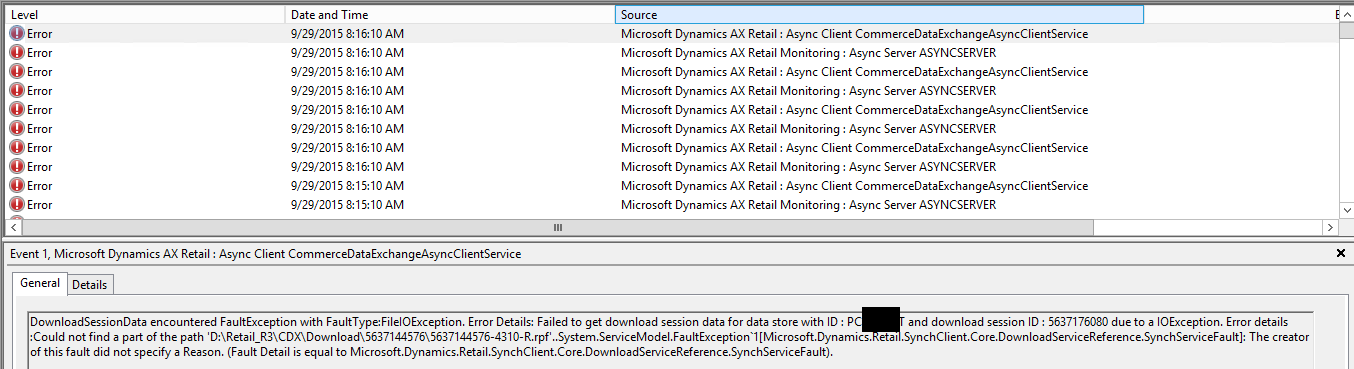
Hi, after create a new Working Folder Profile for Test purposes (in Configure Retail scheduler > Channel integration > Working folders, but I don't associate this profile with any Channel DB), Async Server refuse to sync with Aync Client with this error:
7536.1.png

The wrong path "D:\Retail_R3\CDX\" don't exists in this server, but I DONT associate this path with my any Retail Channel !!!!

Async Server and Async Client are installed on the same computer and I confirmed that the connection between client, service and retail channel database are fine using Async Client Configuration Tool.

I have done all these steps:

1. Retail > Parameters > Retail Parameters > Initialize

2. Configure Retail > Parameters > Retail scheduler parameters and click Sync metadata without error

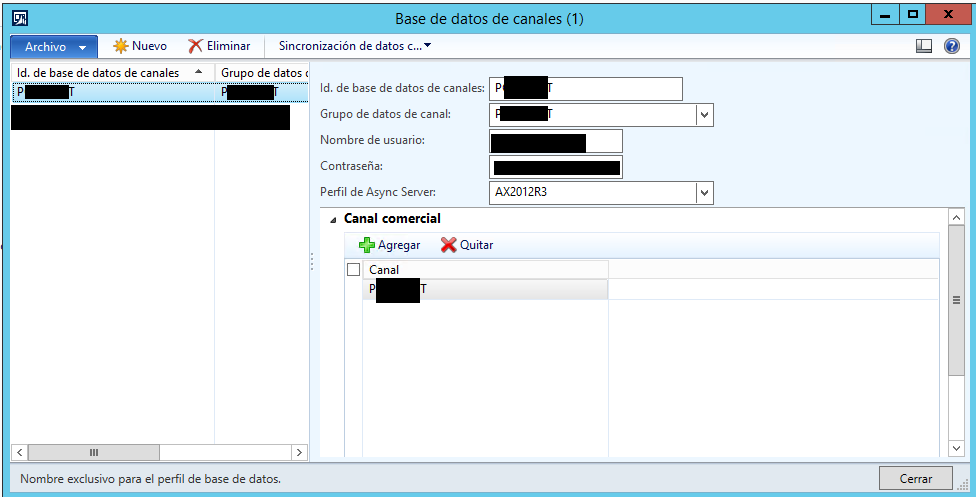
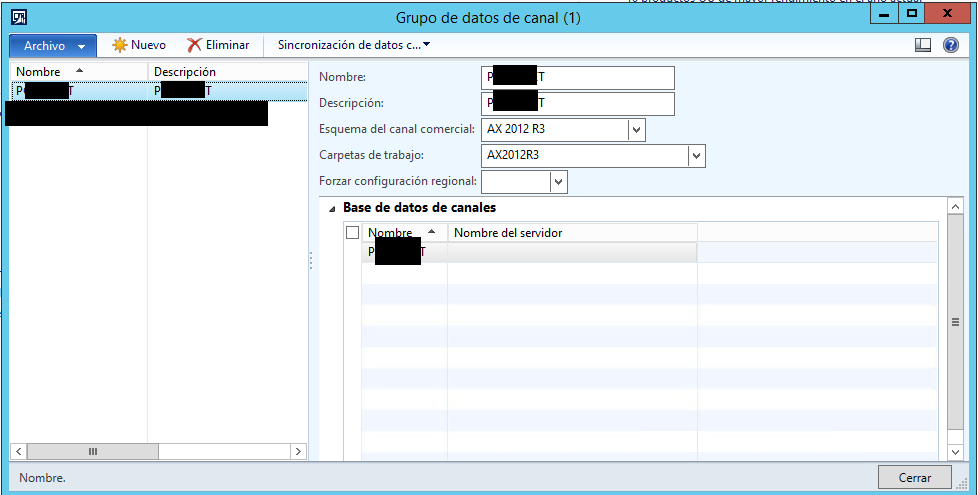
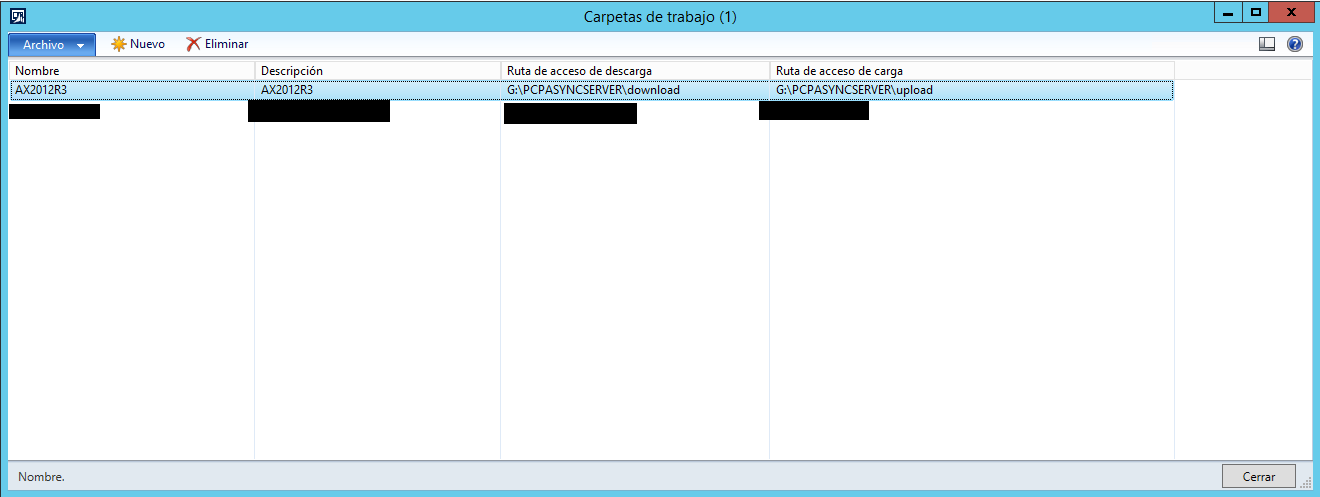
3. Configure Retail scheduler > Channel integration > Working folders (I delete the wrong working folder profile, and change the profile "AX2012R3" to a new folder path G:\PCPASYNCSERVER in my server)

4. Configure Retail scheduler > Channel integration > Channel database and click Full data sync > all jobs

You can check my active Channel Working Folder (G:\PCPASYNCSERVER):
0511.2.png

3225.3.png

3225.4.png

I check ALL CDX related tables in Databases (DynamixcAX, Async Server Message DB , Async Client Message DB , Retail Channel DB) and this wrong path (D:\Retail_R3\CDX\) is NOT stored in any tables !!!!

I recompile Ax, reindex all tables, but the problem is here!!!! I'm tired from trying and trying to resolve this problem. I open the folder G:\PCPASYNCSERVER\download and  G:\PCPASYNCSERVER\upload, and *.rpf files are create here by Ax, but Async Client/Server want to load from wrong path D:\RETAIL_R3\CDX

*This post is locked for comments

I have the same question (0)
  • nunomaia Profile Picture
    25 Moderator on at

    Can you open the Async DB in SQL Server Enterprise Manager and check the values in table FILESTORAGEPROVIDER ?

  • Community Member Profile Picture
    on at

    I checked this table. The channel has associate the (new) valid working folders :

    5751.5.png

  • nunomaia Profile Picture
    25 Moderator on at

    Did you checked table DOWNLOADSESSION ?

  • Community Member Profile Picture
    on at

    this table have a mix of old path, wrong path and new path in field DOWNLOADPATH:

    OLD PATH: c:\users\... (this path was from original installation of Ax, all ok from 8 months ago until last week)

    WRONG PATH: d:\Retail_R3\... (this path NEVER was assigned to Channel DB, created as Working Folder Profile only  last week for testing purposes)

    NEW PATH: G:\PCPASYNCSERVER\... (this path was created and assigned about 4 days ago and is correct in Windows )

  • Suggested answer
    sumit0417 Profile Picture
    2,890 on at

    Make sure your Test connection is successful in the AsyncClientConfigurationUtility.

    Usually you can find this in the below path C:\Program Files (x86)\Microsoft Dynamics AX\60\CDX\Async Client\Package-Houston (if you have created seperate folder for the Async Client instance)

    or

    C:\Program Files (x86)\Microsoft Dynamics AX\60\CDX\Async Client\Package

    By opeining this utility you can check the Test connection,, if this works then you should not get any further issues.

  • Community Member Profile Picture
    on at

    Hi, Test Async Client/Server connection is succesful, but Async Server is filling Windows Events DB with 8 errors each minute about invalid working folder.

    5736.6.png

  • Suggested answer
    nunomaia Profile Picture
    25 Moderator on at

    [quote user="gustavolopez"]

    this table have a mix of old path, wrong path and new path in field DOWNLOADPATH:

    OLD PATH: c:\users\... (this path was from original installation of Ax, all ok from 8 months ago until last week)

    WRONG PATH: d:\Retail_R3\... (this path NEVER was assigned to Channel DB, created as Working Folder Profile only  last week for testing purposes)

    NEW PATH: G:\PCPASYNCSERVER\... (this path was created and assigned about 4 days ago and is correct in Windows )

    [/quote]

    Ok,  since you have made a backup / restore of the database from the live system, I think you have incorrect data in DB. Async client is trying to get pending messages from asyncserver that don’t exist anymore.

    Since it’s a development environment, I would truncate tables of asyncserver message DB ( after performing  a backup), re-sync it again from Dynamics AX and try again.  You also can to re-install Async Server that it will re-create DB. 

  • Community Member Profile Picture
    on at

    I don't backup/restore DB, this is Prod Server !!!!!! I only add a Working Folder Profile for later use, without assign it to any Organization, and this profile messed up with (1) Retail Channel !!!!  If I truncate Async Server Message DB, this problem can be fixed ?

  • Verified answer
    nunomaia Profile Picture
    25 Moderator on at

    You have mentioned creating testing folders for the async service, I immediately associated into a development / quality environment and not the live system. If it’s the production system, you shouldn’t truncate tables because you will lose pending messages between server and client. You should edit tables in message DB and redirect it to correct folders, before you need to make a backup.

  • Community Member Profile Picture
    on at

    Nuno, after delete 4 records (with wrong folder path) from DOWNLOADSESSION table, the errors in Event Viewer were gone !!!!! Thanks !!!!!!!

Under review

Thank you for your reply! To ensure a great experience for everyone, your content is awaiting approval by our Community Managers. Please check back later.

Helpful resources

Quick Links

Responsible AI policies

As AI tools become more common, we’re introducing a Responsible AI Use…

Neeraj Kumar – Community Spotlight

We are honored to recognize Neeraj Kumar as our Community Spotlight honoree for…

Leaderboard > 🔒一 Microsoft Dynamics AX (Archived)

#1
Martin Dráb Profile Picture

Martin Dráb 4 Most Valuable Professional

#1
Priya_K Profile Picture

Priya_K 4

#3
MyDynamicsNAV Profile Picture

MyDynamicsNAV 2

Last 30 days Overall leaderboard

Featured topics

Product updates

Dynamics 365 release plans