web
You’re offline. This is a read only version of the page.
close
Skip to main content

Notifications

Announcements

Community site session details

Community site session details

Session Id :
Finance | Project Operations, Human Resources, ...
Answered

Retail SDK Receipt Sample Extensions

(0) ShareShare
ReportReport
Posted on by

Hey, i am currently working on Retailsdk Receipt Sample Extension.
1- I added new labels in HQ Language Text
2- Linked the labels in custom fields.
3-Opened the designer 1-p and added the new fields.
4- Ran 1090 Job
5-  Opened The Receipt Solution file and added the following changes:
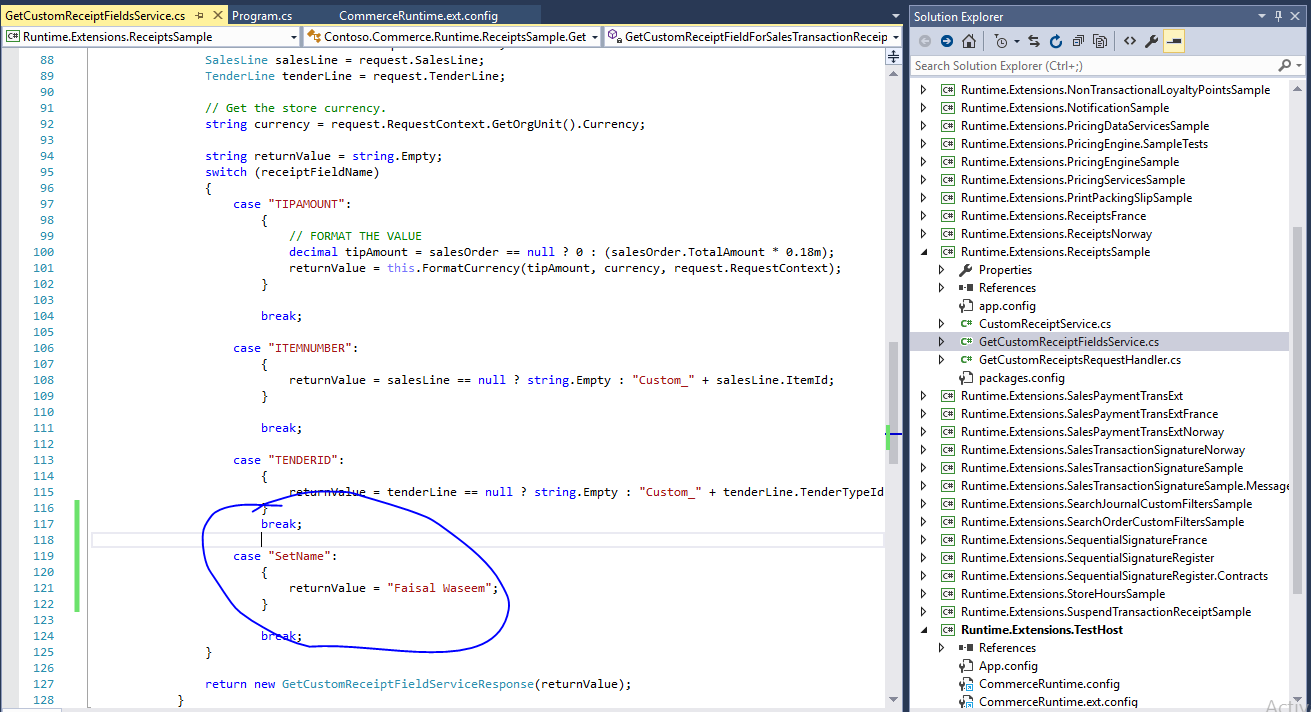

pastedimage1583997873885v1.png

6- Added <add source="type" value="Contoso.Commerce.Runtime.ReceiptsSample.GetCustomReceiptFieldsService, Contoso.Commerce.Runtime.ReceiptsSample" /> in Commerce.ext.config
7- Compiled the code and put the DLL file in Local Retail servers bin Folder.

but i still cant see the changes. Please help. I set the existing value Tender amount to check, it is showing in the receipt but dosent show custom created value.

pastedimage1583998048368v3.png

pastedimage1583998072164v4.png

I have the same question (0)
  • Ramune Profile Picture
    on at

    Hi Faisal,

    I leave this question for community to respond. If I have any information, I will respond to you later.

  • Verified answer
    ahgamal Profile Picture
    on at

    you may need to restart IIS for retail server after coping the dll file inside the EXT folder for the local path for retail server

    and register the your extension dll inside commerceruntime.ext.config file  inside EXT folder for the local path for retail server.

    ex. C:\RetailServer\webroot\bin\Ext\commerceruntime.ext.config

    Best regards,

    Ahmed Gamal

    Support Engineer / Microsoft Dynamics 365 Commerce

    EMEA Customer Services and Support

  • Community Member Profile Picture
    on at

    Thanks Ahmed, That worked!

  • Community Member Profile Picture
    on at

    Hey Ahmed, can you help me with storehours sample! Get operation is not valid after applying every change.

Under review

Thank you for your reply! To ensure a great experience for everyone, your content is awaiting approval by our Community Managers. Please check back later.

Helpful resources

News and Announcements

Season of Giving Solutions is Here!

Quick Links

Responsible AI policies

As AI tools become more common, we’re introducing a Responsible AI Use…

Neeraj Kumar – Community Spotlight

We are honored to recognize Neeraj Kumar as our Community Spotlight honoree for…

Leaderboard > Finance | Project Operations, Human Resources, AX, GP, SL

#1
Abhilash Warrier Profile Picture

Abhilash Warrier 679 Super User 2025 Season 2

#2
André Arnaud de Calavon Profile Picture

André Arnaud de Cal... 421 Super User 2025 Season 2

#3
Martin Dráb Profile Picture

Martin Dráb 282 Most Valuable Professional

Last 30 days Overall leaderboard

Product updates

Dynamics 365 release plans



