Hi partner,
There are serveral ways to achieve it, quick view form, calculated field, JS onChange event, power automate.
Here I would recommend you two good solutions, quick view form and calculated field.
The difference between them is that using the quick view form does not require the creation of a ProductID field for the "Products List" entity, while the calculated field requires the creation of a field.
1. quick view form
If you just want to display the ProductID of the selected Product on the Product List form, and do not need a Product List entity field to store this value, then the quick view form is the most suitable.
The quick view form can display the data of the lookup field record (Product) and display it on the current form (Product List).
Note that ProductID of quick view form is not data of the Product List entity, but only displayed on the Product List form.
Please refer to https://carldesouza.com/dynamics-crm-quick-view-forms/
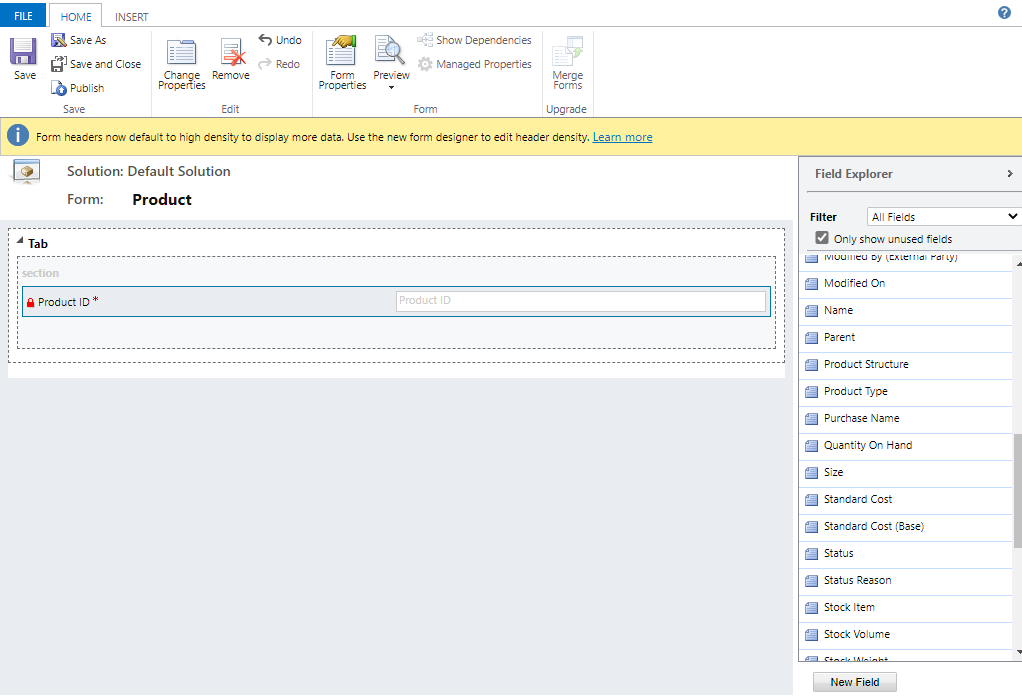
Go to customizations, new a quick view form for Product entity.

Add ProductID field on the new quick view form, save and publish.
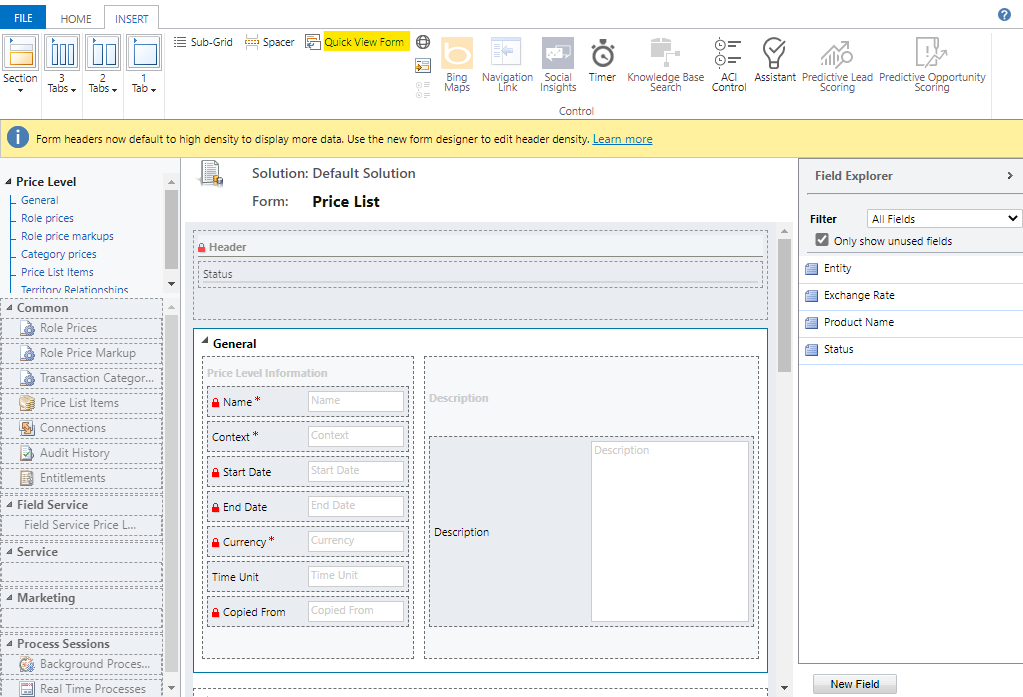
Edit the "Products List" main form, under INSERT tab, click quick view form, enter name and label, select Product and the new quick view form.

2. calculated field
The calculated field can automatically obtain the data of the lookup field. we must create a new field for the "Products List" entity, whose data type is the same as the ProductID field.
Please refer to https://carldesouza.com/dynamics-365-calculated-fields/
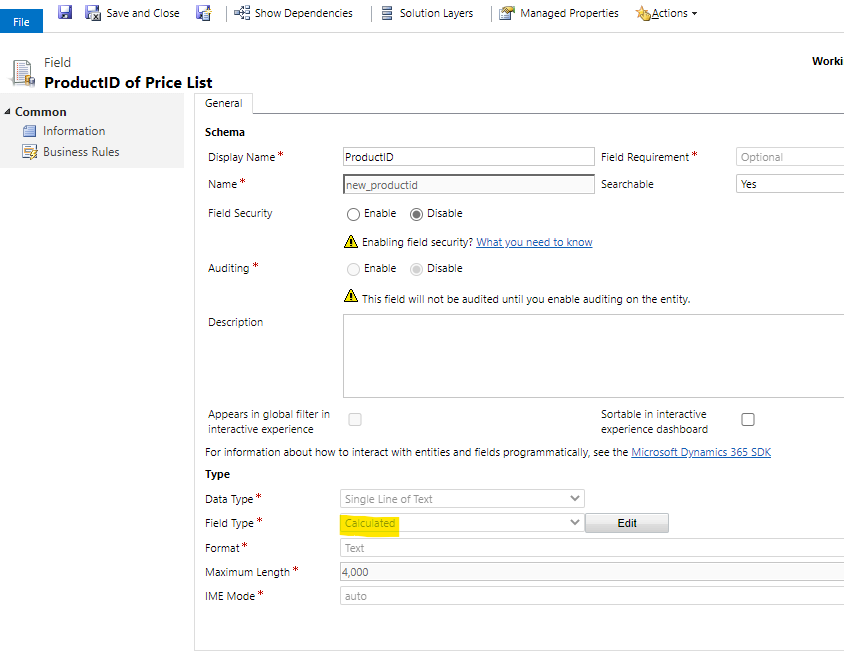
Go to customizations, new a field for "Products List" entity, select Field Type to Calculated.
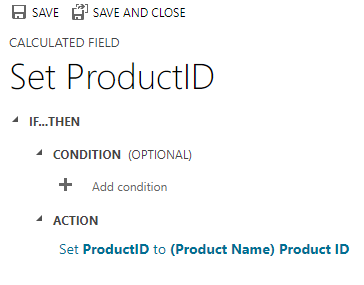
Then edit the calculated logic, set as follow.

Add the calculated field to Products List main form.







