web
You’re offline. This is a read only version of the page.
close
Skip to main content

Notifications

Announcements

No record found.

Community site session details

Community site session details

Session Id :
Microsoft Dynamics NAV (Archived)

NAV works orders, starting-ending dates

(0) ShareShare
ReportReport
Posted on by

Good afternoon,

We have recently installed NAV and I am trying to get my head around the workings of the dates against works orders.

Can someone please tell me why the start and end dates are backdates so against my work orders, mostly December 2017?

Thank you for your assistance, Danny.
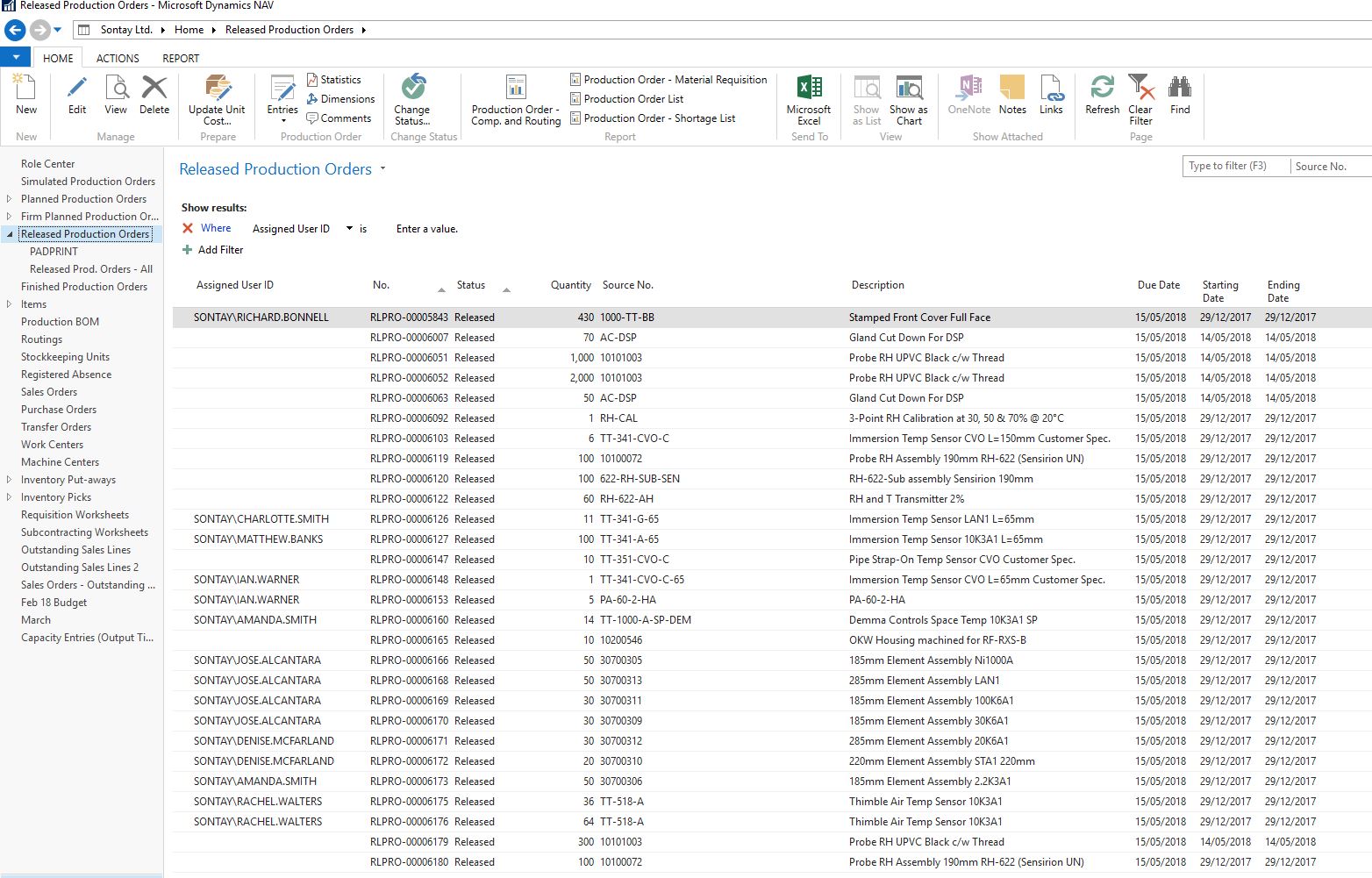
Nav-start_2D00_end-dates.JPG

*This post is locked for comments

I have the same question (0)
  • Verified answer
    Alex Caballero Profile Picture
    30 on at

    I think that you need create the calendar of 2018 for your workcenter.

  • Community Member Profile Picture
    on at

    How might one do that?

  • Community Member Profile Picture
    on at

    Shop-Calendar.JPG

    Shop-Calendar.JPG

    I have a shop calendar setup, and machine centre calendars. What am I missing?

  • Community Member Profile Picture
    on at

    Thank you Alex, suddenly things look a little clearer.

    I have run the Work centre calendar, planning worksheet is giving more realistic and relevant dates. Warning messages have reduced.

    Big step forward.

Under review

Thank you for your reply! To ensure a great experience for everyone, your content is awaiting approval by our Community Managers. Please check back later.

Helpful resources

Quick Links

Responsible AI policies

As AI tools become more common, we’re introducing a Responsible AI Use…

Neeraj Kumar – Community Spotlight

We are honored to recognize Neeraj Kumar as our Community Spotlight honoree for…

Leaderboard > 🔒一 Microsoft Dynamics NAV (Archived)

#1
HoangNam Profile Picture

HoangNam 7

Last 30 days Overall leaderboard

Featured topics

Product updates

Dynamics 365 release plans
