web
You’re offline. This is a read only version of the page.
close
Skip to main content

Notifications

Announcements

No record found.

Community site session details

Community site session details

Session Id :
Finance | Project Operations, Human Resources, ...
Unanswered

Advanced Bank Reconciliation Setup - GER

(0) ShareShare
ReportReport
Posted on by 35

Hi All

I'm using:

F&O

Installed product version : 10.0.25 (10.0.1149.40)

Installed platform version : Update49 (7.0.6316.36)

I am attempting to setup the advanced bank rec import using ER but I am having an issue when I import the bank statements. I receive the below error.
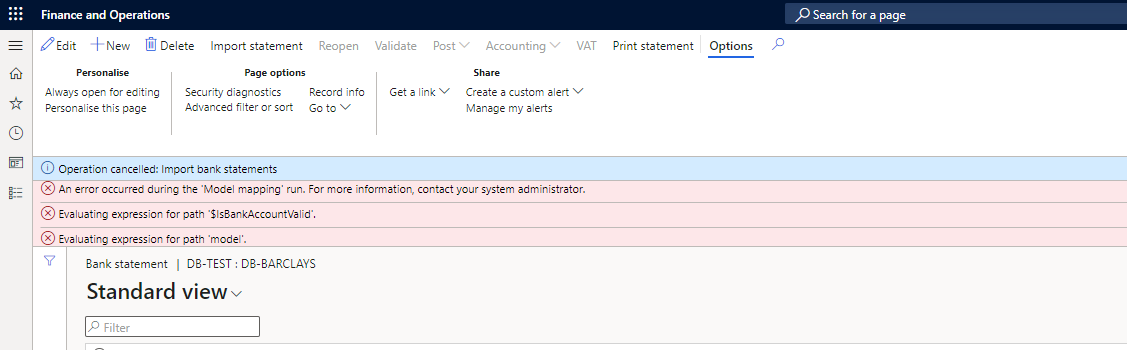
pastedimage1655907459709v1.png

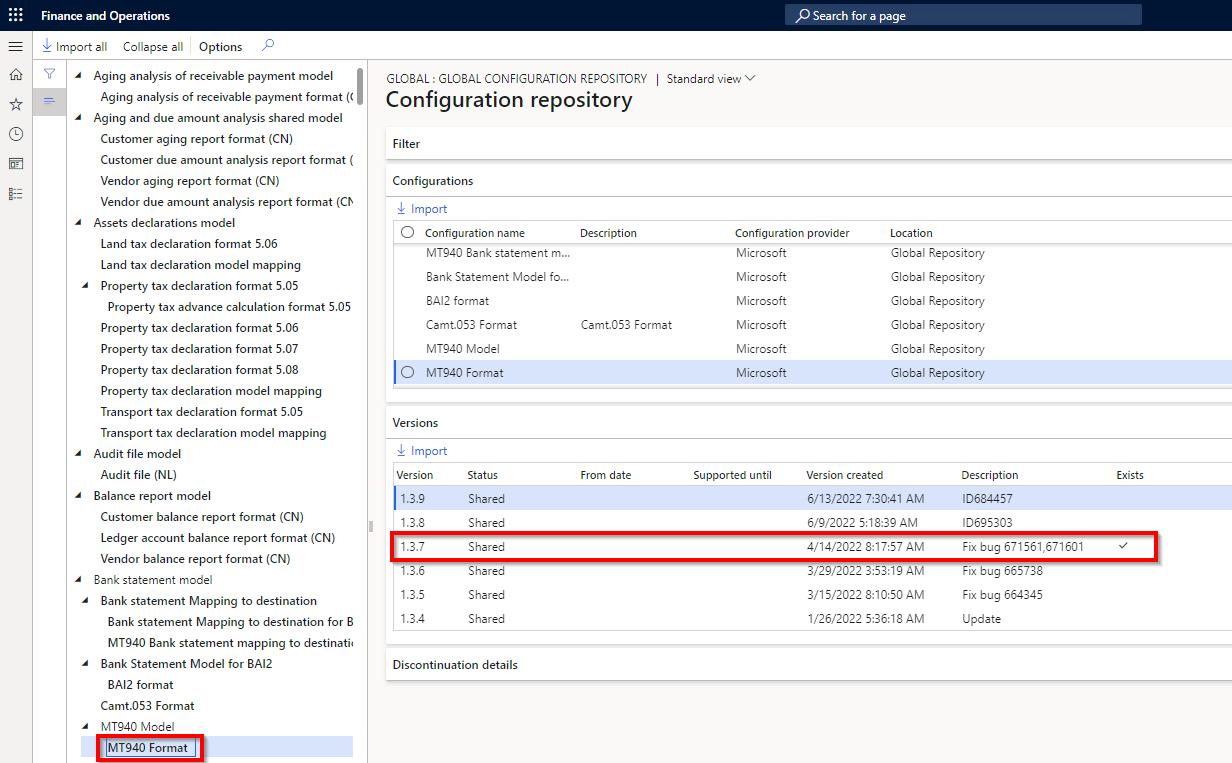
I have imported the configurations as below.
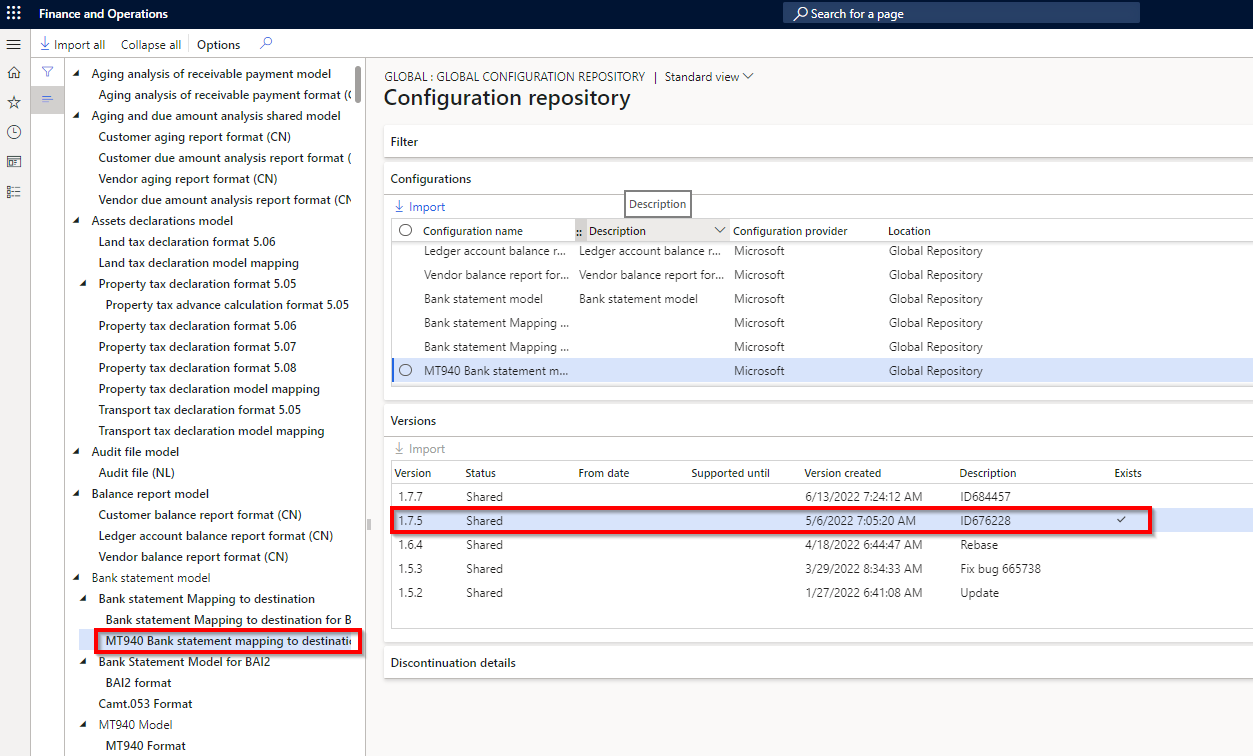
pastedimage1655907561652v2.png

pastedimage1655907570070v3.png

and setup the bank statement format using these configurations
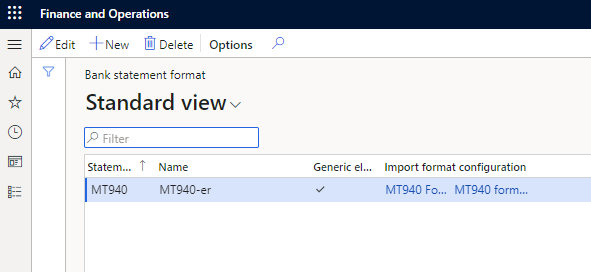
pastedimage1655907631842v4.png

I have searched the forums and cannot find anything relating to this error, any help would be appreciated.

Kind Regards

I have the same question (0)
  • huijij Profile Picture
    19,811 on at

    Hi DBroad,

    Do you add a sequence number to the bank statement import entity to support the MT940 format?

    Here are the specific steps:

    docs.microsoft.com/.../advanced-bank-reconciliation-mt940-data-entity-upgrade-steps

    After you try to import a bank statement file, go to the Data management job history and its execution details to find the error. For related issues, please refer to the following documents:

    docs.microsoft.com/.../import-bank-statement-file-failed-incorrect-results

  • DBroad Profile Picture
    35 on at

    Hi Judy

    Thanks for the reply, unfortunately the ability to create the bank statement import via data management has been removed. MS seem to be steering towards using ER due to security issues with DM.

    So my issue is once the ER templates are imported and I navigate to the bank statements and try to import using this new configuration I get the above errors.

    Thanks

  • DBroad Profile Picture
    35 on at

    Turns out it was a know bug, once I upgraded to version 10.0.27 the issue went away.

  • saurabh bharti Profile Picture
    15,039 Moderator on at

    Can you share your bank statement which you are importing?

    check statement structure here

    exploredynamics365.home.blog/.../

  • DBroad Profile Picture
    35 on at

    Hi Saurabh

    Thank you for the reply but the issue I was facing was due to a known bug and this has been solved by upgrading to 10.0.27. I don't have any further issues relating to the actual statement I am importing.

    Thanks

Under review

Thank you for your reply! To ensure a great experience for everyone, your content is awaiting approval by our Community Managers. Please check back later.

Helpful resources

Quick Links

Responsible AI policies

As AI tools become more common, we’re introducing a Responsible AI Use…

Neeraj Kumar – Community Spotlight

We are honored to recognize Neeraj Kumar as our Community Spotlight honoree for…

Leaderboard > Finance | Project Operations, Human Resources, AX, GP, SL

#1
Abhilash Warrier Profile Picture

Abhilash Warrier 669 Super User 2025 Season 2

#2
André Arnaud de Calavon Profile Picture

André Arnaud de Cal... 449 Super User 2025 Season 2

#3
Martin Dráb Profile Picture

Martin Dráb 384 Most Valuable Professional

Last 30 days Overall leaderboard

Product updates

Dynamics 365 release plans