web
You’re offline. This is a read only version of the page.
close
Skip to main content

Notifications

Announcements

No record found.

Community site session details

Community site session details

Session Id :
Microsoft Dynamics AX (Archived)

Management Reporter 2012: How to change the default server address

(0) ShareShare
ReportReport
Posted on by

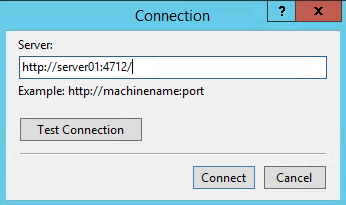
How do I change the default server address for Management Reporter 2012?

If I change the server address it works fine, but it changes back to the original (wrong) address when I reopen MMR. This will return a connection error response.

*This post is locked for comments

I have the same question (0)
  • Suggested answer
    Bashir Ahmad Profile Picture
    5,248 on at

    you may need to change in sqlserver configurations

  • Verified answer
    oysteindg Profile Picture
    on at

    After fiddling around, I found the answr in the Management Reporter 2012 Configuration Console.

    Choose the relevant ERP integration:

    2014_2D00_12_2D00_01_5F00_12_2D00_52_2D00_01.png

    From the menu in the right window, choose the Publish server connection:

    2014_2D00_12_2D00_01_5F00_12_2D00_52_2D00_42.png

    You are probably prompted to enter the login credentials for the service user, enter them and all should go well:

    The server address should now be updated!

  • Musalaiah Profile Picture
    25 on at

    Hi

    I created a Total account in AX. Then in MR in row definition selected the account as a Totaling account and account intervals were populated in the Formula field. Which is correct.

    Then I configured additional total account intervals in AX. but they did not populate in MR. When I select the account as totaling it does not populate new account intervals in the Formula field. I refreshed the cached financial data and restarted the MR services.

    How to resolve this issue.

    Thanks and regards

    murali.kambampati@gmail.com

  • MattOlson Profile Picture
    on at

    I am not seeing "Publish Server Connections" option.

  • Suggested answer
    oysteindg Profile Picture
    on at

    Hi M.O.

    Are you looking in the Configuration Console?

    You have to select the ERP integration in the left pane first, and then the "Publish connection" option will be available.

  • Suggested answer
    Community Member Profile Picture
    on at

    This only works for the Datamart provider, the legacy Dynamics GP provider does not offer this option.

Under review

Thank you for your reply! To ensure a great experience for everyone, your content is awaiting approval by our Community Managers. Please check back later.

Helpful resources

Quick Links

Responsible AI policies

As AI tools become more common, we’re introducing a Responsible AI Use…

Neeraj Kumar – Community Spotlight

We are honored to recognize Neeraj Kumar as our Community Spotlight honoree for…

Leaderboard > 🔒一 Microsoft Dynamics AX (Archived)

#1
Priya_K Profile Picture

Priya_K 4

#1
Martin Dráb Profile Picture

Martin Dráb 4 Most Valuable Professional

#3
Ali Zaidi Profile Picture

Ali Zaidi 2

Last 30 days Overall leaderboard

Featured topics

Product updates

Dynamics 365 release plans



