web
You’re offline. This is a read only version of the page.
close
Skip to main content

Notifications

Announcements

Community site session details

Community site session details

Session Id :
Customer experience | Sales, Customer Insights,...
Answered

Static Segment List members view

(0) ShareShare
ReportReport
Posted on by 5

When creating a new static segment, the list members view in the definition tab comes with the following pre-defined fields shown.

list_5F00_members.JPG

I would like to change this view to show different fields of my choosing. I looked through all the existing views that are for contacts and can't seem to find a view that matches this one.

Would appreciate the assistance on this.

I have the same question (0)
  • Verified answer
    cloflyMao Profile Picture
    25,210 on at

    Hi Nuddle,

    Could you share me version of your marketing application?

    From your screenshot, it seems that your environment would be old version.

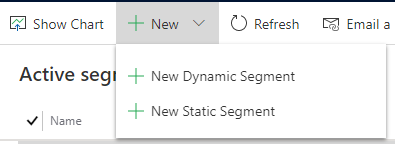
    In my marketing application 1.35.10059.1039, it will display a drop down menu for me to select segment type,
    pastedimage1588744547037v1.png

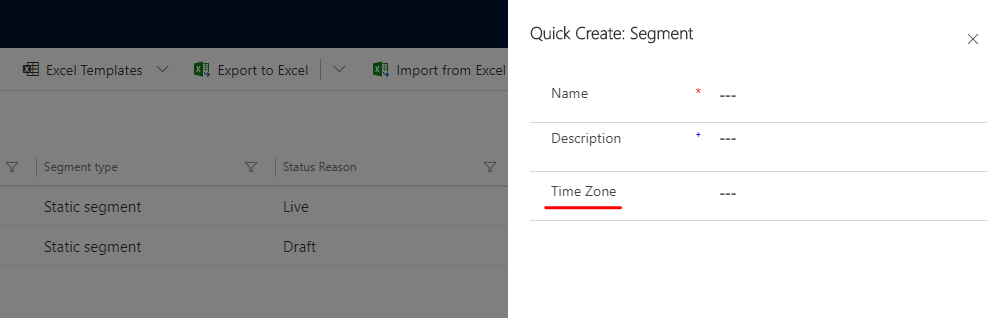
    Then it will firstly let me set a name for segment, and there is a new field "Time Zone":
    pastedimage1588744670342v2.png

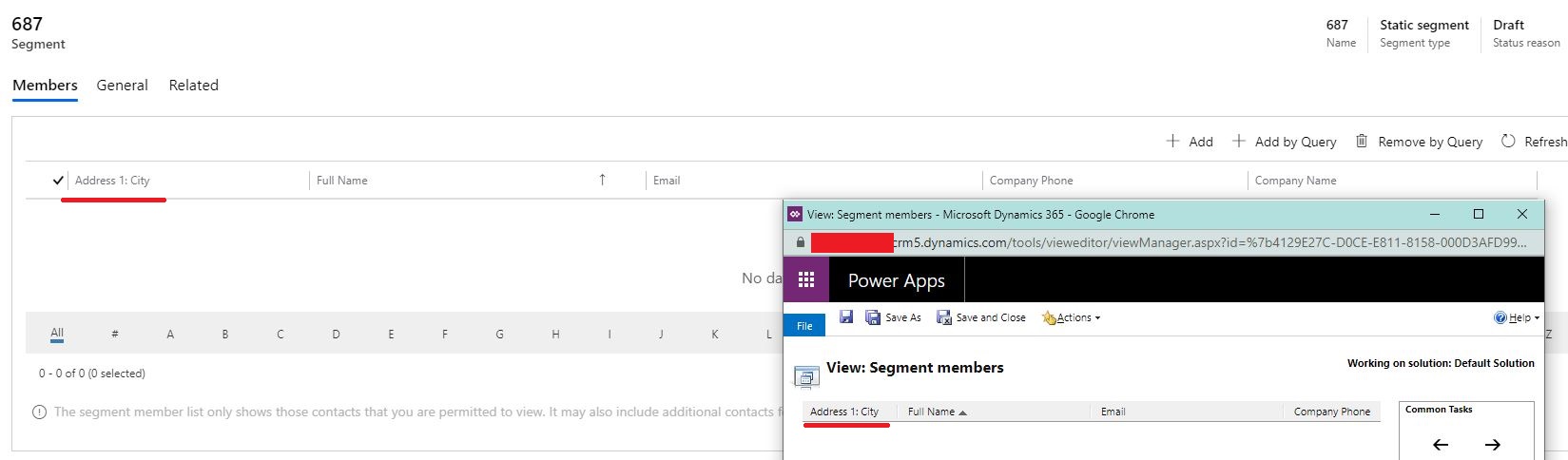
    The list member view is in the Member tab, I can customize "Segment members" view to modify columns.
    6888.JPG

    Please check whether there is a view in your environment which contains "segment" in its Name property.

    If such view not exists, you could upgrade your marketing application to make the view be customizable.

    Regards,

    Clofly

  • Nuddle Profile Picture
    5 on at

    Looks like you are correct!

    After updating the marketing application to 1.35.10059.1039, I was able to modify the members view and it also resolved another issue that I was facing with the dynamic segments.

    Thanks!

Under review

Thank you for your reply! To ensure a great experience for everyone, your content is awaiting approval by our Community Managers. Please check back later.

Helpful resources

News and Announcements

Season of Giving Solutions is Here!

Quick Links

Responsible AI policies

As AI tools become more common, we’re introducing a Responsible AI Use…

Neeraj Kumar – Community Spotlight

We are honored to recognize Neeraj Kumar as our Community Spotlight honoree for…

Leaderboard > Customer experience | Sales, Customer Insights, CRM

#1
Pallavi Phade Profile Picture

Pallavi Phade 101

#2
Tom_Gioielli Profile Picture

Tom_Gioielli 79 Super User 2025 Season 2

#3
TAHER Mehdi Profile Picture

TAHER Mehdi 58

Last 30 days Overall leaderboard

Product updates

Dynamics 365 release plans
