web
You’re offline. This is a read only version of the page.
close
Skip to main content

Announcements

No record found.

News and Announcements icon
Community site session details

Community site session details

Session Id :
Microsoft Dynamics AX (Archived)

Budget late key in after transaction has been posted

(0) ShareShare
ReportReport
Posted on by 1,174

hi expert,

during 2019 transactions already posted either balance sheet or profit loss, but budget Module has not been configured. 

let say :

right now, master budget for salary expense for 1 year IDR. 229.550.000 ready to key in on Budget entries. Once i "update balance" & check on "budget control statistic", "Budget fund Available" does not automatic calculate. How do i get updated amount on this field ?
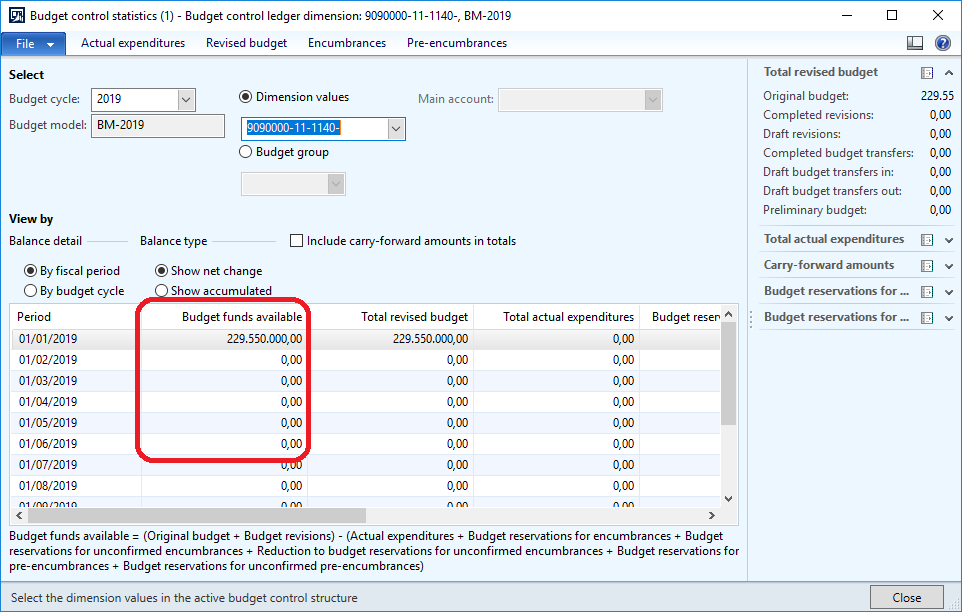
2465.1.png

*This post is locked for comments

I have the same question (0)
  • Ludwig Reinhard Profile Picture
    Microsoft Employee on at

    Hi,

    Have you recorded some actual costs against your budget?

    Once that has been done the available budget funds should be reduced.

    Can you test that and possibly record some sample salary expense amounts e.g. in a GL journal?

    Best regards,

    Ludwig

  • agus Profile Picture
    1,174 on at

    hi ludwig,

    i've tried to post journal entry in DEV then i did configure (activate & turn On) & input budget entries master, i check on this menu, no updated amount.

    base on your perspective, it will be automatic updated ?

  • Suggested answer
    Ludwig Reinhard Profile Picture
    Microsoft Employee on at

    Hi Agus,

    If you recorded the costs against the main account - findim combination at which you budget was registerd then you should see an automatic update.

    If this auto update does not occur then double check LCS for available hotfixes as a couple of hotfixes have been released for this form.

    Best regards,

    Ludwig

Under review

Thank you for your reply! To ensure a great experience for everyone, your content is awaiting approval by our Community Managers. Please check back later.

Helpful resources

Quick Links

Introducing the 2026 Season 1 community Super Users

Congratulations to our 2026 Super Stars!

Meet the Microsoft Dynamics 365 Contact Center Champions

We are thrilled to have these Champions in our Community!

Congratulations to the March Top 10 Community Leaders

These are the community rock stars!

Leaderboard > 🔒一 Microsoft Dynamics AX (Archived)

#1
CP04-islander Profile Picture

CP04-islander 39

#2
Michel ROY Profile Picture

Michel ROY 14

#3
imran ul haq Profile Picture

imran ul haq 8

Last 30 days Overall leaderboard

Featured topics

Product updates

Dynamics 365 release plans
