Hi Anumanar ,
I guess, I am writing the same what is already explained by other members in this thread.
However; can you please have a look in below areas to confirm everything is fine or not. Hopefully you will be able to see the posted transactions in product receipt voucher.
Below screen shots are taken from D365 for your understanding and observation in the areas to check in ERP.
1) First; check in AP parameters form if Post product receipt in ledger is set as enabled or not. Not sure, but may be you will get this in a different module in AX2012 !!

2) Then check in Inventory and Warehouse management parameters form if Post product receipt in ledger is set as enabled or not.
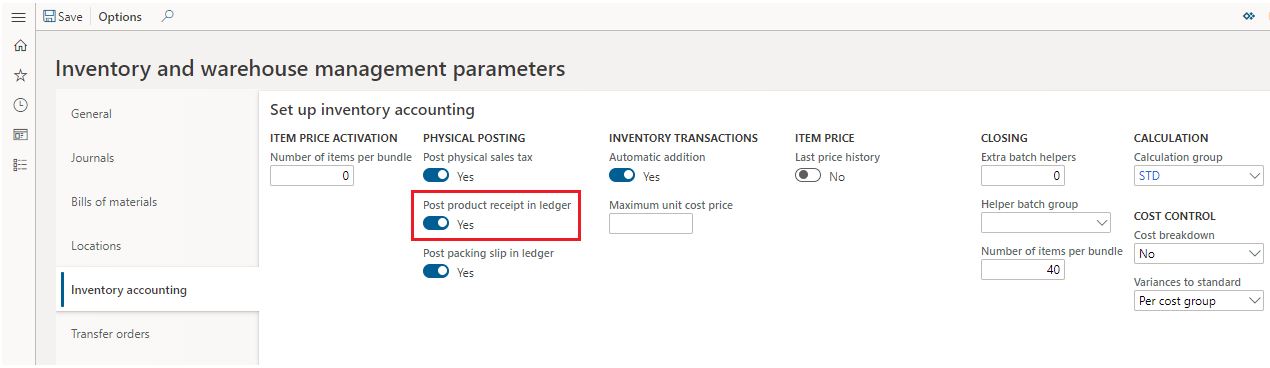
3) In Item model group form, if Post physical inventory is set to 'Yes' for stocked type items.

4) In inventory posting profile, if posting types Cost of purchased materials received (in AX it is Product receipts), Purchase expenditure, un-invoiced and Purchase, accrual are maintained with appropriate main accounts or not.
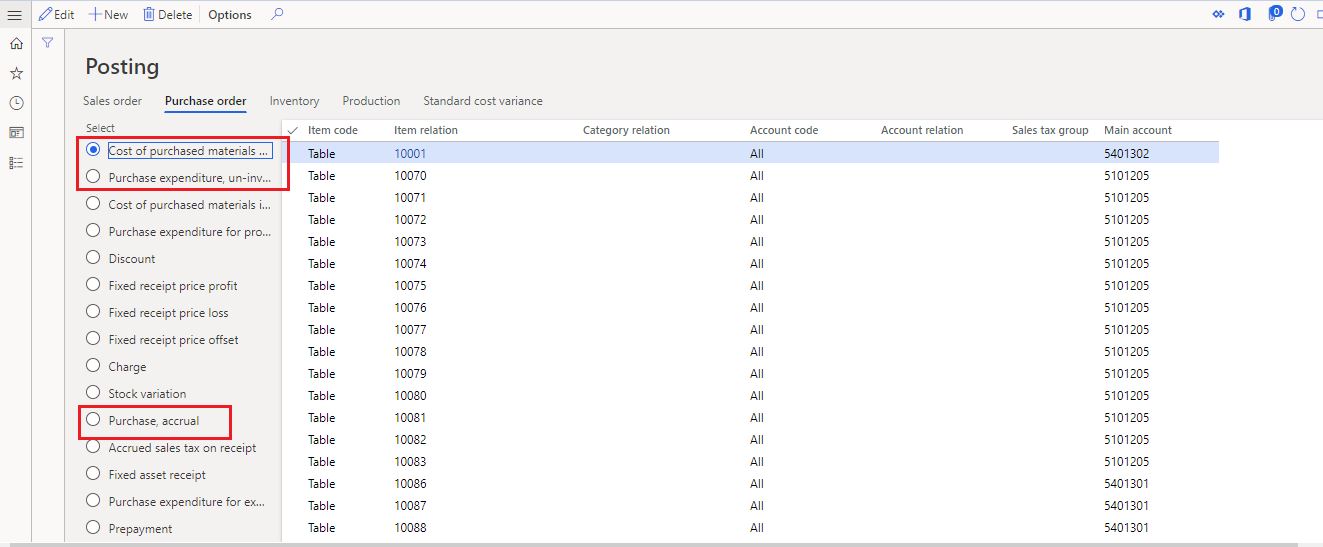
5) Last; you can check if you can see any transactions related to your product receipt is available in Subledger journal entries not yet transferred form. In D365, it is available in General Ledger module. If you find that transaction in this form, then select that transaction and click on Transfer now. Those transactions will be appeared in posted product receipt voucher.


6) Also, you can check in Batch transfer for subledger journals form where you have to do the selection criteria as per below.

Kindly have a look in all these areas again.
If you still have issue of not displaying the posted transactions in product receipt voucher; then better log a case to Microsoft support which is the last resort to go with
Best regards,
Sourav Dam
Please take time to click 'Yes' against the answers that help you guide in right direction to help other community members.


