web
You’re offline. This is a read only version of the page.
close
Skip to main content

Notifications

Announcements

No record found.

Community site session details

Community site session details

Session Id :
Customer experience | Sales, Customer Insights,...
Unanswered

Leads created by Clone Record workflow are missing Business Process Flow

(1) ShareShare
ReportReport
Posted on by 2

Hello,

We have a business requirement to enable the users to clone a lead record. One condition to this requirement is that we use OOB feature (no coding). After some research, I built a on-demand workflow (runs on the background) using the msdyncrmWorkflowTools (1.0.61.1) plug-in as follows:
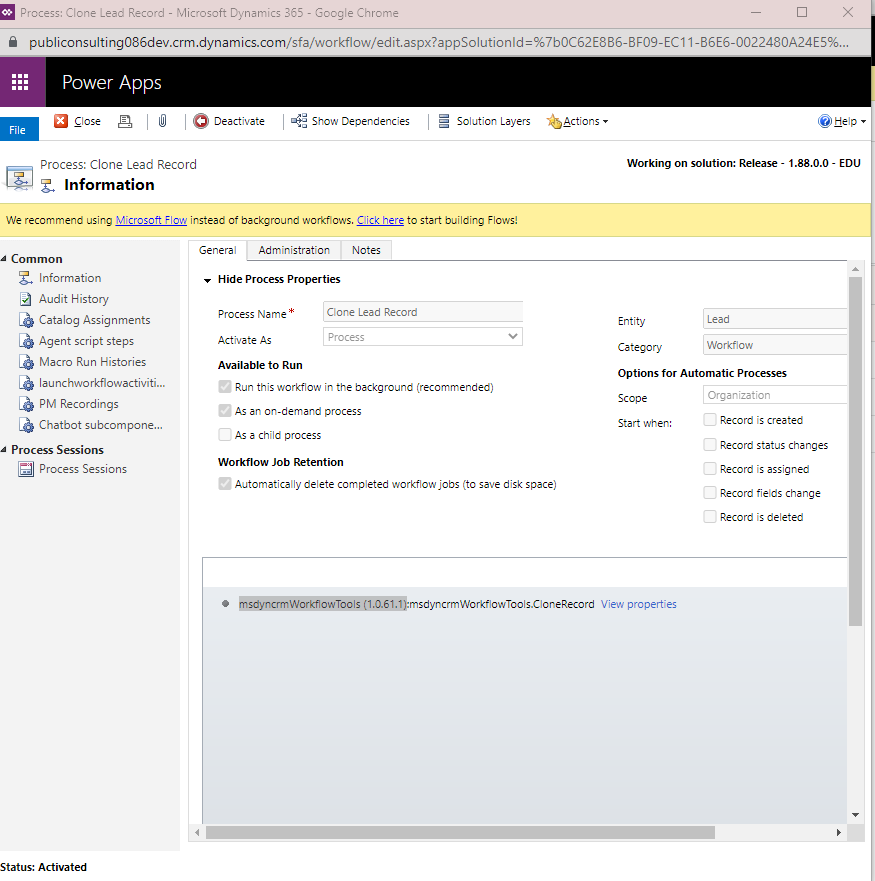
pastedimage1630417169223v1.png

This works great, copying the lead record as it is supposed to. However, the problem is, all of these leads created by this workflow are missing the Lead to Opportunity Business Process Flow. When I select [+New], the new lead form will pull the business process flow without any problems. It seems to miss the BPF only for the leads that are created (cloned) by this workflow?

Can anyone have any insight to this? 

I have the same question (0)
  • Community Member Profile Picture
    on at

    Hi,

    On-demand process is limited to the user's privileges and access levels who run it. If the user doesn't have create Lead to Opportunity Business Process Flow permission, it would perform like you described.

    When you run the workflow, the BPF is missed too?

  • Elangamban Profile Picture
    445 on at

    I am also having the same problem. We are using a workflow to copy data from existing records and passing it to new records, along with that we are passing stage id of the business process flow. It used to work earlier but now, retrieving stage id option is deprecated. Any alternate solution?

    Microsoft article: docs.microsoft.com/.../important-changes-coming

Under review

Thank you for your reply! To ensure a great experience for everyone, your content is awaiting approval by our Community Managers. Please check back later.

Helpful resources

Quick Links

Responsible AI policies

As AI tools become more common, we’re introducing a Responsible AI Use…

Neeraj Kumar – Community Spotlight

We are honored to recognize Neeraj Kumar as our Community Spotlight honoree for…

Leaderboard > Customer experience | Sales, Customer Insights, CRM

#1
Pallavi Phade Profile Picture

Pallavi Phade 98

#2
Tom_Gioielli Profile Picture

Tom_Gioielli 60 Super User 2025 Season 2

#3
Gerardo Rentería García Profile Picture

Gerardo Rentería Ga... 43 Most Valuable Professional

Last 30 days Overall leaderboard

Product updates

Dynamics 365 release plans



