web
You’re offline. This is a read only version of the page.
close
Skip to main content

Notifications

Announcements

No record found.

Community site session details

Community site session details

Session Id :
Microsoft Dynamics AX (Archived)

Print to Screen Report Issues AX 2012 R2

(0) ShareShare
ReportReport
Posted on by

Hello there, we are running Dynamics AX 2012 R2 CU7 in our environment, and lately we are seeing more and more users reports printing to screen with fields cutting off, shifted around the report, and just generally unusable. In all of these cases, we are able to print the reports to PDF or any other viewing format (other than the screen printing inside AX) and the report looks fine. Please see my two examples here (sensitive information blurred out:

Here's the print to screen:
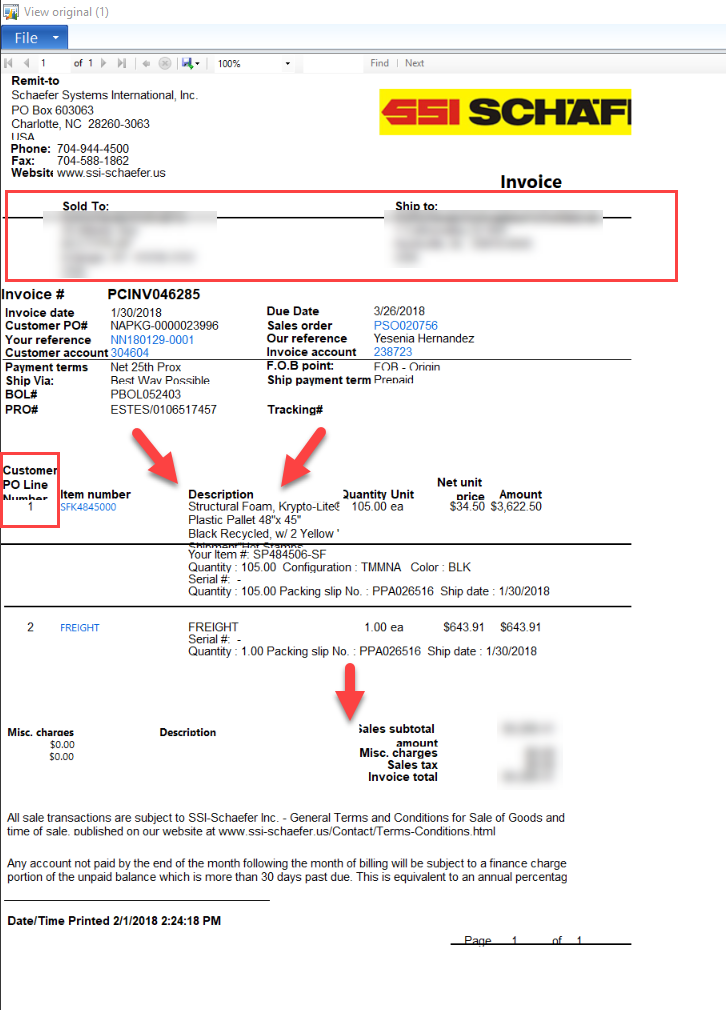
PrintToScreen.png

And here's the PDF version of the same document:
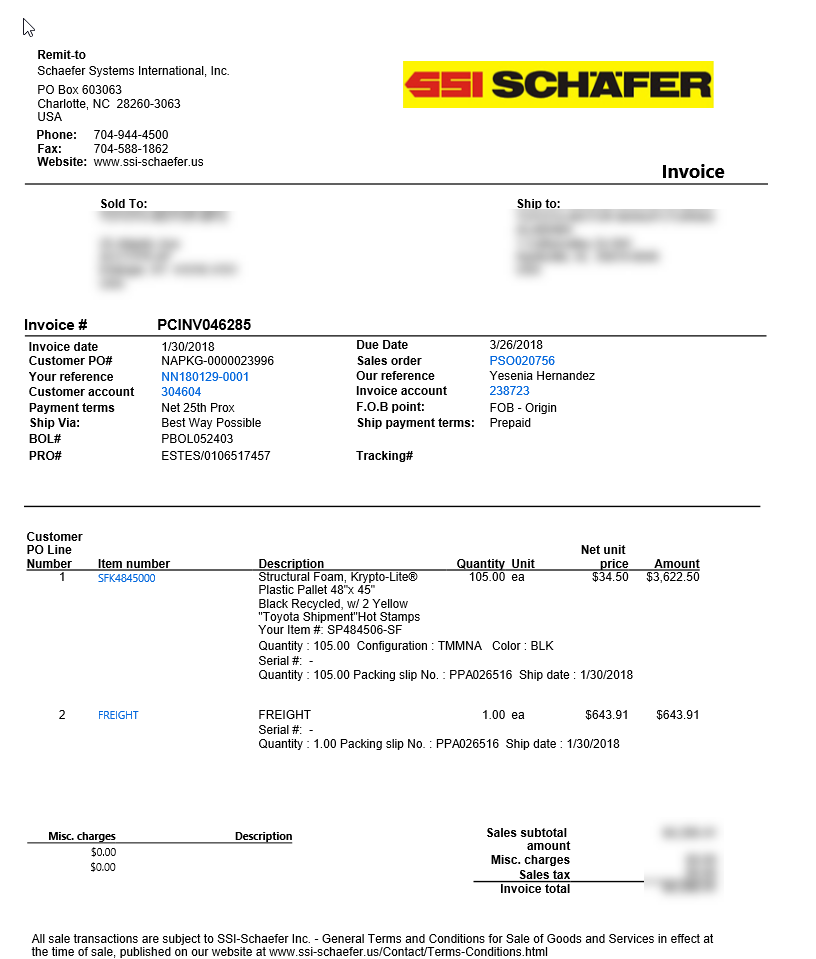
PrintToPDF.png

Clearly the PDF is more usable. I'm wondering why the print to screen is so messy? We haven't made any modifications to the reports en masse, and something tells me it might be some changes on the computer settings rather than AX specifically. I've tried changing my 'text scaling' and different resolutions but nothing seems to fix this. If anybody else has run into this in the past and been able to successfully address it, please let me know.

*This post is locked for comments

I have the same question (0)
  • Suggested answer
    Mea_ Profile Picture
    60,284 on at

    Hi scott.tennant,

    Design does not look like a standard, so it's probably customized. You often have this issue when use rectangles, as rectangle grows it overlays text instead of pushing it down. To fix the issue you need to get rid of rectangles, so it is a design change developer should do.

  • Chandra Wijaya Setiawan Profile Picture
    1,145 on at

    Can't remember default font for ax report but have u checked if the font is available in those user computer

    It maybe changed to other don't since default font is not available but the preview maybe generated by ssrs so I am afraid you need to check

    Especially if your report design use fancy font

Under review

Thank you for your reply! To ensure a great experience for everyone, your content is awaiting approval by our Community Managers. Please check back later.

Helpful resources

Quick Links

Responsible AI policies

As AI tools become more common, we’re introducing a Responsible AI Use…

Neeraj Kumar – Community Spotlight

We are honored to recognize Neeraj Kumar as our Community Spotlight honoree for…

Leaderboard > 🔒一 Microsoft Dynamics AX (Archived)

#1
Martin Dráb Profile Picture

Martin Dráb 4 Most Valuable Professional

#1
Priya_K Profile Picture

Priya_K 4

#3
MyDynamicsNAV Profile Picture

MyDynamicsNAV 2

Last 30 days Overall leaderboard

Featured topics

Product updates

Dynamics 365 release plans



