web
You’re offline. This is a read only version of the page.
close
Skip to main content

Notifications

Announcements

No record found.

Community site session details

Community site session details

Session Id :
Customer experience | Sales, Customer Insights,...
Suggested Answer

Discounts by customer in Dynamics 365 for Sales

(0) ShareShare
ReportReport
Posted on by 10

Hi there!!

One question: Is it possible to define Product discount by customer in Dynamics 365 for Sales by default?

If not or if yes, does anyone have the experience on how to accomplish this?

If not, I know we can create a custom entity to relate the Product to an Account, but how will the Opportunity, Quote and Order use this?

Best regards you all.

I have the same question (0)
  • LuHao Profile Picture
    40,892 on at

    Hi Marcelino,

    Could you please elaborate on "define Product discount by Customer"?

  • Marcelino Profile Picture
    10 on at

    Hi there Lu Hao,

    Being able to define some sort of discount for a customer by product.

    Product A - Customer X - Discount

    Thank you,

  • Suggested answer
    LuHao Profile Picture
    40,892 on at

    Hi Marcelino,

    1. To achieve it, there are multiple custom ways, such as business rules, Javascript or flow.

    The logic is to set up a discount association table for customers and products, and then obtain the Customer field value of the Opportunity, according to the association table in the Opportunity Line to automatically fill in the "Manual Discount" field.

    2. We can also create a custom entity, as you said, using entity records to act as the association table.

    Relatively speaking, I recommend the latter because it is more convenient to use the custom entity to define the discount relationship between accounts and products, and it is also easy to maintain later.

    If you want to display discounts on Account products on the Opportunity form, then we will use the Qucik View Form.

    First please refer to this blog to learn about Qucik View Form: https://carldesouza.com/dynamics-crm-quick-view-forms/

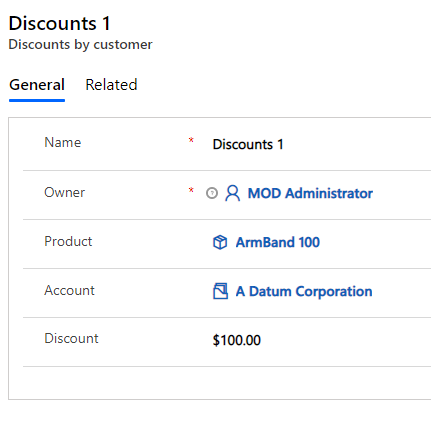
    This is my custom entity, it has lookup fields for Account and Product, and discount fields.
    pastedimage1591685299634v1.png

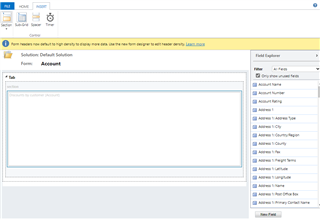
    New a Qucik View Form for Account entity. In the Qucik View Form, insert a sub-grid of the custom entity. Save and publish.

    pastedimage1591685523233v2.png    pastedimage1591685738540v4.png    pastedimage1591686239709v10.png

    Edit the custom entity view, click Add Columns to add fields. Save and close.

    pastedimage1591685774050v5.png    pastedimage1591685804840v6.png

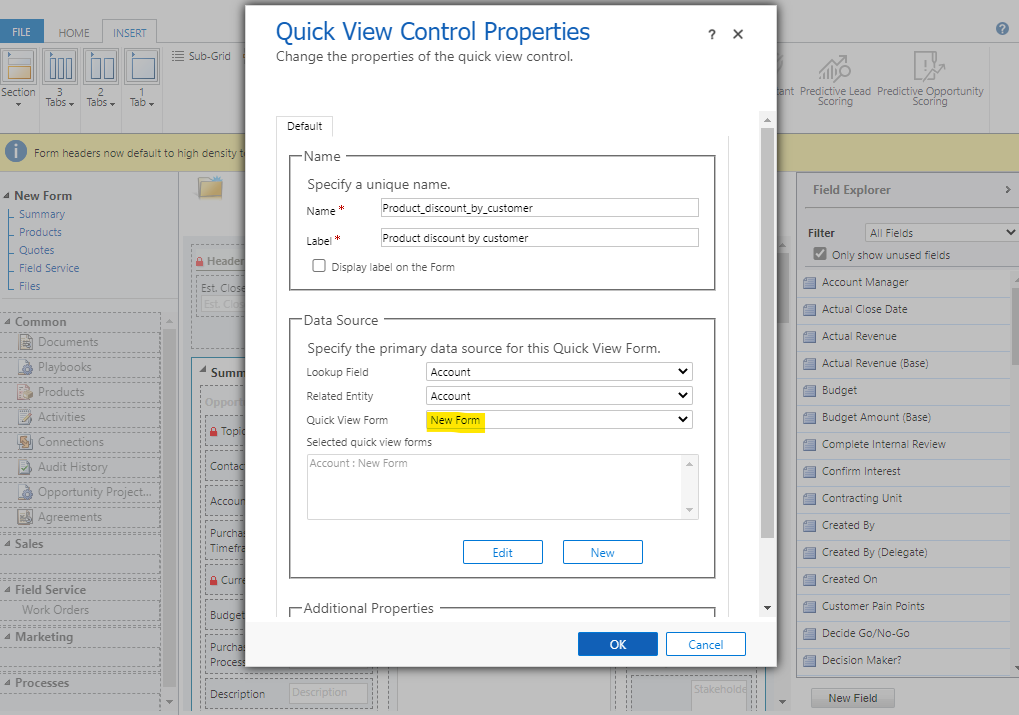
    Edit the Opportunity form, insert a Qucik View Form, select the Qucik View Form just created. Save and close. Finally publish all customizations.
    pastedimage1591686021635v9.png

    The effect is as follows. We can see the discount list of the Account on the Opportunity form.

    pastedimage1591686517101v11.png

    If you want to automatically fill in the "Manual Discount" field based on Account and Product when creating the Opportunity Line, then we will use Flow.

  • LuHao Profile Picture
    40,892 on at

    Hi partner,

    Please click Yes under "Did this answer your question?" to close this thread.

    pastedimage1592980582293v1.png

    Thanks.  :)

Under review

Thank you for your reply! To ensure a great experience for everyone, your content is awaiting approval by our Community Managers. Please check back later.

Helpful resources

Quick Links

Responsible AI policies

As AI tools become more common, we’re introducing a Responsible AI Use…

Neeraj Kumar – Community Spotlight

We are honored to recognize Neeraj Kumar as our Community Spotlight honoree for…

Leaderboard > Customer experience | Sales, Customer Insights, CRM

#1
Tom_Gioielli Profile Picture

Tom_Gioielli 70 Super User 2025 Season 2

#2
Gerardo Rentería García Profile Picture

Gerardo Rentería Ga... 33 Most Valuable Professional

#3
Daniyal Khaleel Profile Picture

Daniyal Khaleel 32 Most Valuable Professional

Last 30 days Overall leaderboard

Product updates

Dynamics 365 release plans