web
You’re offline. This is a read only version of the page.
close
Skip to main content

Notifications

Announcements

No record found.

Community site session details

Community site session details

Session Id :
Microsoft Dynamics AX (Archived)

Tree Explosion on BOM Designer not working

(0) ShareShare
ReportReport
Posted on by 160

In AX2012R3 I have tried implementing a simple BOM filling every parameter needed ( not sure about this :) ):

  • Main Product is BOM type
  • BOM versions are approved and activated and linked to the Product
  • Routes are approved and activated and linked to the Product
  • Default Site and Default Warehouse is specified on all items involved.

Everything seems working fine, including estimation and scheduling of a Production Order, calculating everything correctly based on the quantity, resources, etc set up.

However when I try to expode the BOM from the BOM Designer, nothing is happening. What might I have done wrong ?
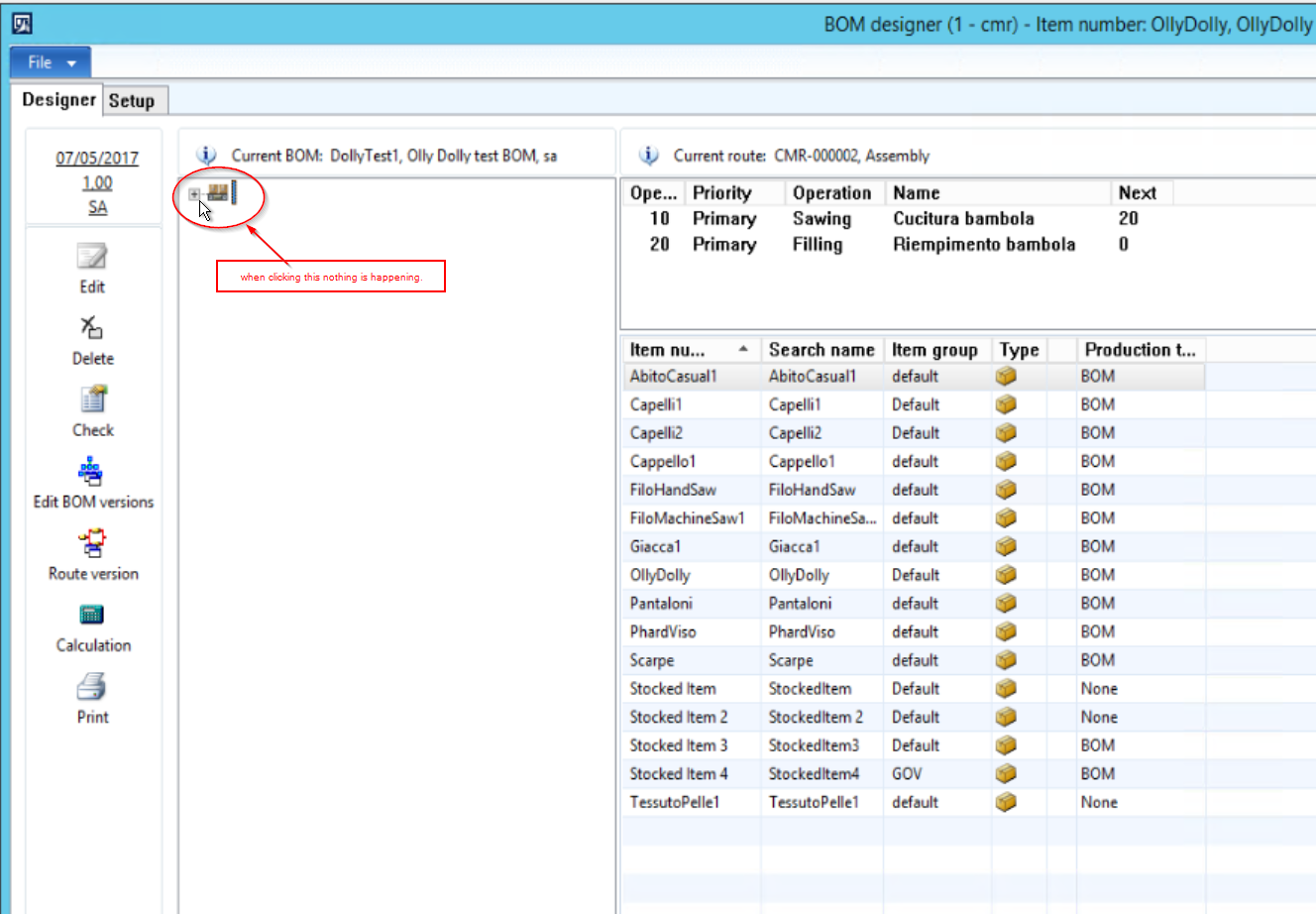
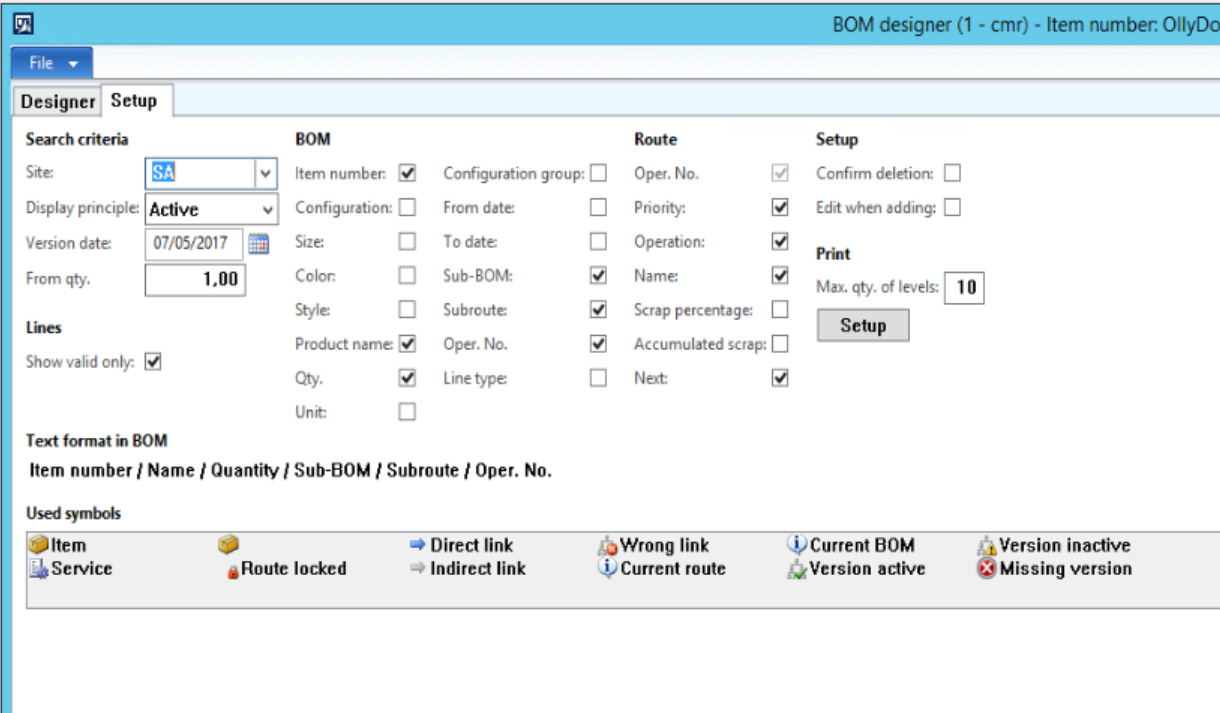
im1.png

im2.png

Many Thanks

*This post is locked for comments

I have the same question (0)
  • Fredrik Sætre Profile Picture
    12,644 on at

    Can you confirm that this form has no amendments/customizations?

    Did you migrate your data from an earlier version?

    Do you get this for all items? Even if you create a new one manually?

  • Daniele.Selvi Profile Picture
    160 on at

    Hi Fredrik,

    I am on AX2012R3 CU12 out of the box. No customizations. This is a brand you installation and I am now setting up a BOM for the first time, therefore nothing was migrated/imported from other systems.

    The error is on all items and I create all of them manually at this time.

  • Verified answer
    STA Profile Picture
    250 on at

    Hi, Can you please check your InventItemSetupSupplyType value for this item and let me know?

  • Community Member Profile Picture
    on at

    Hi,

    Check the following:

    1. Check the Bill of Material is Approved and Active.

    2. Change the From quantity exactly what you have give in Bill of Material.

    Thanks.  

  • Daniele.Selvi Profile Picture
    160 on at

    Thanks for this.

    Going to this table from AOT and updating the DefaultOrderType to Production solves the issue.

    However I went from the AOT and I would like to understand where from the User Interface I can set this up and at which stage it would be best required.

    img3.png

  • STA Profile Picture
    250 on at

    You can modify it in Default Order Settings of a Released Product - in the first tab as far as I recall. Are you sure you didn't migrate these items? Normally this is set to Production when Production Type is set to BOM.

  • Daniele.Selvi Profile Picture
    160 on at

    Hello Szymon,

    it is right in the Default Order Settings, but I really can't understand the point of that field being "unlinked" from the Production type which was correctly set to BOM.

    Based on this field description in AX it seems more related to a "Coverage Planning" thingy more than to BOM thing...

    I can confirm nothing has been imported and the core functionality is out of the box.

    Thanks

Under review

Thank you for your reply! To ensure a great experience for everyone, your content is awaiting approval by our Community Managers. Please check back later.

Helpful resources

Quick Links

Responsible AI policies

As AI tools become more common, we’re introducing a Responsible AI Use…

Neeraj Kumar – Community Spotlight

We are honored to recognize Neeraj Kumar as our Community Spotlight honoree for…

Leaderboard > 🔒一 Microsoft Dynamics AX (Archived)

#1
Martin Dráb Profile Picture

Martin Dráb 4 Most Valuable Professional

#1
Priya_K Profile Picture

Priya_K 4

#3
MyDynamicsNAV Profile Picture

MyDynamicsNAV 2

Last 30 days Overall leaderboard

Featured topics

Product updates

Dynamics 365 release plans
