web
You’re offline. This is a read only version of the page.
close
Skip to main content

Notifications

Announcements

No record found.

Community site session details

Community site session details

Session Id :
Microsoft Dynamics 365 | Integration, Dataverse...
Suggested Answer

Unified Interface - how can I present my Search Box at all times on sub-grids?

(0) ShareShare
ReportReport
Posted on by 10

This Unified Interface is just a disaster. That aside, how can I show my Search Box by default in my Sub-Grids on Account Forms? This used to work fine in the Web Interface-- I could select "Display Search Box" and it would appear at the top of the sub-grid.

3730.Screen-Shot-2020_2D00_05_2D00_12-at-11.47.51-AM.png

Now, I have to hunt for the Search Box by clicking on the three dots and selecting it along with a myriad of other options. Of course, it will disappear once I leave the page. 

5810.Screen-Shot-2020_2D00_05_2D00_12-at-11.47.36-AM.png

Can I just have my Form present the Search Box? Seems simple enough. 

I have the same question (0)
  • Suggested answer
    LuHao Profile Picture
    40,892 on at

    Hi gsfortis,

    This depends on the width of the sub-grid.

    When the subgrid is in the columns on both sides, the search box is in three points.

    When the subgrid is in the middle column, the search box appears directly.

    3465.pastedimage1589365102050v1.png

    Therefore, please modify the width percentage of the column where the subgrid is located.

    Open the fom editor, select the tab and click change properties button.

    2816.pastedimage1589365259818v2.png

    Under Formatting tab, increase the width percentage of the column where the subgrid is located. Save and publish.

    0268.pastedimage1589365349702v3.png

  • gsfortis Profile Picture
    10 on at

    Thanks Lu Hao,

    Thanks kind of works? Except I have to shrink the first column considerably to do so. Also, if i have three sub-grids side-by-side-by-side, this doesn't work at all.

  • Suggested answer
    LuHao Profile Picture
    40,892 on at

    Hi gsfortis,

    If each of the three columns has a sub-grid, then I would recommend you choose the tab formatting to be three columns of equal width.
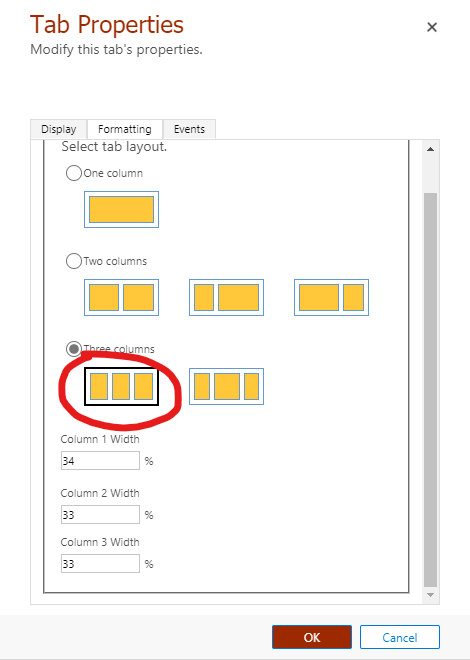
    pastedimage1589420861587v1.png

    In this way, each sub-grid will have a Search button, click it to search.
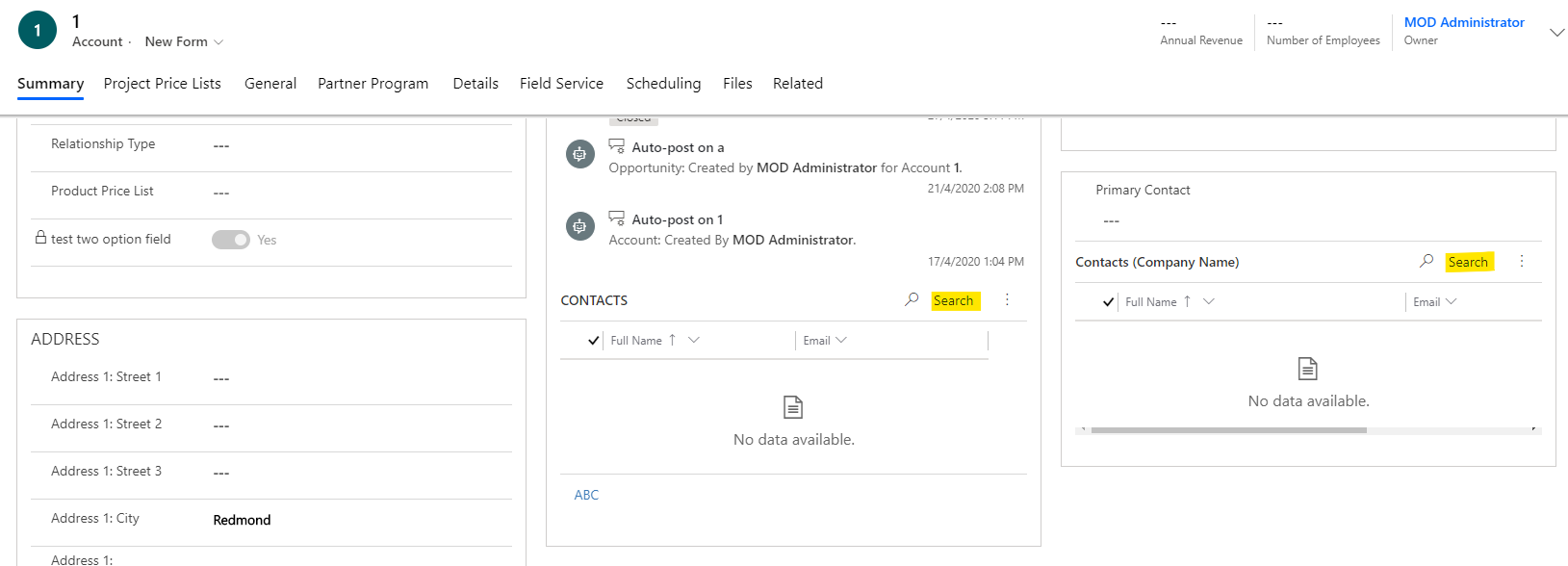
    pastedimage1589420913329v2.png

    In fact, whether the search box appears depends on the screen resolution, browser zoom, and browser width.

    For example, I just reduced the browser resolution to 90% and the search box appeared.

    pastedimage1589421065231v3.png

    Or, I adjusted the browser to the aspect ratio of the phone or tablet, and the search box also appeared.
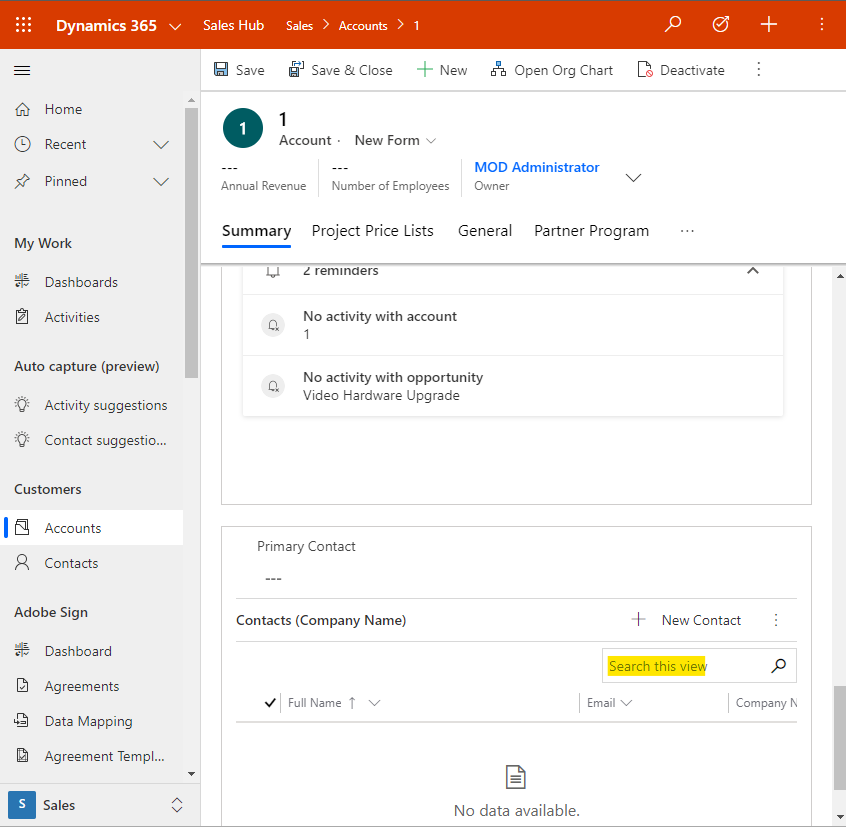
    pastedimage1589421111691v4.png

    Finally, I would recommend you try to place all subgrids in a setion, so that the subgrids are all in one column, which is the default layout of the OOTB form.

  • gsfortis Profile Picture
    10 on at

    Hi Lu Hao,

    First, I would like to thank you for taking the time to research solutions and respond to me. Your effort is truly appreciated. Unfortunately, these work-arounds feel like band-aid solutions to design problems with the new interface.

    I have a lot of Users who need information "at a glance." To ask them to shrink the browser view to fit in all the subgrid data (I had to go down to 80% to get it to work) isn't feasible. At that small, it's too difficult for my users to read for extended periods of time. Not after several hours of working in the system.

    And since you brought up Sections, that's another issue. My Users aren't going to want to tab across different sections to get information they need. Sections was great in the old interface, because it allowed me break up portions of a form into, well, sections. Now they are tabs, meaning you have to navigate to, literally, different forms to access information. That's not efficient for a consistent workflow.

    Again, thank you for your responses.

Under review

Thank you for your reply! To ensure a great experience for everyone, your content is awaiting approval by our Community Managers. Please check back later.

Helpful resources

Quick Links

Responsible AI policies

As AI tools become more common, we’re introducing a Responsible AI Use…

Neeraj Kumar – Community Spotlight

We are honored to recognize Neeraj Kumar as our Community Spotlight honoree for…

Leaderboard > Microsoft Dynamics 365 | Integration, Dataverse, and general topics

#1
Siv Sagar Profile Picture

Siv Sagar 93 Super User 2025 Season 2

#2
#ManoVerse Profile Picture

#ManoVerse 74

#3
Martin Dráb Profile Picture

Martin Dráb 64 Most Valuable Professional

Last 30 days Overall leaderboard

Product updates

Dynamics 365 release plans



