web
You’re offline. This is a read only version of the page.
close
Skip to main content

Notifications

Announcements

No record found.

Community site session details

Community site session details

Session Id :
Customer experience | Sales, Customer Insights,...
Unanswered

Server 2012R2 to 2016 CRM 8.x

(0) ShareShare
ReportReport
Posted on by 10

Hi all, I am new to CRM on Orem upgrade and am running into an issue. We are running crm 365 8.x on server 2013 R2 and when we try and upgrade the server to 2016, we receive an IIS error and all the sites on the server are missing.  

any idea how to resolve site loss with upgrade?

I have the same question (0)
  • Wahaj Rashid Profile Picture
    11,321 on at

    Hi,

    Thank you for your query.

    Installation/upgrade was successful?

    With out more details, it's difficult understand a problem.

    Here is a thread for your reference:

    https://community.dynamics.com/crm/f/microsoft-dynamics-crm-forum/194239/upgrade-from-crm-2013-to-crm-2016-on-premise/496137

  • jmrobeck Profile Picture
    10 on at

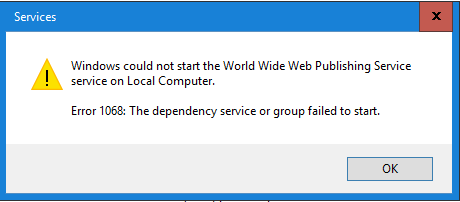
    We have been running an installation for some time.  It is a complete install with four servers.  CRM App, Async, db, and WFE.  All are running server 2012 R2 with MS CRM Dynamics 365 8.2.  We are attempting to do an in place on prem upgrade to server 2016 and MS CRM Dynamics 365 9.0.  The first step is to upgrade the servers to server 2016.  The db server, async server, and WFE server all upgrade to 2016 just fine.  But the CRM App server has an IIS issue after upgrade.  
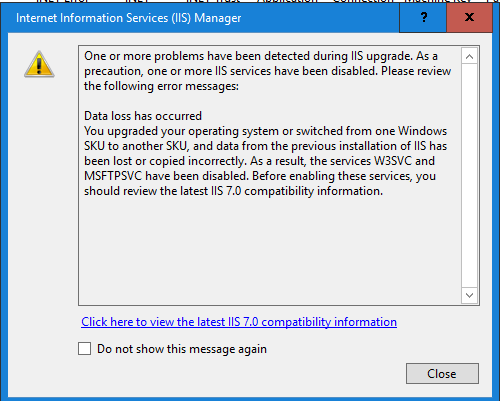
    pastedimage1617822757756v2.png

    pastedimage1617822773784v3.png

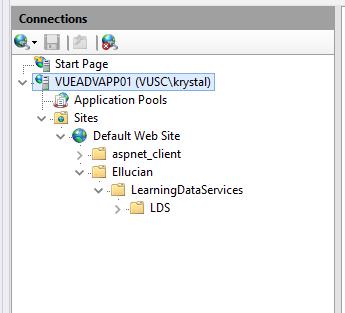
    Internal to IIS, all of the sites are gone.  

    Before upgrade                                                                       After upgrade
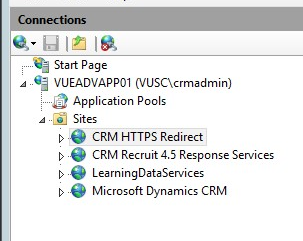
    pastedimage1617822346681v1.pngpastedimage1617822830940v4.jpeg

    We can start IIS, but don't know what to do about the sites themselves.  We haven't even gotten to the point to upgrade the CRM itself.  

  • Gogo Lazarovski seavus Profile Picture
    25 on at

    I also have the same problem.

    After updating CRM App server from Microsoft Server 2012 R2 to Server 2016, IIS site for Crm disappear.

    I try to repair from CRM installation, appear error

    image_5F00_2023_5F00_02_5F00_08T10_5F00_38_5F00_59_5F00_288Z.png

    Any idea how to fix the problem?

  • ShaunHarvey Profile Picture
    2 on at
    Hi,
     
    I am coming across this myself in 2024.
    Did anyone find a resolution to this problem?
     
    Thanks.

Under review

Thank you for your reply! To ensure a great experience for everyone, your content is awaiting approval by our Community Managers. Please check back later.

Helpful resources

Quick Links

Responsible AI policies

As AI tools become more common, we’re introducing a Responsible AI Use…

Neeraj Kumar – Community Spotlight

We are honored to recognize Neeraj Kumar as our Community Spotlight honoree for…

Leaderboard > Customer experience | Sales, Customer Insights, CRM

#1
Tom_Gioielli Profile Picture

Tom_Gioielli 171 Super User 2025 Season 2

#2
#ManoVerse Profile Picture

#ManoVerse 83

#3
Jimmy Passeti Profile Picture

Jimmy Passeti 50 Most Valuable Professional

Last 30 days Overall leaderboard

Product updates

Dynamics 365 release plans