Hello!
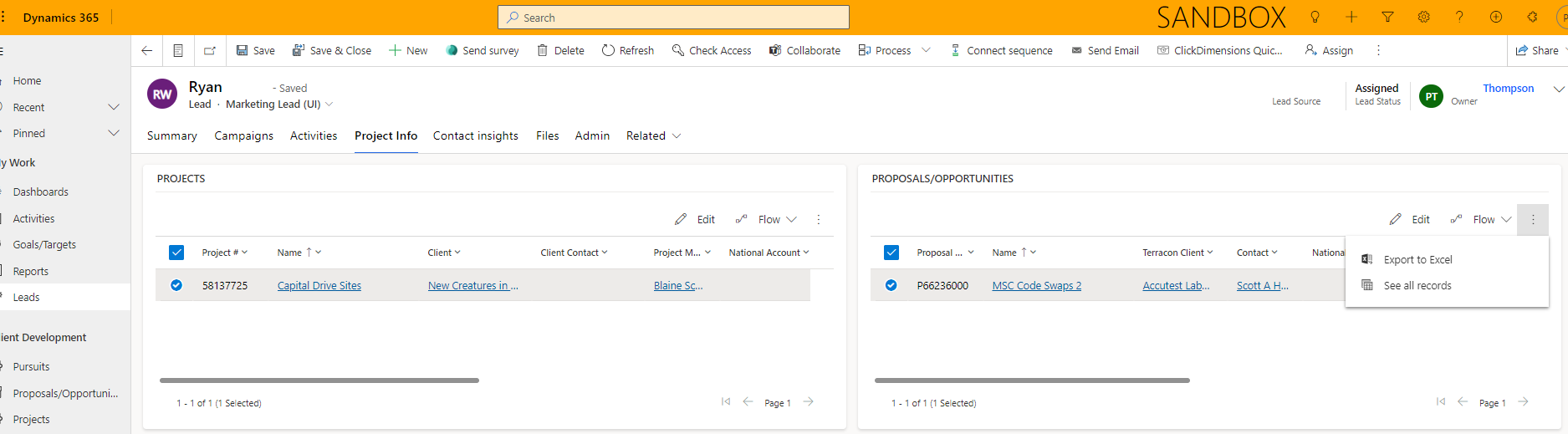
We are using the Lead entity and have a OneToMany relationship from it to the Opportunity entity. However, we don't actually consider the Leads "parents" of Opportunities because we do not create Opportunities from Leads; Opportunities are created in our own in-house system and then interfaced into Dynamics CRM. To associate the records together, we have a subgrid on the Lead form to show related Opportunities, and then just use the "Add Existing" button on the subgrid to link one Lead to many Opportunities.
Once that relationship is created using the "Add Existing" button, a user can then NOT "Remove" the record because there is no Remove button on the subgrid. From my research, that appears to be intentional functionality due to it being a OneToMany relationship--Microsoft's logic being "this is a parent-child relationship, you can't have a child without a parent." Which is valid, but doesn't encompass our particular logic (which I argue is just as valid--from a business standpoint, it IS OneToMany because we do NOT allow an Opportunity to have multiple Leads, regardless of how the Opportunity was created).
Opportunities are NOT writeable because they come from our in-house system, which is considered the authoritative system. They cannot be edited in Dynamics CRM.
So if a user creates a relationship from a Lead to an erroneous Opportunity, they have no way of deleting that relationship ("Remove record"), because there is no "Remove" button on the subgrid, and they can't go to the Opportunity and remove the lookup on that form.
I know the javascript I have to write to get around this, that's not my question. What I want to know is, simply, this:
Is it possible to modify the Remove button in the Ribbon Workbench to show on OneToMany subgrids, using only OOB functionality/javascript/customization, and WITHOUT changing the relationship to ManyToMany?
If the answer is straight up "Nope, not possible, you have to write your own javascript or change it to N:N," then I'll do that. If the answer is "Yeah you can do it, but with a bit of tweaking or you need to set security properly," I would love to learn how.
(This one looks a LOT like my exact scenario but there was no follow up that really helped.)
(The question is not quite what I'm asking, but the answers seem to suggest this IS possible? But I cannot get it to work using this method.)
I have made sure that the security role I'm using for this has Append To rights for the Opportunity entity, and Append rights for the Lead entity.
Thank you!