web
You’re offline. This is a read only version of the page.
close
Skip to main content

Notifications

Announcements

No record found.

Community site session details

Community site session details

Session Id :
Finance | Project Operations, Human Resources, ...
Suggested Answer

Customer contacts doubled up

(0) ShareShare
ReportReport
Posted on by 149

Hello,

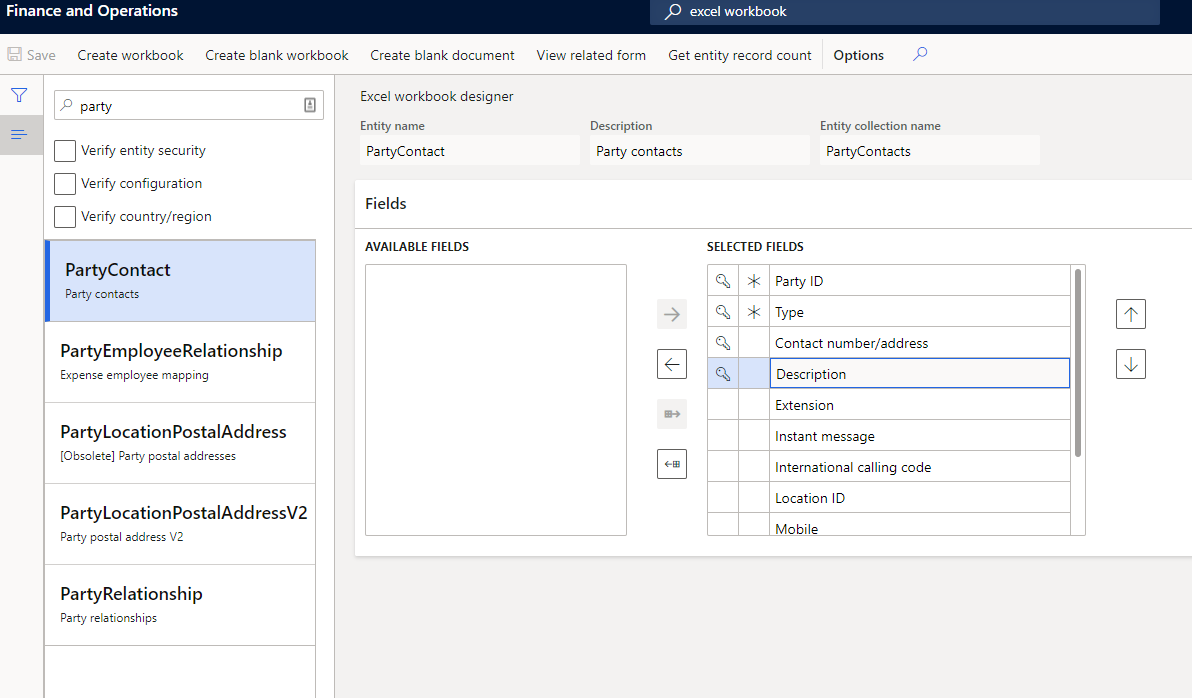
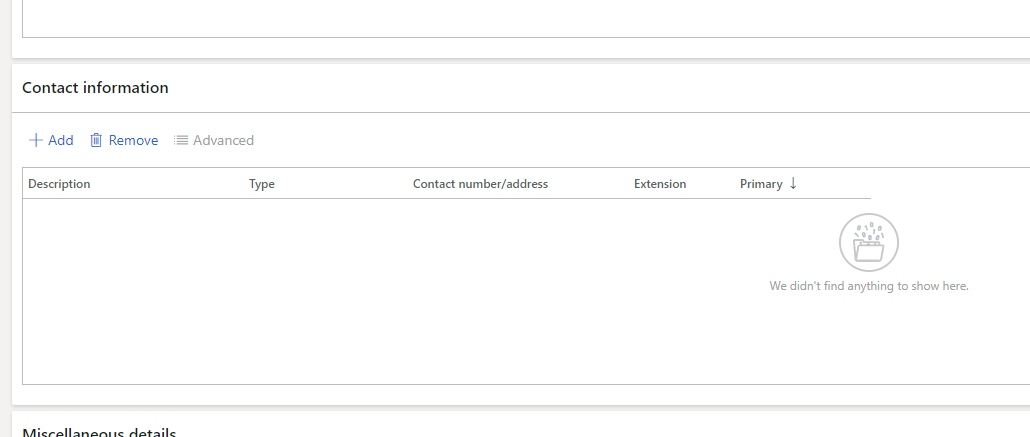
I needed to bulk add a significant number of email addresses as customer contacts (screenshot 1). There was no way to access these from the customers data entity so I created an excel file using the excel workbook designer (screenshot 2).

It was going well but somehow, while adding 1 record, it doubled up on everything and now my contacts are duplicated for the entire partycontacts data entity.

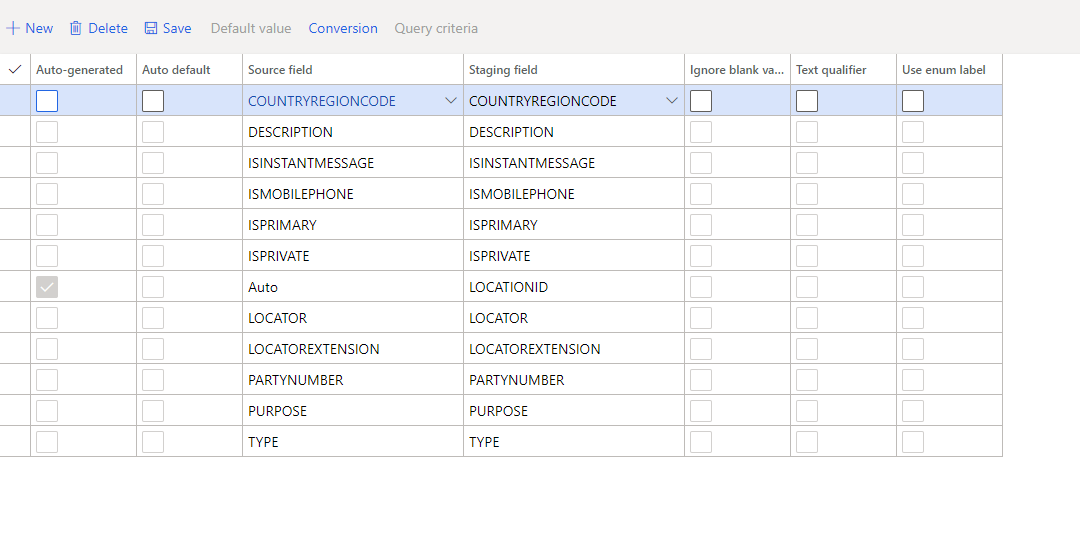
I have tried to clear all of the data by importing 1 record and truncating existing data (screenshot 3) but I am getting an error (screenshot 4). Mapping details are in screenshot 5.

This is in the live environment. Any ideas how to delete duplicates?

Regards,
Capture-1.PNG

3326.Capture-2.PNG

8168.Capture-3.PNG

Capture-4.PNG

Capture-5.PNG

I have the same question (0)
  • Suggested answer
    André Arnaud de Calavon Profile Picture
    301,037 Super User 2025 Season 2 on at

    Hi DynamicsHampshire,

    When you create the Excel file via the workbook designer, you can refresh the dat in Excel, delete duplicate rows and then publish from the Excel add-in. This will delete the contacts if the party contacts entity is not read-only.

  • Suggested answer
    Christoph Thaler Profile Picture
    5,442 on at

    Hi DynamicsHampshire,

    Have you tried to import or correct your data with the ContactsV2 entity?

  • DynamicsHampshire Profile Picture
    149 on at

    Hello, this data is not accessible via the ContactsV2 entity....

    Regards,

    [quote user="Christoph Thaler"]

    Hi DynamicsHampshire,

    Have you tried to import or correct your data with the ContactsV2 entity?

    [/quote]
  • DynamicsHampshire Profile Picture
    149 on at

    Hello, I am getting the following error when I am trying to clear all records from the Excel front end. Does not make much sense. Something else is oging on.

    Regards,

    Capture-6.PNG

  • Suggested answer
    Rahul Mohta Profile Picture
    21,032 on at

    check in global address book for a select customer and contact and suggest if dups are seen there and what are the party numbers

    If not dups there ten Apart from open in Excel could juts export to Excel and validate and suggest us

  • DynamicsHampshire Profile Picture
    149 on at
    [quote user="Rahul Mohta"]

    check in global address book for a select customer and contact and suggest if dups are seen there and what are the party numbers

    If not dups there ten Apart from open in Excel could juts export to Excel and validate and suggest us

    [/quote]

    Hi,

    Not sure I fully understand what you are saying. Attached is a screenshot of a customer with duplicate contact records (I have hidden the addresses but they are the same). How do I bulk remove them as there are more than 900 duplicate records in hundreds of customers?

    Regards,

    Capture-7.PNG

  • André Arnaud de Calavon Profile Picture
    301,037 Super User 2025 Season 2 on at

    For Dynamics 365 these records are not a technical duplicate as one is marked as primary. I don't know why the Excel add-in is raising that error. I have not seen that one before. It might be related to the default data entity key for this data entity.

    You can consider another approach by creating a runnable class to clean up the duplicates.

Under review

Thank you for your reply! To ensure a great experience for everyone, your content is awaiting approval by our Community Managers. Please check back later.

Helpful resources

Quick Links

Responsible AI policies

As AI tools become more common, we’re introducing a Responsible AI Use…

Neeraj Kumar – Community Spotlight

We are honored to recognize Neeraj Kumar as our Community Spotlight honoree for…

Leaderboard > Finance | Project Operations, Human Resources, AX, GP, SL

#1
Martin Dráb Profile Picture

Martin Dráb 544 Most Valuable Professional

#2
André Arnaud de Calavon Profile Picture

André Arnaud de Cal... 450 Super User 2025 Season 2

#3
Sohaib Cheema Profile Picture

Sohaib Cheema 250 User Group Leader

Last 30 days Overall leaderboard

Product updates

Dynamics 365 release plans