web
You’re offline. This is a read only version of the page.
close
Skip to main content

Notifications

Announcements

No record found.

Community site session details

Community site session details

Session Id :
Microsoft Dynamics NAV (Archived)

while fetching a report from RG 23 D register getting error

(0) ShareShare
ReportReport
Posted on by

Dear All,

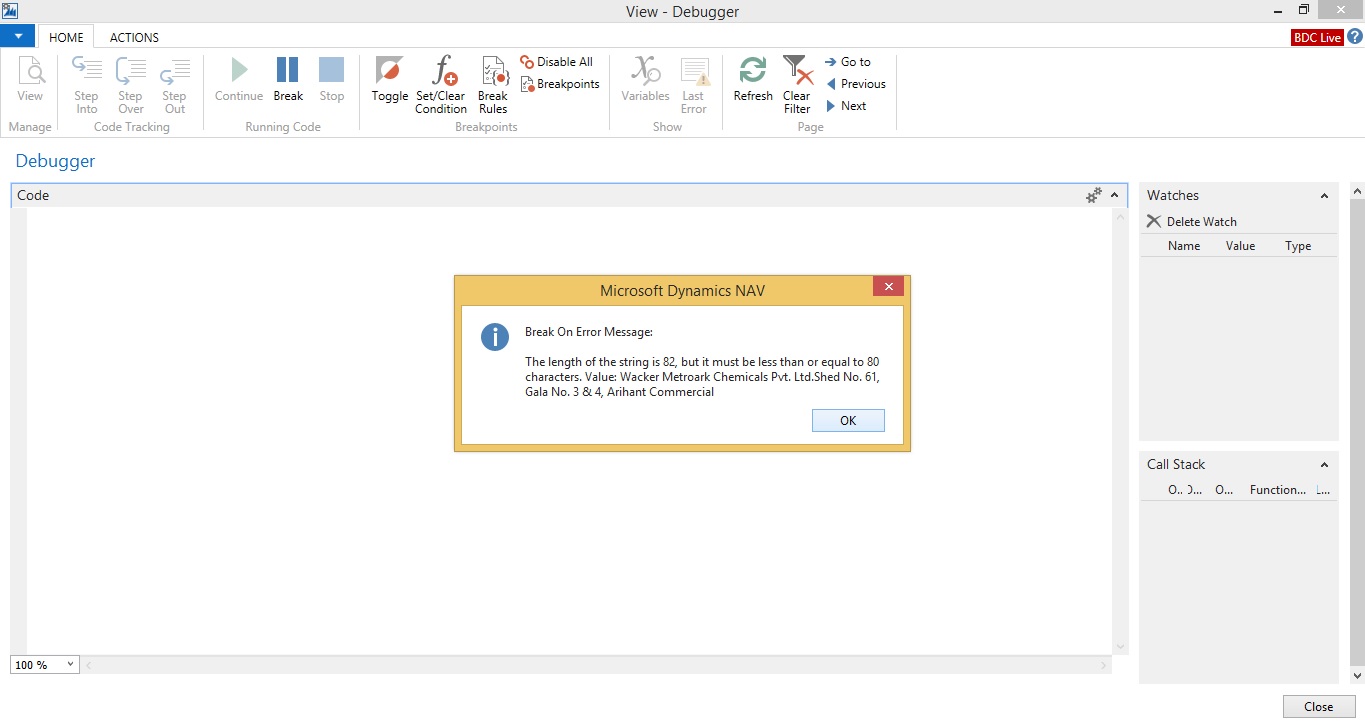
While fetching a report from RG 23 D report getting following error . Kindly advise

Checked by Debugger page
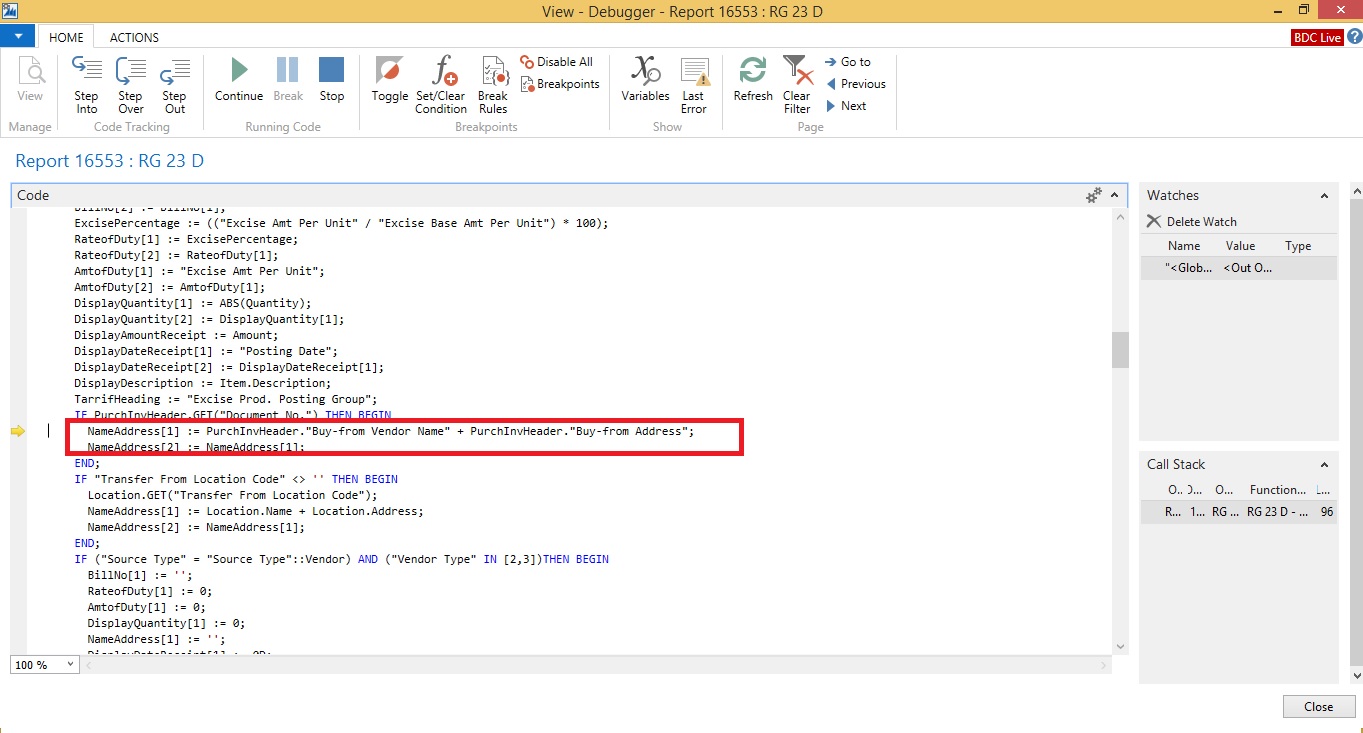
error-rg23code.jpg

Error While fetching Report

error-rg23d.jpg

Kindly Advise.

Thanks

With Regards

Mandeep Kaur

*This post is locked for comments

I have the same question (0)
  • Suggested answer
    keoma Profile Picture
    32,729 on at

    Text length of variable nameaddress is Set to 80. Thats a default value. You could increase the Text length to e.g. 100 or Check the length of the string at the right side before assigning using command strlen. IF the string is bigger thank 80 cut it.

  • Suggested answer
    Amol Salvi Profile Picture
    18,698 on at

    You need to increase the length of variable but ensure that it will not impact other part

  • Suggested answer
    RockwithNav Profile Picture
    8,637 Super User 2025 Season 2 on at

    Hey Manish,

    Though the error seems very simple that the defined character length is 82 but it must be less then or equal to 80 characters, means you can simply go and increase the length of the field and this will solve your query but if it's a standard NAV field then you might need to increase the length in many other tables where it's flowing otherwise again you will end up with the same error.    

  • Suggested answer
    Alexander Ermakov Profile Picture
    28,096 on at

    This is quite typical error when you start to modify the standard functionality, facing that some text fields are bloody short. So the first option that looks easy is to make some field on some card longer and this allows the user to enter a longer text.

    However later, when user does posting or plots a report, this longer value starts to be populated into other tables or variables where you obviously had not made the change, and a conflict appears.

    It is advisable that you increase the length of that variable and further in all places where it will be used (or just wait until the next user complaint to get the next used place :-) ), or truncate the current value to 80 as Jonathan advised.

  • Community Member Profile Picture
    on at

    Hi,

    Thanks for the reply,

    Could you please explain how to use the command strlen.

    As I have done the changes in the text field but still I am getting same error. Please advise.

    Thanks

    With Regards

    Mandeep kaur

  • Suggested answer
    Amol Salvi Profile Picture
    18,698 on at

    Hi,

    What changes done in text field ?

    For Use of StrLen look at the following link

    msdn.microsoft.com/.../dd301052.aspx

  • Community Member Profile Picture
    on at

    Hi Amol Sir,

    I have edit the text field length .

    This is what I have done in table fields.

    rg23d.jpg

    Kindly advise

    Thanks

    With Regards

    Mandeep kaur

  • Suggested answer
    Amol Salvi Profile Picture
    18,698 on at

    If the length of field is changes in table then you may need to change everywhere where it affects and this is tedious thing to do as error will pop up every time unless it is not corrected

    Better Use COPYSTR function

  • Community Member Profile Picture
    on at

    Hi Sir,

    How to use COPYSTR function? Kindly advise.

    Thanks

    With Regards

    Mandeep kaur

  • Suggested answer
    Amol Salvi Profile Picture
    18,698 on at

    Look at this link

    msdn.microsoft.com/.../dd338944.aspx

Under review

Thank you for your reply! To ensure a great experience for everyone, your content is awaiting approval by our Community Managers. Please check back later.

Helpful resources

Quick Links

Responsible AI policies

As AI tools become more common, we’re introducing a Responsible AI Use…

Neeraj Kumar – Community Spotlight

We are honored to recognize Neeraj Kumar as our Community Spotlight honoree for…

Leaderboard > 🔒一 Microsoft Dynamics NAV (Archived)

#1
HoangNam Profile Picture

HoangNam 7

Last 30 days Overall leaderboard

Featured topics

Product updates

Dynamics 365 release plans