web
You’re offline. This is a read only version of the page.
close
Skip to main content

Notifications

Announcements

No record found.

Community site session details

Community site session details

Session Id :
Customer experience | Sales, Customer Insights,...
Suggested Answer

Adding columns to sections

(0) ShareShare
ReportReport
Posted on by 5

Within one column of a 2 column tab, I have inserted a section with 4 columns.  All looks good when I preview but when I publish and view in the application the 4 columns in the section become 1 column.

I have the same question (0)
  • LuHao Profile Picture
    40,892 on at

    Hi partner,

    Could you provide some screenshots?

  • J Larson Profile Picture
    5 on at

    Images were provided by e-mail

  • manojd  Profile Picture
    1,397 on at

    Hi,

    Can you share the screen shot in design mode & in publish mode for better understanding

  • Suggested answer
    LuHao Profile Picture
    40,892 on at

    Hi partner,

    Are you mean this problem?

    pastedimage1594275801011v3.png

    pastedimage1594275840091v4.png

    If so, it is by design.

    The UI of D365 is now the unified interface.

    Unified Interface uses responsive web design principles to provide an optimal viewing and interaction experience for any screen size, device, or orientation. It brings all the rich experiences to any client that you are using. Whether you are using a browser, tablet, or phone, you will be able to consume similar experiences. (Form this document)

    In other words, the unified interface will automatically adjust the form layout to allow different sizes of devices to get the same reading experience.

    The preview is on the classic UI, so its form layout strictly follows your design. But it is not the unified interface, so the style in the unified interface is different from the preview.
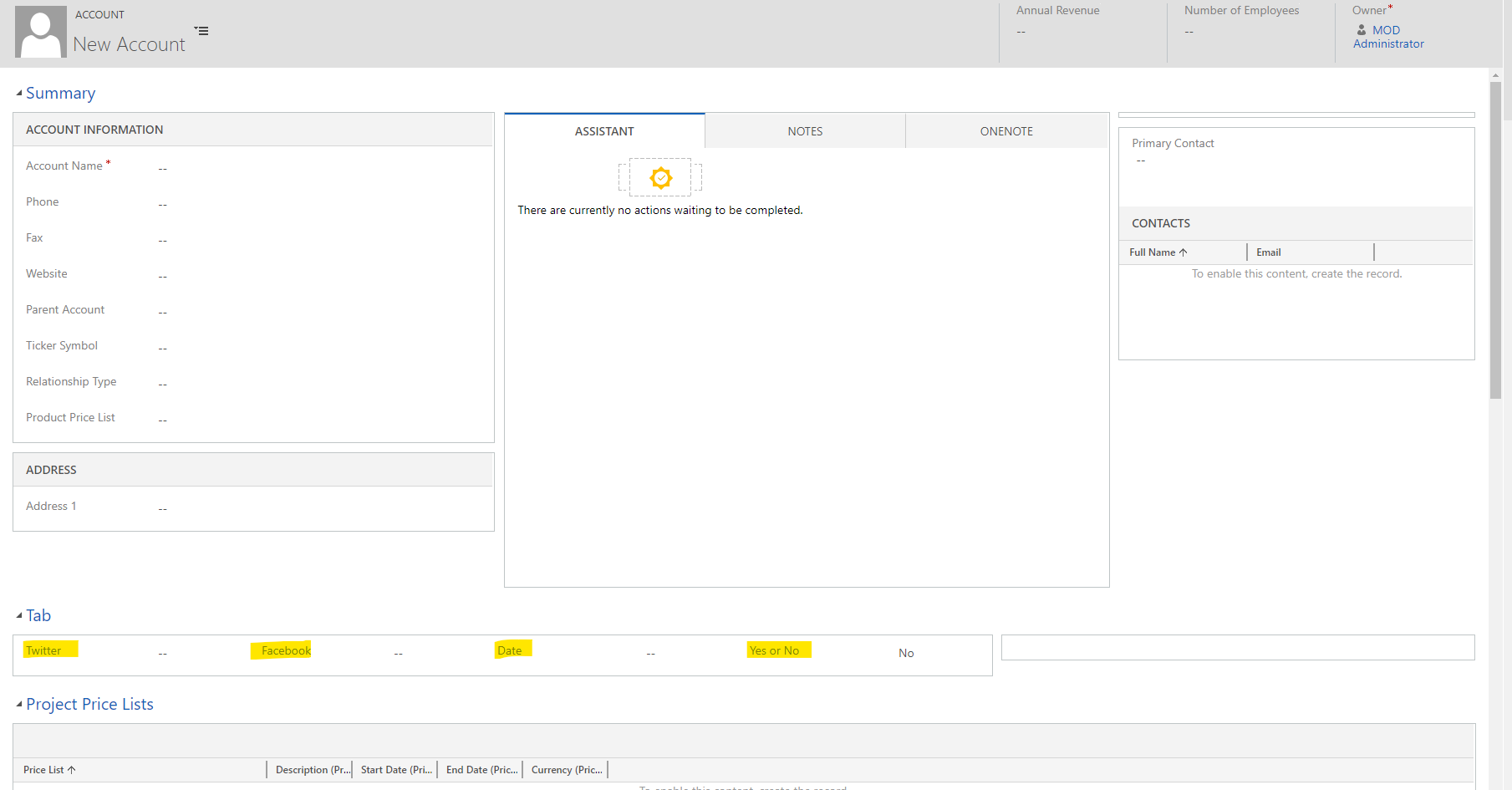
    pastedimage1594276078146v6.png

    In the unified interface, if you lower the zoom of the browser, then you will see the four columns you designed. Or if you change the computer screen to a higher resolution, you can see four columns side by side.

    pastedimage1594275892309v5.png

    I would recommend you edit the form in Power apps, not in the classic form editor.

    Go to https://make.powerapps.com/, select D365 environment, click Data > Entities, select the entity.
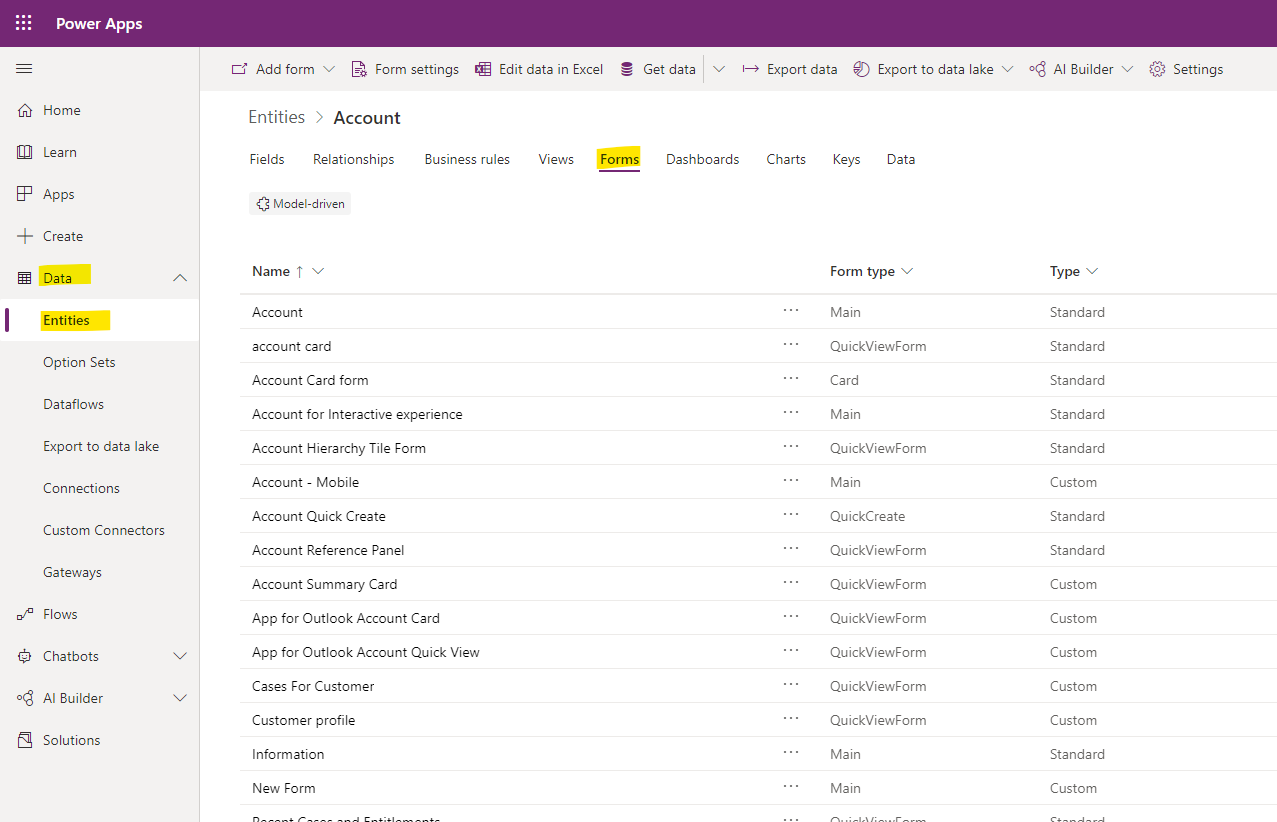
    pastedimage1594276611613v8.png

    Click the form, and you will enter the new form editor, this preview effect is unified interface and real-time, what you see is what you get.

    pastedimage1594276716605v9.png

  • LuHao Profile Picture
    40,892 on at

    Hi partner,

    Has the problem been solved? Any updates?

    Please click Yes under "Did this answer your question?" to close this thread.

    pastedimage1595314852118v1.png

    Thanks.  : ) 

Under review

Thank you for your reply! To ensure a great experience for everyone, your content is awaiting approval by our Community Managers. Please check back later.

Helpful resources

Quick Links

Responsible AI policies

As AI tools become more common, we’re introducing a Responsible AI Use…

Neeraj Kumar – Community Spotlight

We are honored to recognize Neeraj Kumar as our Community Spotlight honoree for…

Leaderboard > Customer experience | Sales, Customer Insights, CRM

#1
Tom_Gioielli Profile Picture

Tom_Gioielli 70 Super User 2025 Season 2

#2
Gerardo Rentería García Profile Picture

Gerardo Rentería Ga... 33 Most Valuable Professional

#3
Daniyal Khaleel Profile Picture

Daniyal Khaleel 32 Most Valuable Professional

Last 30 days Overall leaderboard

Product updates

Dynamics 365 release plans



