Hi Luca,
Unfortunately, the Attachments box is not available on the recurring appointment form, which is by design.
So if you would store a document in the recurring appointments, there are two solutions.
Solution 1. Insert the timeline on the recurring appointment form.
Edit the recurring appointment form, and insert the timeline.
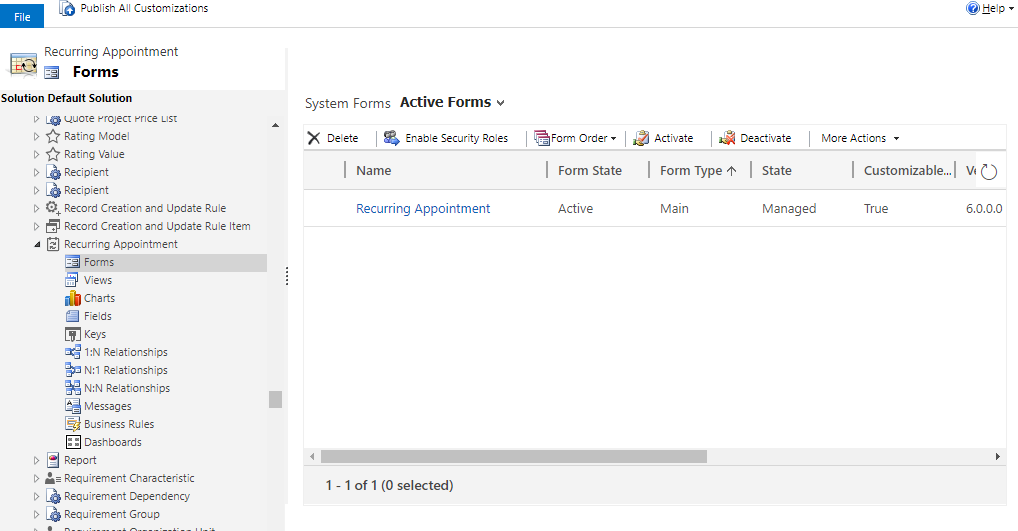
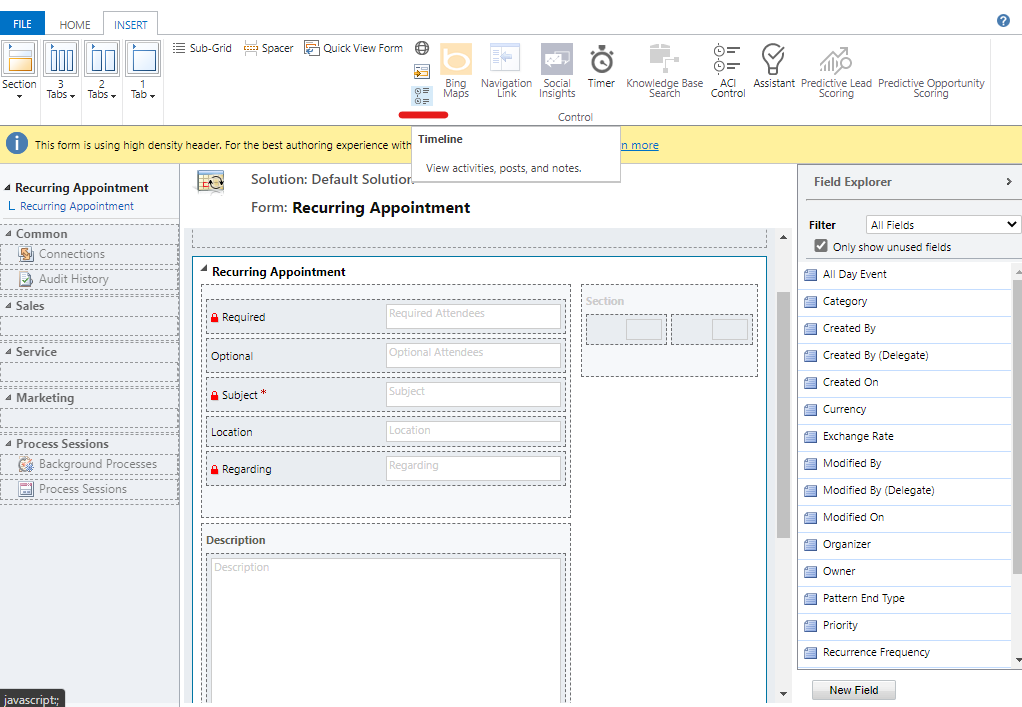
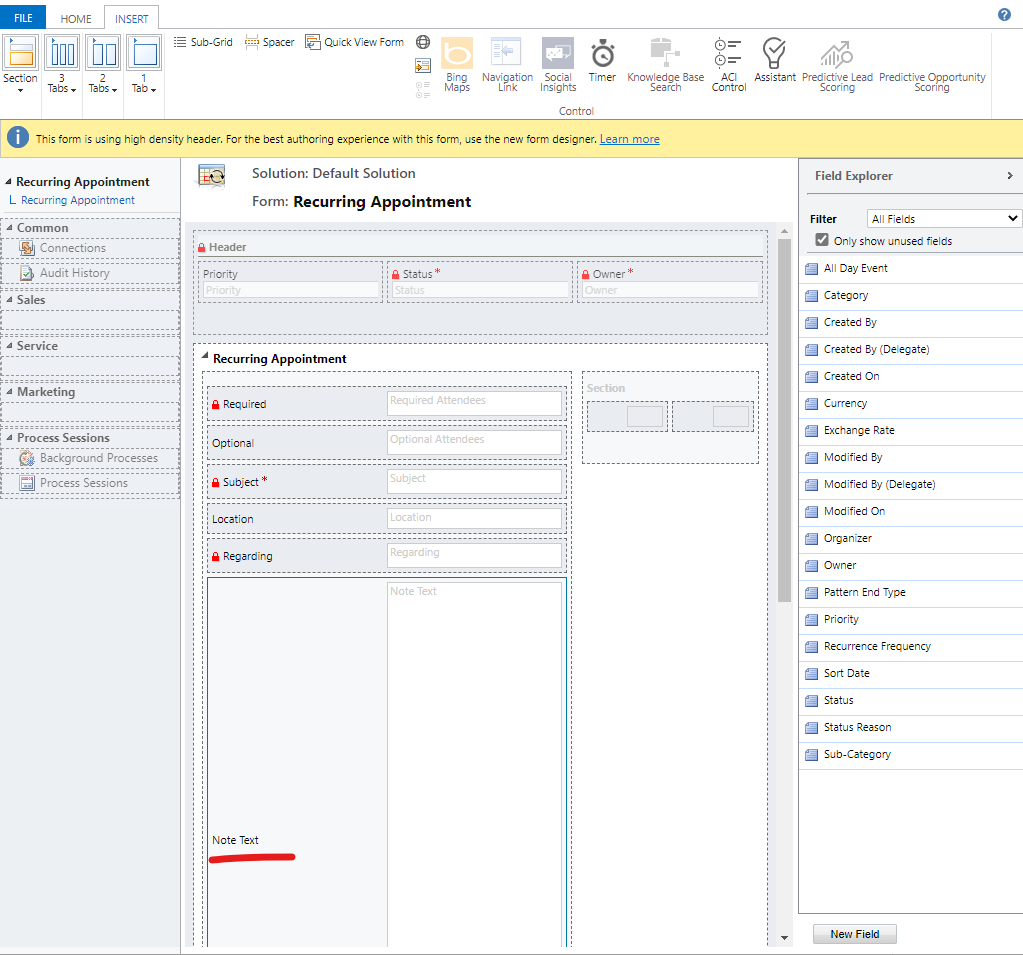
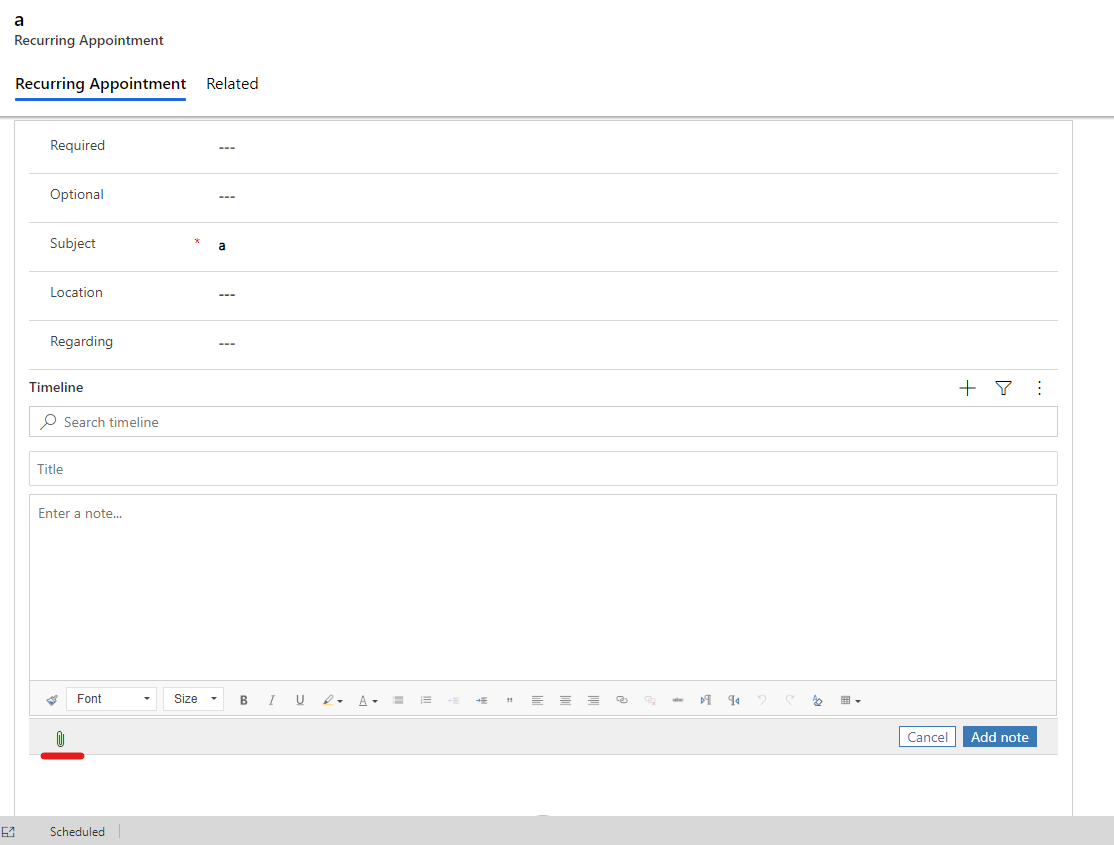
On the recurring appointment form, we can add a note in the timeline, and upload the document.
Solution 2. Enable Sharepoint document for recurring appointment.
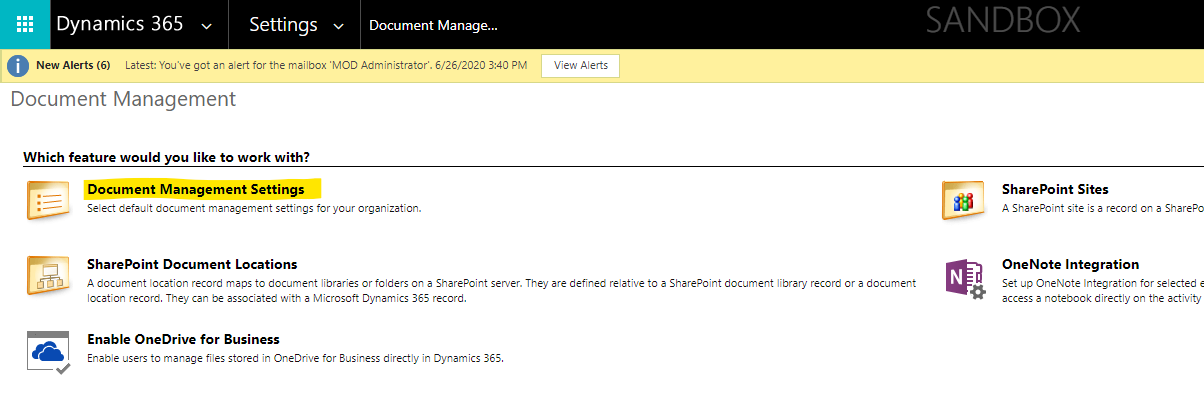
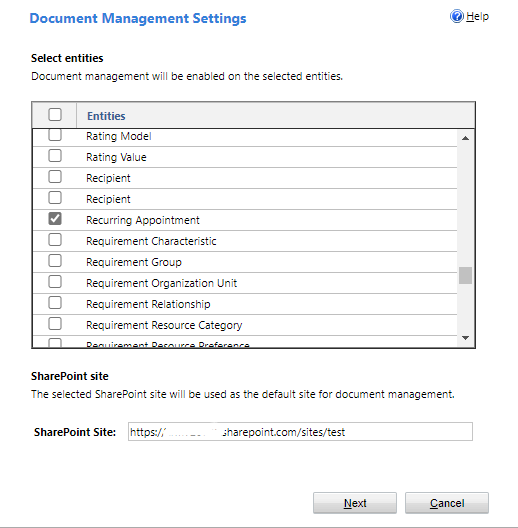
After integrating Sharepoint and D365, go to Advanced Settings > Document Management > Document Management Settings, select recurring appointment.
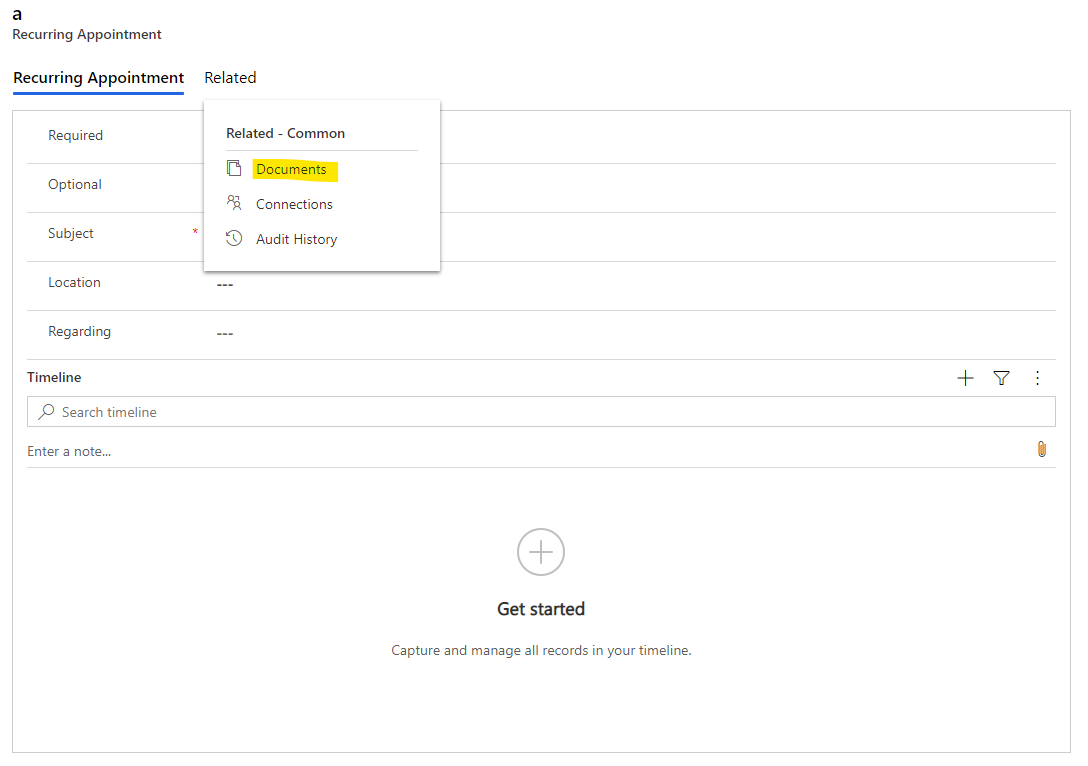
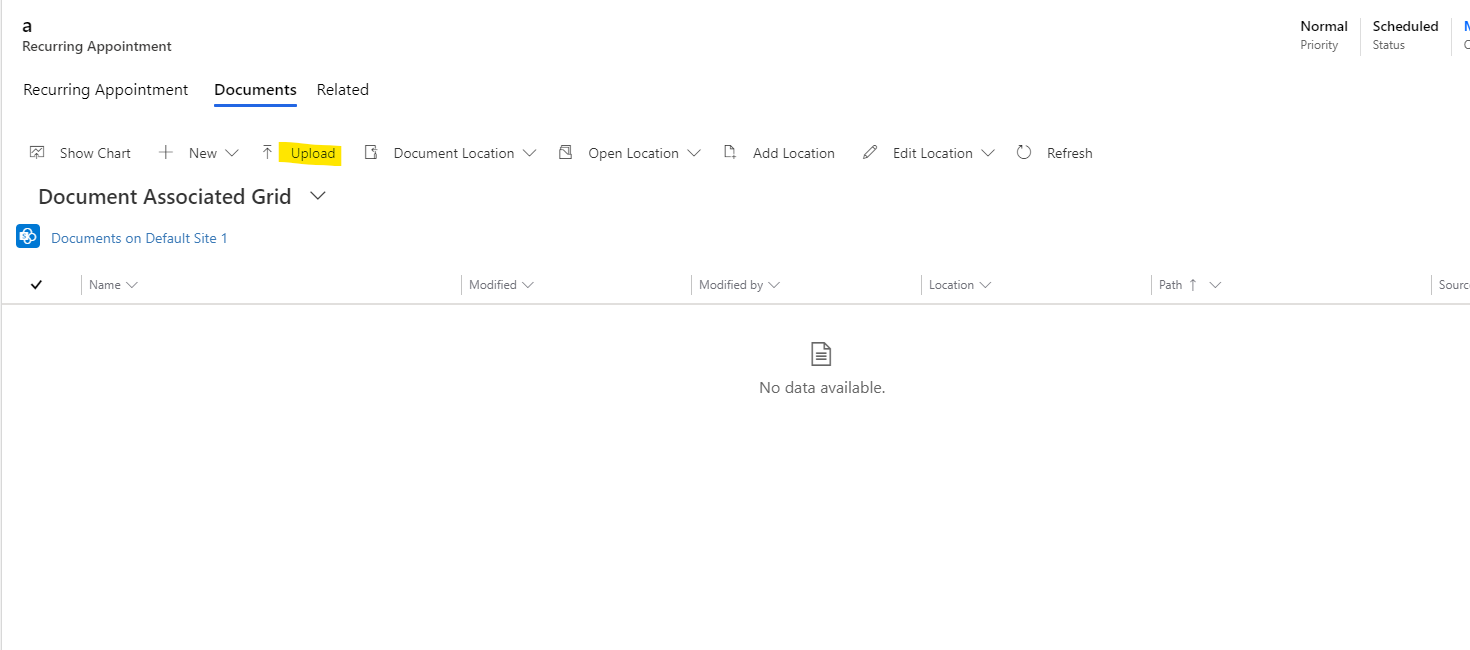
On the recurring appointment form, we can upload the document in the Related > Document tab.