Hi Bryan,
First of all, you need to add the User entity into the Dataset configuration by navigating to Settings > Data Management > Dataset configuration.
Of course, if the owner is a Team, the entity should be added in the same way.

After publishing the change, you can edit the fields in the email with Assist Edit.
The from address should be {{contact.contact_systemuser_owninguser.internalemailaddress}}
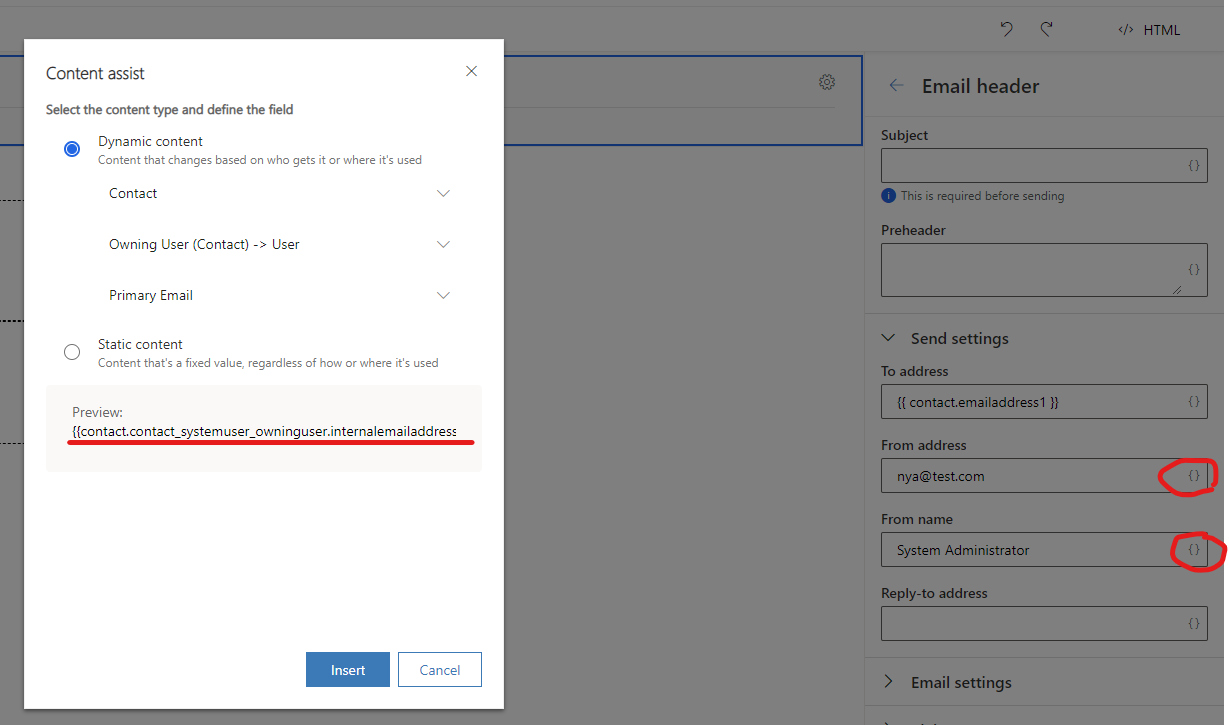
And the from name is {{contact.contact_systemuser_owninguser.fullname}}.

Since the email contains a dynamic content which includes relationship, it cannot be sent directly with Send Now button.

It should be sent with customer Journey.

Here is the final effect of the received email.



