web
You’re offline. This is a read only version of the page.
close
Skip to main content

Notifications

Announcements

No record found.

Community site session details

Community site session details

Session Id :
Microsoft Dynamics AX (Archived)

When we need to add Partition and DataAreaId fields to index?

(0) ShareShare
ReportReport
Posted on by 1,875

I was improve a form and I tried modifing primary Index.

Table is SalesTable and index is SalesIdx but when I test on sql I recieve a stadistics that make me doubt if is necessary to add Partition and DataAreaId.

Current index fields order is Partition, DataAreaId and SalesId.

When I execute a query on sql I recieve this information:

In where clausere only salesId field.
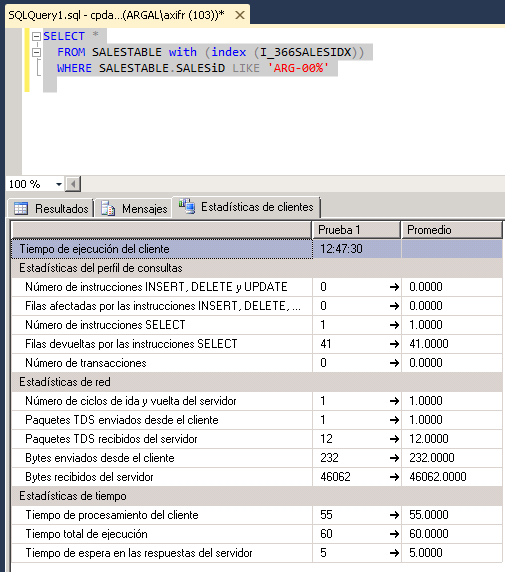
1157.1.png

Next step using all fields of index with right order.
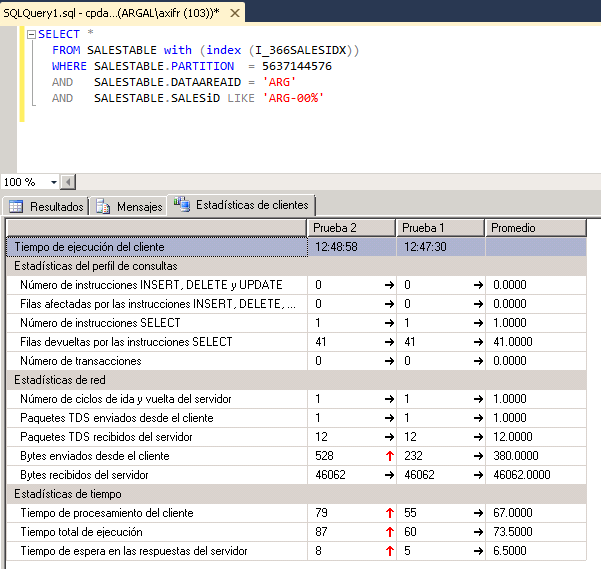
4762.2.png

With this stadistics I suppose that is better use less fields on where clausure.

Then I add partition and dataAreaId and order index with salesId, Partition, DataArea.

i sincronize salesTable and refresh table on sql to see the new order on sql.
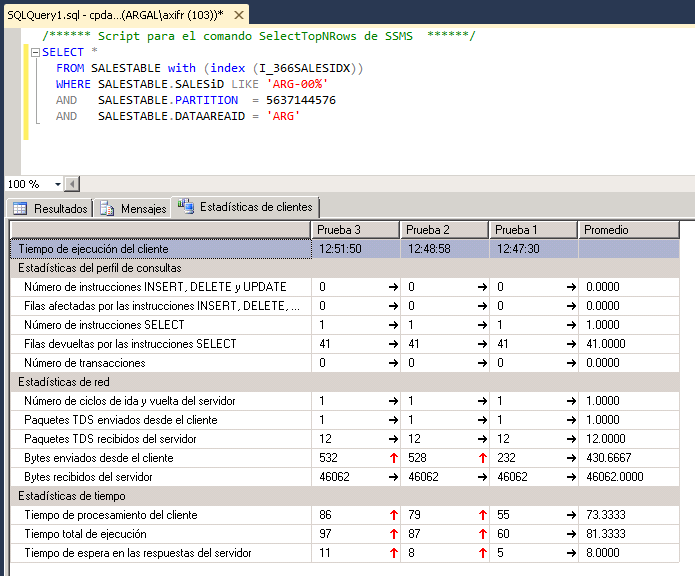
286340.3.png

And finally I decide to call where with only salesId field with the new order.
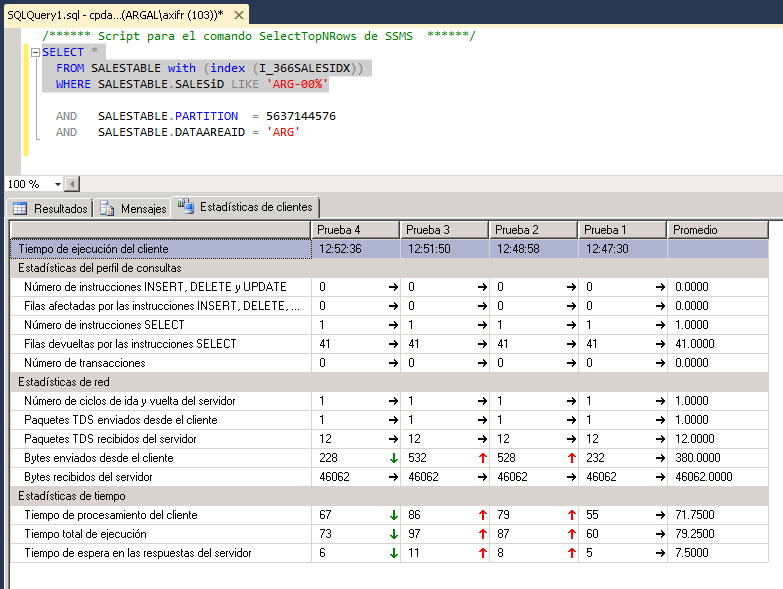
0552.4.png

for more times I execute query I never get a better result of first execution, so my question is when we need to add partition and dataAreaId fields to an index?

For your information in my company we have several companys but only one partition

Regards

*This post is locked for comments

I have the same question (0)
  • Suggested answer
    Sefa Duman Profile Picture
    1,167 on at

    Hi,

    When an index is created on a table in AOT you select the fields to include in the index. The system will then synchronize this index with the database server creating or updating the index in SQL. And the system automatically adds the partition and dataareaid, if the table is not shared, into the index.

    Actually there is no exact rule for adding partition and dataareaid manually to indexes on AOT. AX queries must be analyzed by a DBA periodically

    from SQL tools or DynamicsPerf. SQL server may recommend new missing indexes or changing index order. You should change index order based on these recommendations.

    In so far, Most implementations only have a single AX partition and many implementations only have a small number of companies.

    If these are true, and your tables has many thousands of records, or more, then the index will not work very efficiently by default. You should consider add dataareaid and partition field at the end of your index on AOT as much as possible. So that identifier field like PurchId will be placed at the top of index and index will be able to find the data quicker.

    If you want to use DynamicsPerf for this purpose, you can use scripts below in DynamicPerf SQL solution:

    4-Analyze_SQL_Indexes

    5-Analyze_SQL_Queries

    Best regards,

    Sefa.

  • XB Profile Picture
    1,875 on at

    Thanks Sefa for your answer but still I'm doubting if it necessary add this field because when I execute queries with sql tools improve is worst with this new fields.

    I'll try to install a tool to analize queries perfoms

Under review

Thank you for your reply! To ensure a great experience for everyone, your content is awaiting approval by our Community Managers. Please check back later.

Helpful resources

Quick Links

Responsible AI policies

As AI tools become more common, we’re introducing a Responsible AI Use…

Neeraj Kumar – Community Spotlight

We are honored to recognize Neeraj Kumar as our Community Spotlight honoree for…

Leaderboard > 🔒一 Microsoft Dynamics AX (Archived)

#1
Priya_K Profile Picture

Priya_K 4

#1
Martin Dráb Profile Picture

Martin Dráb 4 Most Valuable Professional

#3
Ali Zaidi Profile Picture

Ali Zaidi 2

Last 30 days Overall leaderboard

Featured topics

Product updates

Dynamics 365 release plans



