Below are instructions to fix the number sequence error.
This occurs when you have run out of number sequence allocation numbers.
The first step to take is to find out what Number Sequence Code it relates to, you can do this by running the following SQL query (or search for the specific record ID in the AOT):
SELECT * FROM NUMBERSEQUENCETABLE WHERE RECID=’[insert record ID number here]‘
To get access to run the SQL query you need to login to Azure with RDP
Log into LCS
Click on (your virtual machine) while in LCS above, this will launch an RDP to Azure
User = Your User ID
Password = Enter Your Password
Click the Windows prompt in the lower left, then click the search icon in the upper right of the screen and type SQL
Select Microsoft SQL Server Management Studio
Type: SELECT * FROM NUMBERSEQUENCETABLE WHERE RECID=22565433873 <- (insert the sequence number that you were shown in the error here in place of 22565433873 )
Next click Execute
This will produce the record and state the Number Sequence that applies to it.
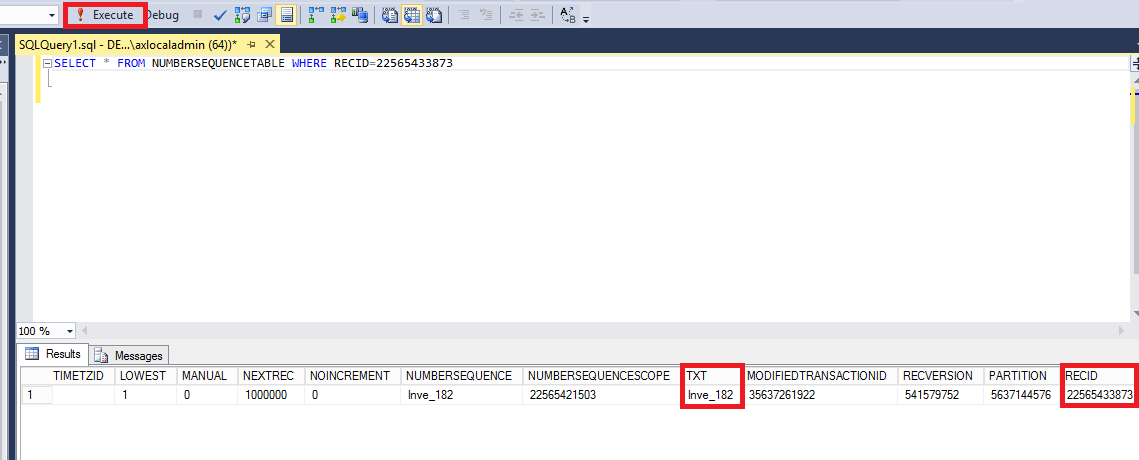
What is listed under TXT is the sequence id that you need to look for.
Next go Organization Administration > Common > Number Sequences > Number Sequences
Since the Number Sequence causing the problem begins with Inve, you would want to click on Area and select Inventory Management from the drop down menu.
This will filter the results to only show number sequences in Inventory Management
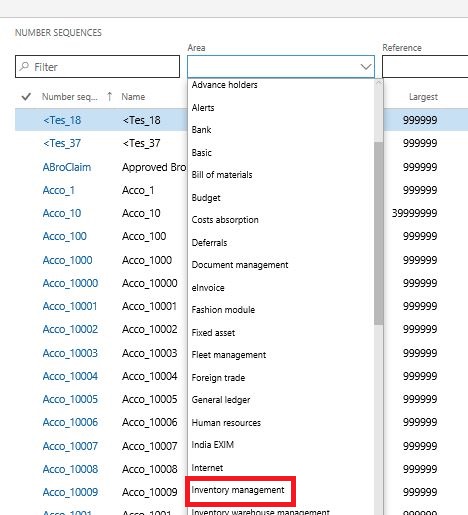
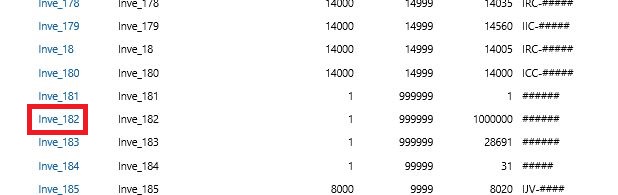
Next, scroll and click on the number sequence you need to address
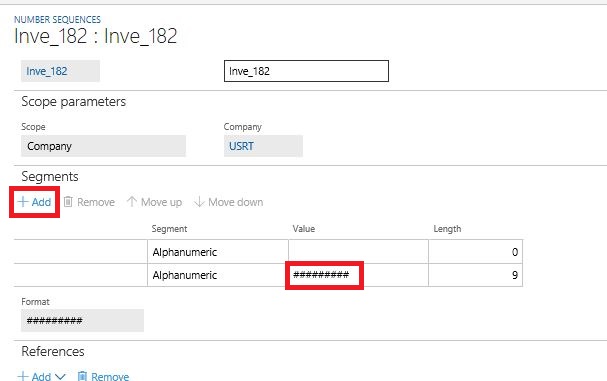
If you click on +Add under Segments on the page that comes up, it will allow you to add "#'s" to the value field next to Alphanumeric.
In this case, I added three. This automatically changed the number in the "Length" field from 6 to 9
Next scroll down to the General section and add the same quantity of "9's" as the quantity of "#'s" that you entered above to the Largest field.
Do not change the quantity in the Next field. This is the next number in the sequence that is to be used.
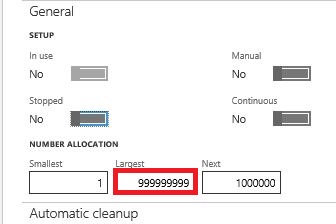
This will allow for us to add another 900,000 sales orders. I don't think that we will run out for some time.
Click save. Problem should be solved. You can test by trying to recreate the process that caused the issue.
References: www.thataxguy.co.uk/number-sequence-has-been-exceeded-error
If this solves your issue, please verify that this fixed your problem. Have a great day!







